Scan Date:Feb 9, 2026
Show More


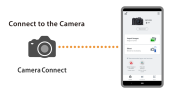
Canon Camera Connect helps when you want photos from your Canon camera on your phone fast without cables. It links compatible cameras and Android devices over Wi Fi or Bluetooth so you can manage shots on your phone and operate the camera from a short distance. Setup is straightforward, and you can keep using your camera while your phone handles transfers. If you need quick wireless photo management on the go, download Canon Camera Connect for a direct link between camera and phone.
Image transfer and format support
Remote shooting and shutter control
You can start remote shooting with live view from your phone and release the shutter over a Bluetooth connection on supported models. When using a Power Zoom Adapter, set Live View to ON for proper operation. Firmware transfer from the phone is available for compatible cameras, which helps keep functions up to date.
Flexible connections and requirements
Location info and Canon services
Canon Camera Connect can acquire location information from your phone and add it to images on the camera. The app also connects to Canon services on supported models. When sharing photos online, check your settings because GPS data may be included in image files.
This app links compatible Canon cameras and Android phones for wireless transfers, remote capture and basic management. Review the file and device requirements before setup, then connect over Wi Fi or Bluetooth and start shooting. For easy installation on Android, get the Canon Camera Connect APK and follow the on screen steps.
Latest Version
3.5.12.16Uploaded by
Canon Inc.
Requires Android
Android 11.0+
Category
Free Photography AppContent Rating
Everyone
Security Report
Report
Flag as inappropriateLast updated on Feb 9, 2026
Minor bug fixes



APKPure - A multi-platform app store primarily focused on Android, providing extensive app-related content. Discover the app you want easier, faster, and safer, with quick and efficient downloads and installations.