Scan Date:May 6, 2026
Show More
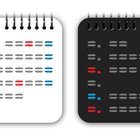
* Calendar Widget
* Tap the date and enter your plan DIRECTLY
* Switch between List Calendar and Grid Calendar with one tap
* Supported public holidays
-: To place Calendar & Memo widget on the home screen :-
You can place this widget from ABOUT page of this app. (Only for Android 8.0 or later devices, Incompatible with some devices)
See below for how to place FROM the home screen.
https://support.google.com/android/answer/9450271?hl=en
-: How to register a plan :-
1. Tap the date you want to register your plan.
2. Input your plan and tap SAVE button.
-: Up to 3 plan registrations :-
To register the second plan, after registering the first one, tap the first one again and tap the + icon on the upper right.
Similarly, you can register the third one after registering the second one.
-: Switch List Calendar and Grid Calendar with one tap:-
Please tap year / month display at the top of this widget to switch them.
-: About List Calendar :-
List display type that can be scrolled vertically.
You can also wrap the text, so you can check the schedule for the day at a glance.
(*) Turn on "Wrap Text" from the settings.
-: About Grid Calendar :-
A badge with the same color as the text color will be displayed on the scheduled date.
You can choose to start on Sunday / start on Monday in Grid Calendar.
-: Supported public holidays :-
This widget supports public holidays of world 48 areas.
-: Others supported :-
* Change background color and opacity
* Change default text color (Black/White) (version 1.3.0 or later)
* Change font size (Tiny/Small/Normal/Large)
* Change header (year / month display at the top of this widget) design
* Change badge size of Grid Calendar
* Resize widget
* Backup to Google Drive & Backup to your phone
* Text search
-: About advertising :-
Banner ads will be displayed at the bottom of the screen on the settings screen and the text search screen.
Thank you for your understanding and support for better development.
Latest Version
2.2.1Uploaded by
Hariyadi
Requires Android
Android 6.0+
Category
Free Productivity AppContent Rating
Everyone
Security Report
Report
Flag as inappropriateLast updated on Aug 26, 2025
v2.2.1
- Fixed list calendar list size (Android12+)
v2.2.0
- Changed the display order of the grid calendar badges to ascending order
- Updated list calendar display processing (Android12+)
v2.1.0
- Added XLarge font size
- Fine-tuned the layout
v2.0.0
- Fixed the URL change for the holiday retrieval API
v1.5.4
- Changed minimum size value of widget




APKPure - A multi-platform app store primarily focused on Android, providing extensive app-related content. Discover the app you want easier, faster, and safer, with quick and efficient downloads and installations.