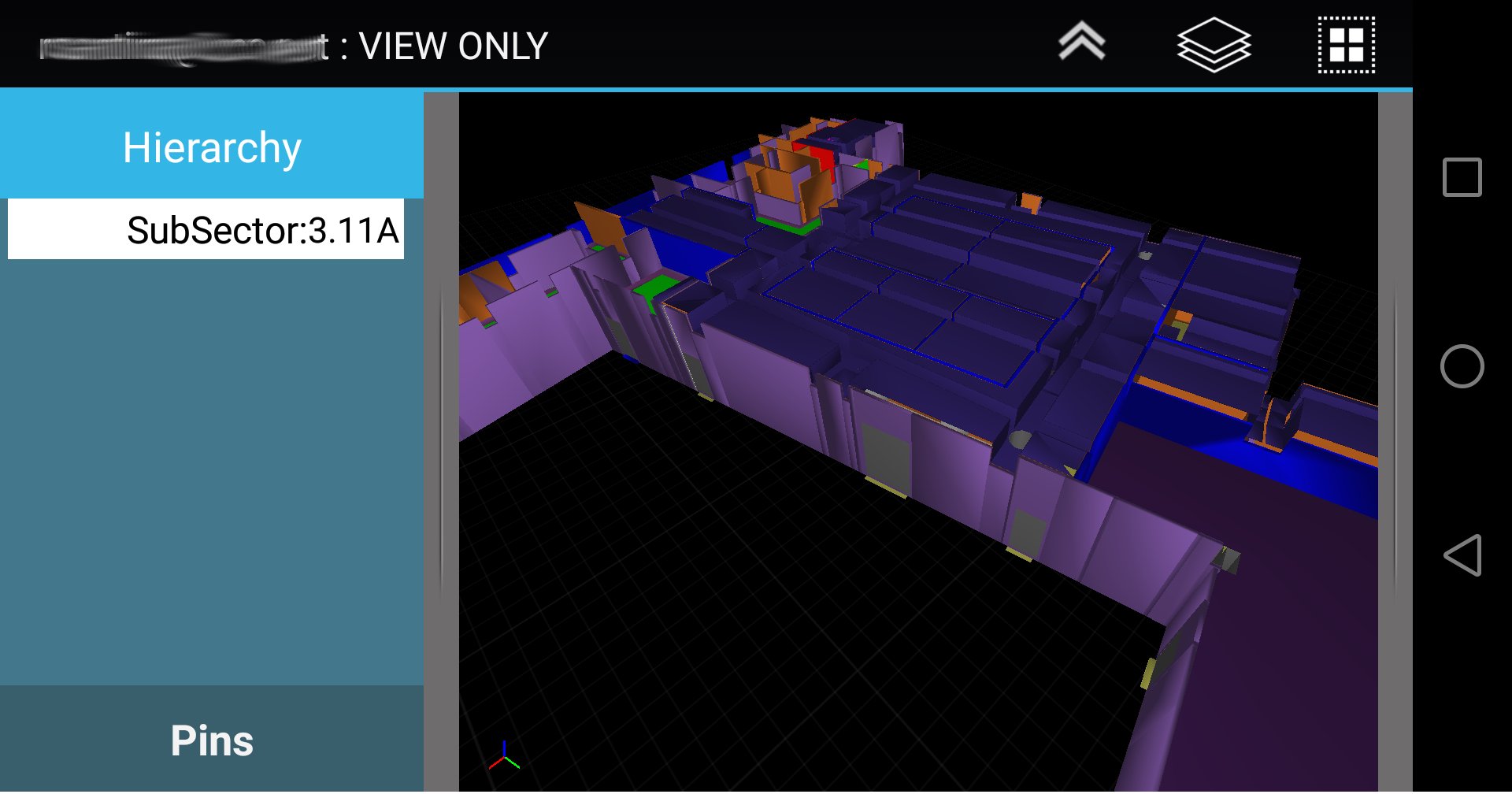
C3D Mobile is a specialized 3D Construction management application. C3D Mobile allows site supervisors to interact with the
3D model relevant to their area of responsibility. C3D Mobile also allows the user to create, edit, and verify punchitems.
Using C3D Mobile, you will be fully informed on all the details of the model and parameters that are needed on the
move. No need to go back to the office to verify, check, or print the drawings before heading to the construction site. Share
your models, updates, and revisions using C3D Collaboration Server.
Main usage of C3D Mobile includes:
Visualize Model & Related Properties
- Smooth Navigation of the 3D model.
- View properties and BOQs per object.
Punch Listing & Handover
- Create Punchitems with optional image (diretly from camera or from user gallery).
- Link Objects to Punchitem
- Set Punchitem as Done, and send it for verification.
- Works offline & Online
- Verify Punchitems assigned to you. (JV, Contractor, Client)
- View supporting documents and drawings.
- Automatically upload changes to server (if connection available)
- Fully Compatible with C3D Atlas Handover System and/or C3D SiteWalk Add-on.
Having C3D Interactive as its desktop counterpart, the user can share to C3D Mobile the whole model or part
of a model depending on user, location, activity, and any other filtering criteria. Convert models coming
from industry standard file formats and multiple design authoring tools. The converted models are then
combined to be linked to your plan and WBS coming from reputed scheduling applications.
Sample Model with Punch-items is availabe for download thru the app.
For more information, visit http://c3d.com
Latest Version
2.2Uploaded by
Supawadee Namnit
Requires Android
Android 5.0+
Category
Free Productivity AppContent Rating
Everyone
Report
Flag as inappropriateLast updated on Jan 19, 2020
-Support v4.x of C3D
-Support 64bit devices
-Rendering Enhancements : major update on shading model to enhance visualization
-2D Drawing support: support loading 2D drawings based files on mobile
-Add support for position based navigation
-Compress model for ability to load more geometry.
-Job Cards for use with C3D Planner (beta)
-Settings
Add ability to change background Color
Setting max vertex load capacity
Allow user to modify URL
-Bug fixes & enhancements





APKPure - A multi-platform app store primarily focused on Android, providing extensive app-related content. Discover the app you want easier, faster, and safer, with quick and efficient downloads and installations.