Scan Date:Dec 22, 2025
Show More
About version 3.5.0:
New function "Once-only cyl charging" if you need hot water outside the set times. The symbol (tap with plus sign) for the "Once-only cyl charging" function can be found at the top right of the hot water home screen.
Would you like to monitor your heating and control it remotely via the Internet? The Buderus "MyDevice" app makes this simple.
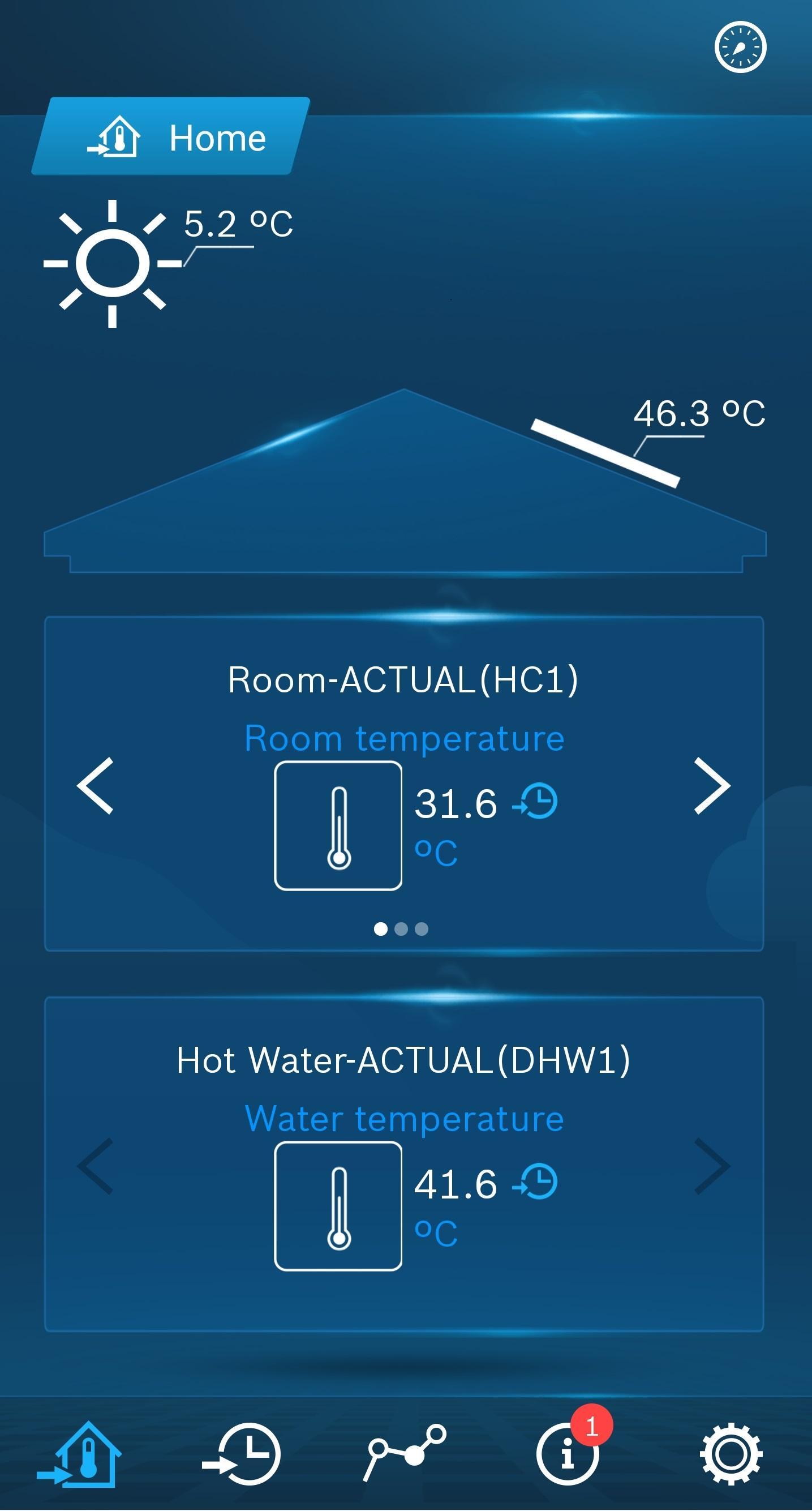
You can execute the following control and monitoring functions:
- Change the room's set temperature
- Change the set DHW temperature
- Quickly and easily switch between automatic and manual heating mode (Automatic/Manual or Day/Night)
- Quickly and easily switch between automatic and manual DHW operation (when hot water con-troller setting has its own time program)
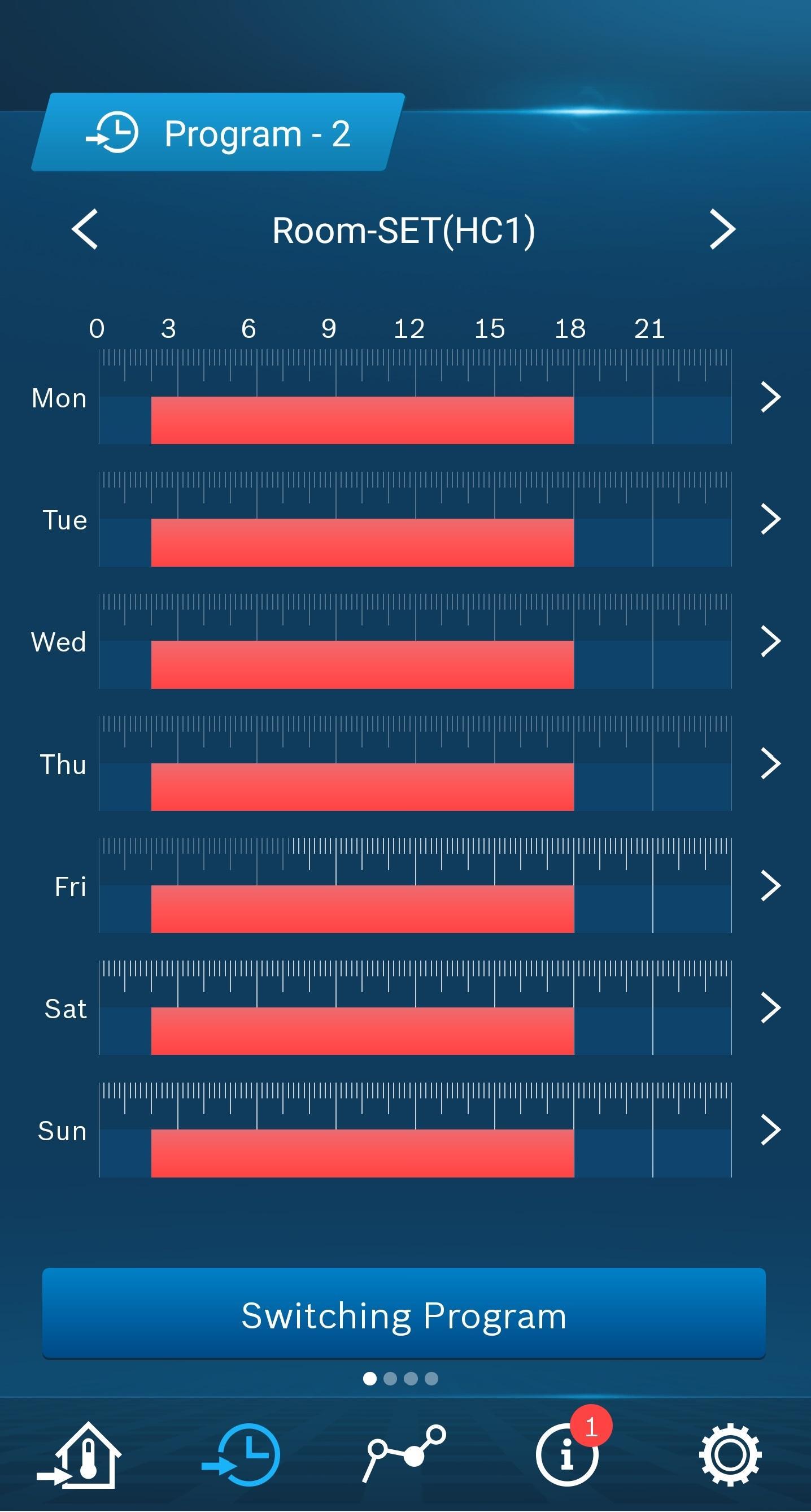
- Convenient, intuitive changing of the switching times in your heating programs
- Convenient, intuitive changing of the switching times in your hot water programs (when domestic hot water controller setting has its own time program)
- Graphical display of the room and outside temperature curves in the overview for the current day, week or month.
- Graphical display of the solar yield from your thermal solar system in the overview for the cur-rent day or month.
- Zoom capabilities in the graphical displays
- Display of selected system information
- Display of current maintenance and fault messages
MyDevice offers future-oriented, mobile heating convenience that you can use to your ad-vantage equally for both your home and holiday apartment. Operation is quite similar to that of your usual heating controls and thanks to an intuitive menu especially easy. Password-protected access ensures a high level of security.
You need the following to use the MyDevice app:
- a Logamatic EMS control system with controller RC30/RC35 (starting with year of production 2003) or
- a Logamatic EMS plus control system with controller RC300 or RC310 (starting with year of production 2012) or
- Logatherm WPS -1 heat pumps with Logamatic HMC10 user interface or
- Logatherm heat pumps with Logamatic HMC300 and the Logamatic EMS plus control System user interface.
For communication with the heating system, you need a heat source
- with an integrated IP interface or
- with an additional Logamatic web gateway KM50/100/200
as well as an
- existing LAN network (router with a free RJ45 connection)
- Android operating system version 4.x or higher and a resolution of at least 320 x 480 pixels (app display optimised for smartphones)
Notice:
If an RC200 user interface is associated with a heating circuit, viewing and changing the timer programs is not possible for this heating circuit.
Additional costs for the Internet connection may apply; for this reason, a flat-rate Internet con-nection is recommended.
The expanded functionality of the app requires updating your gateway software. Leave your gateway connected to the Internet for at least 24 hours for the update.
Your Buderus heating contractor can tell you whether your heating system meets the technical requirements, and supply and install the appropriate gateway if necessary. They can also advise you personally and provide support regarding use.
We would like to take this opportunity to thank you in advance for providing detailed feedback regarding our Buderus MyDevice app. This can lead to further product developments.
Additional information on the MyDevice app and Buderus products can be found on our homep-age: www.buderus.de
Latest Version
3.10.2Uploaded by
Guilherme Bastos
Requires Android
Android 6.0+
Category
Free Productivity AppContent Rating
Everyone
Security Report
Report
Flag as inappropriateLast updated on Dec 19, 2025
Bug fixing and optimization





APKPure - A multi-platform app store primarily focused on Android, providing extensive app-related content. Discover the app you want easier, faster, and safer, with quick and efficient downloads and installations.