Control your computer with your mobile while watching a movie, listening to music or you can even switch it off from the app.
WARNING: Some Antivirus may flag it as a Virus, but it's NOT, and you may need to explicitly allow the application. DON'T download if you don't trust in my application.
How to use:
Please install PC Remote Controller on your windows computer before using PC Controller on your phone.
Download the PC Remote Controller from here for free: Link: https://pccontroller.rnstudio.hu/
Installation instructions: Link: https://pccontroller.rnstudio.hu/help
Most handy features:
Easy pairing: To connect your computer with the app you will get a QR code by downloading and running the desktop version of the PC Controller. You don't have to manually provide any data from your computer. The only restriction is that the computer and the mobile app should be connected to the same network.
One time pairing: The desktop app runs right after the computer starts up so you don't have to pair your devices you already connected to the computer.
Simple dashboard: Comfortable handling by featuring all available controls.
Multiple devices: The application can control more than one computers.
Security: Only the paired mobiles can control your computer.
Operating Environment: Compatible with Windows 8, 10 and 11.
If the connection does not working, you have to add the PC Remote Controller.exe application as exception to the windows firewall.
Controlling features:
- Handling media player,
- Adjust volume,
- Turn off computer,
- Make computer sleep,
- Adjusting the brightness (only laptop),
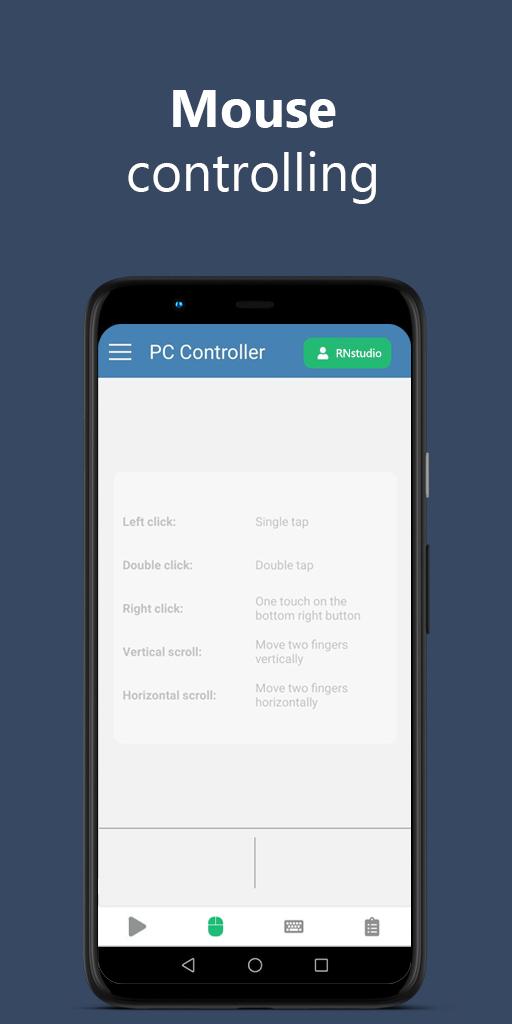
- Mouse controlling,
- Keyboard controlling,
- You can press and hold the volume, scroll, and arrow keys for the faster actions.
Report issue: info@rnstudio.hu
Última versão
3.4.0Enviado por
Bens Azdin
Requer Android
Android 4.1+
Categoria
Grátis Ferramentas APPClassificação do Conteúdo
Everyone
Relatório
Marcar como inapropriadoLast updated on Feb 16, 2021
- Changing some design elements,
- Improving of mouse controlling.





APKPure - Uma loja de aplicativos multiplataforma focada principalmente em Android, fornecendo extenso conteúdo relacionado a apps. Descubra o aplicativo que você deseja de forma mais fácil, rápida e segura, com downloads e instalações rápidos e eficientes.