
Mouse Sensitivity Calculator & Converter
TEMPORARY DOWN DUE TO MAINTENANCE!
NOTE: This is an early beta version. Desktop and FOV calculations are not yet ready. The full version will have certain limitations unless you upgrade to PRO.
This tool allows you to accurately calculate mouse sensitivity for a number of games. You can also convert the sensitivity from one game to another. The basis for the sensitivity is how far you have to move your mouse to do a 360 degree rotation in the game.
Features:
- Calculate sensitivity based on a desired 360 distance, either in centimeters or inches.
- Convert sensitivity between games based on the settings from one game.
- Calculate the sensitivity you need to set if you change your DPI or WPS, do this by selecting the same game as current and new.
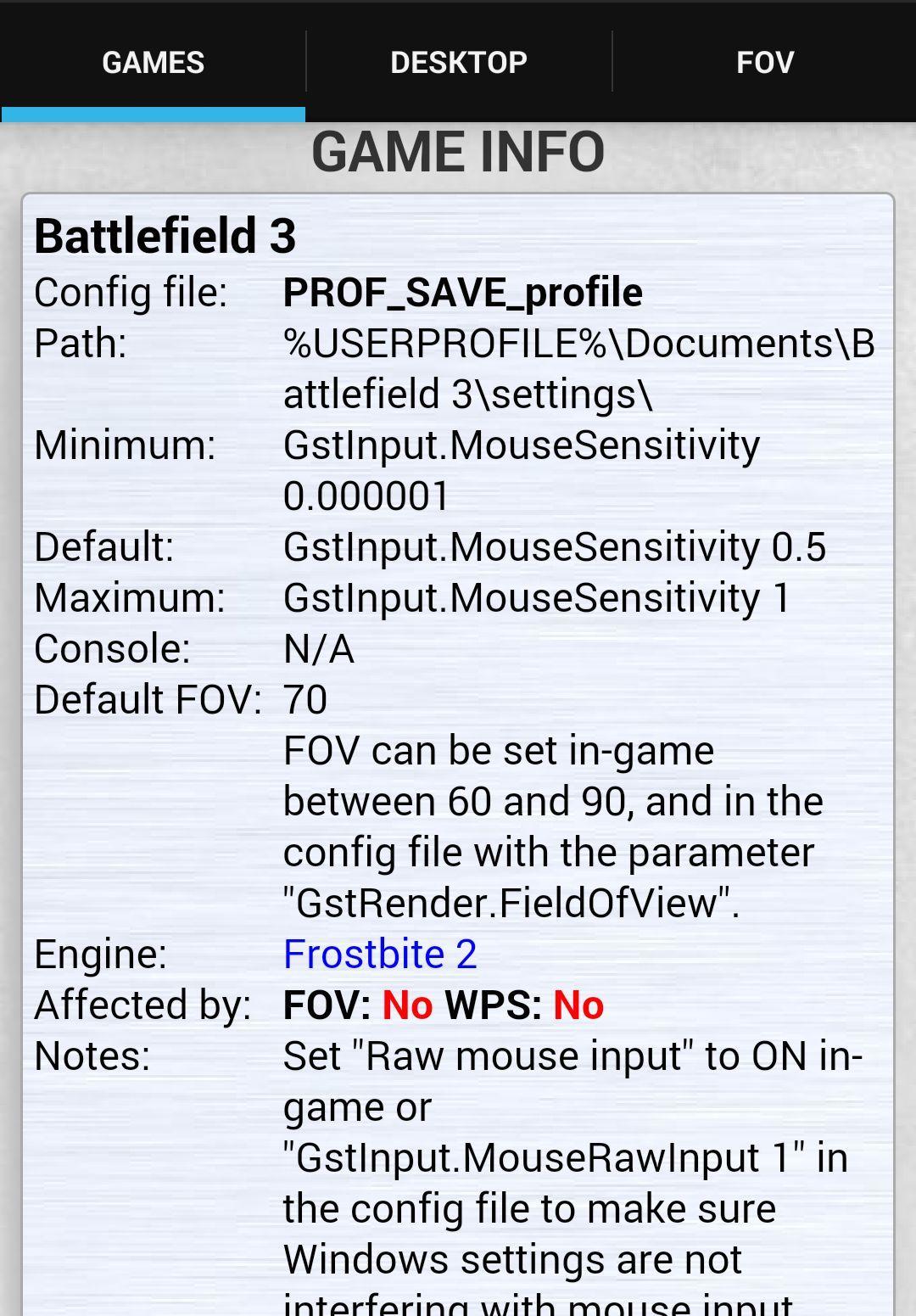
- Instructions on how to change the sensitivity for the selected games.
These calculations are all based on un-accelerated mouse movement. Some games allow you to disable acceleration, this is recommended where possible. Other games have unavoidable acceleration, so for these games the calculations are just estimates, and results may vary a lot depending on settings.
Quick guide:
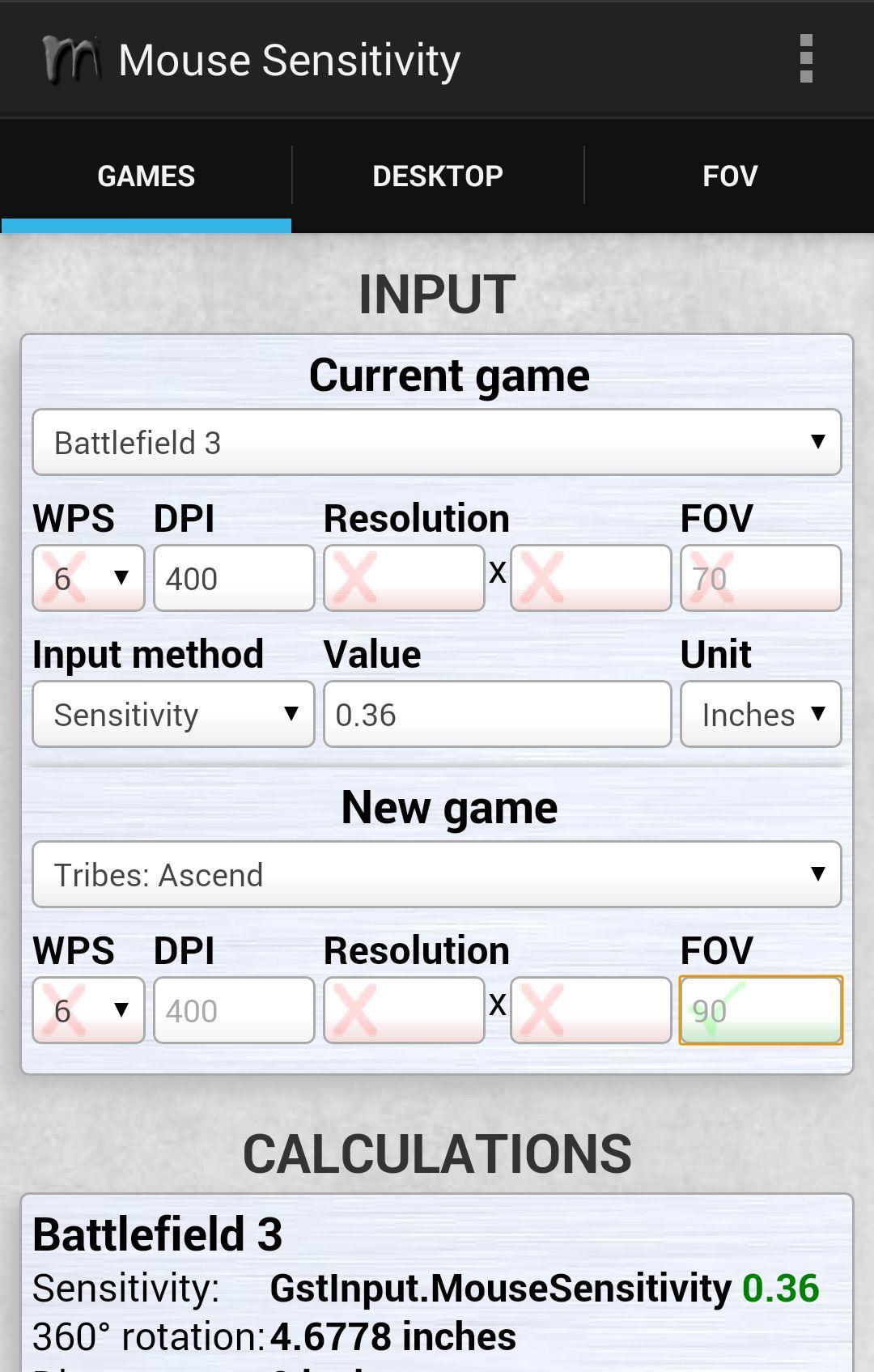
- Current game: The game you want to use as a base for the calculations, or you want to calculate the distance for.
- WPS: Windows Point Speed. This is the mouse speed setting in Windows. Default is 6.
- DPI: The DPI setting for your new and current game. If you do not enter a DPI in the new game section, current DPI will be used.
- Resolution: Some games require resolution as well to calculate the sensitivity.
- FOV: The FOV of the game in degrees. Not all games use this in the calculation.
- Input Method: Choose whether to use the sensitivity setting for the current game or a desired distance as input.
- Value: This is the value for the input method, either sensitivity from the current game, or a distance.
- Unit: Select the unit you want to use for the calculations, and the input if you select distance as input method.
- New Game: This is the game you want to calculate to based on the input.
- NOTE: Some fields will have either a RED X or a GREEN V as their background. This indicates whether or not the field is used in the calculations. If it is a RED X, you do not need to enter a value, if it is a GREEN V, a value is needed.
Currently supported games:
Americas Army: Proving Grounds, APB: Reloaded ,Arma 3, Battlefield 3, Battlefield 4, Battlefield: Bad Company 2, Bioshock Infinite, Blacklight: Retribution, Borderlands 2, Call of Duty 4: Modern Warfare, Call of Duty: Black Ops 2, Call of Duty: Ghosts, Call of Duty: Modern Warfare 3, Chivalry: Medieval Warfare, Counter-Strike 1.6, Counter-Strike: Global Offensive, Counter-Strike: Source, Crysis 1, Crysis 2, Crysis 3, Cube World, Dark Souls II, DayZ (Arma 2), DayZ Standalone, Fallout: New Vegas, FarCry 3, Firefall, Garry's Mod, Ghost Recon Phantoms, Goat Simulator, Half-Life 2, Insurgency, Left 4 Dead 2, Loadout, Medal of Honor: Warfighter, Metro 2033, Metro Last Light, Minecraft, Mirror's Edge, Natural Selection 2, Payday 2, Planetside 2, Portal 2, Quake 1, Quake 2, Quake 3 Arena, Quake 4, Quake Live, Rage, Red Orchestra 2: Heroes of Stalingrad, Rust, Serious Sam 2, Serious Sam 3: BFE, Serious Sam HD: The First Encounter, Serious Sam HD: The Second Encounter, Serious Sam: The First Encounter, Serious Sam: The Second Encounter, ShootMania: Storm, Skyrim (The Elder Scrolls V), Team Fortress 2, Thief, Titanfall, Tribes: Ascend, Unreal Tournament 2004, Unreal Tournament 3, War Thunder, Warface, Warframe.
Disclaimer: This application relies on connection to the internet and a correct running clock. The list of games are fetched from a web-server, and all calculations are done server-side. The service may go down at any time due to maintenance.
Última versão
0.8.1Enviado por
Sen Sei
Requer Android
Android 2.3.2+
Categoria
Grátis Ferramentas APPRelatório
Marcar como inapropriadoLast updated on Nov 26, 2015
Initial beta release.


APKPure - Uma loja de aplicativos multiplataforma focada principalmente em Android, fornecendo extenso conteúdo relacionado a apps. Descubra o aplicativo que você deseja de forma mais fácil, rápida e segura, com downloads e instalações rápidos e eficientes.