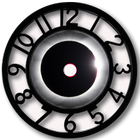
This beautiful Analog Clock is just for you.
Directions:
1. Go to the Widgets
2. Drag the Black Clock icon from the widgets to the preferred screen.
3. Black Analog Clock will appear on your screen
4. Mission accomplished.
Black Analog works for Devices having OS version 4.4 or higher
Latest Version
1.3Uploaded by
صالح محمود
Requires Android
Android 3.0+
Category
Free Tools AppContent Rating
Everyone
Report
Flag as inappropriateLast updated on Mar 31, 2018
New Features
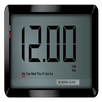
1. It's now a DUAL clock, on touch widget will change into beautiful black digital clock and on touching again on the widget and widget will change into gorgeous Analog clock. JUST TOUCH ON THE WIDGET AND SEE THE DIFFERENCE
2. Now even available for lower versions of Android
3. Font of the digital clock changes as widget is resized.
4. Clock hands changed as per request.



APKPure - A multi-platform app store primarily focused on Android, providing extensive app-related content. Discover the app you want easier, faster, and safer, with quick and efficient downloads and installations.




![Neon Clock Pro [Deprecated] APK](https://image.winudf.com/v2/image1/dXBwZXIuZHVwZXIud2lkZ2V0Lmdsb3dpbmcuZnVsbF9pY29uXzE2NTg4MzQzNzBfMDY4/icon.png?w=102&fakeurl=1)