
biiCADo Touch – Professional 2D CAD app for creating DXF-drawings
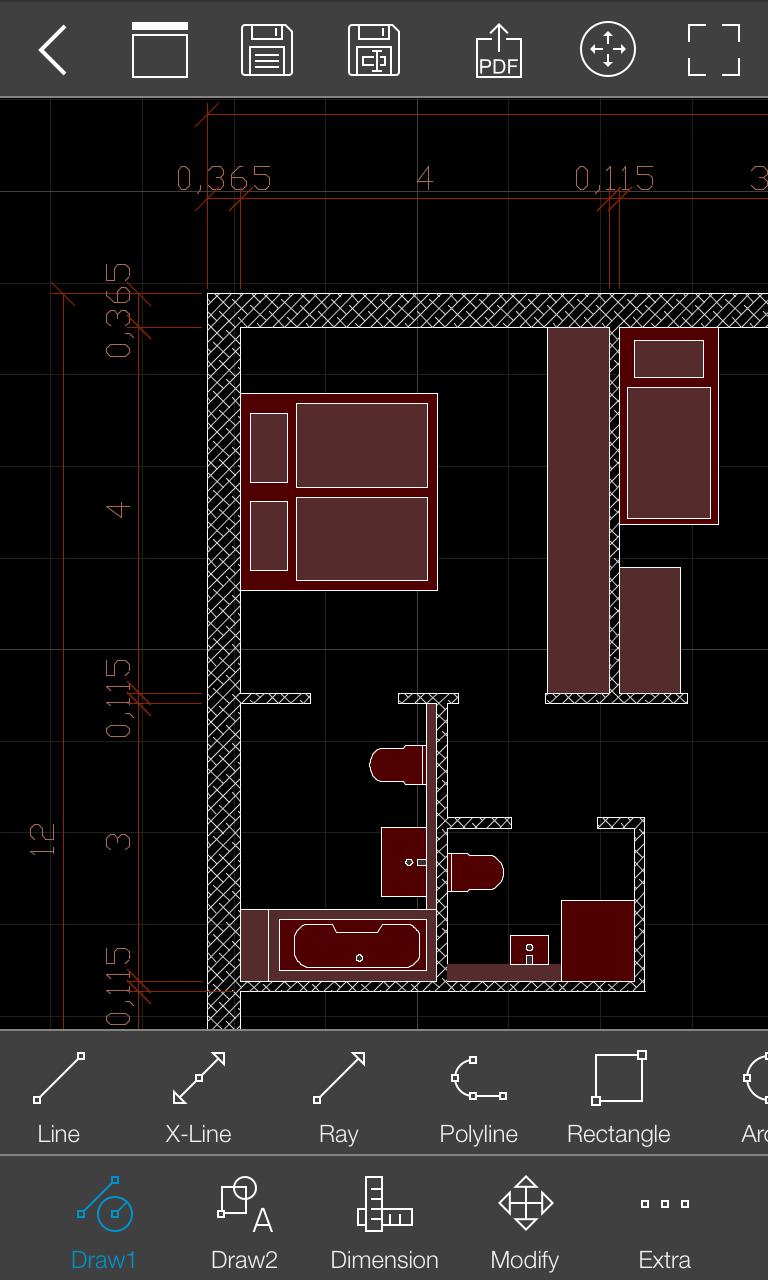
biiCADo Touch is a professional 2D CAD-application, optimized for use in mobile devices. The intuitive operation and a variety of CAD Tools enable fast and efficient creation of technical drawings in DXF format. Create PDF documents of your drawings and send them directly from biiCADo touch, to share them with others.
This version of biiCADo Touch has the full functionality of biiCADo Touch Pro version with the following limitations:
- Saving drawings is limited to max. 25 geometric elements
Demovideos can be found at: http://www.bast2i.com/support.html
General:
• Create 2D CAD drawings
• Drawing in Inch and metric units
• Import / export of DXF documents via e-mail
• Dropbox support (Pro version only)
• Organize your DXF- and PDF-documents clearly in project folders
• Undo / Redo any number of times
Supported geometry elements which can be created and edited:
• Point, Line
• X-Line, Ray
• Polyline, Rectangle, Polygon, Donut, Array
• Arc, Circle, Ellipse, Elliptical Arc, Spline
• Text, Multiline Text
• Hatch, Solid
• Create Block, insert Block, Block attributes
• Inserting external DXF blocks.
Dimensions
• Horizontal, Vertical, Aligned
• Radius, Diameter
• Angular, Coordinates
• Tolerance, Leader lines
• center marks
Edit Drawing:
• Power Edit (Access to all element properties)
• Grips
• Delete, copy, move
• Rotate, scale, mirror
• Trim, extend
• Chamfer, Fillet
• Offset
Supported fonts:
• txt, isocp, romanc, italic, greekc
Supported hatch:
• Ansi31, Ansi32, Ansi33, Ansi34
• Ansi35, Ansi36, Ansi37, Ansi38
• Solid
Tools for precise drawing:
• Magnifier
• Snaps
• Ortho mode, grid view, grid snap
Supported Presettings (add, delete, edit):
• Layer, Linetype
• Text style, dimension style, point style
Latest Version
3.2.6Uploaded by
ប្រុសចឹម ចឹម
Requires Android
Android 6.0+
Category
Free Productivity AppContent Rating
Everyone
Report
Flag as inappropriateLast updated on Jan 21, 2022
Troubleshooting



APKPure - A multi-platform app store primarily focused on Android, providing extensive app-related content. Discover the app you want easier, faster, and safer, with quick and efficient downloads and installations.