
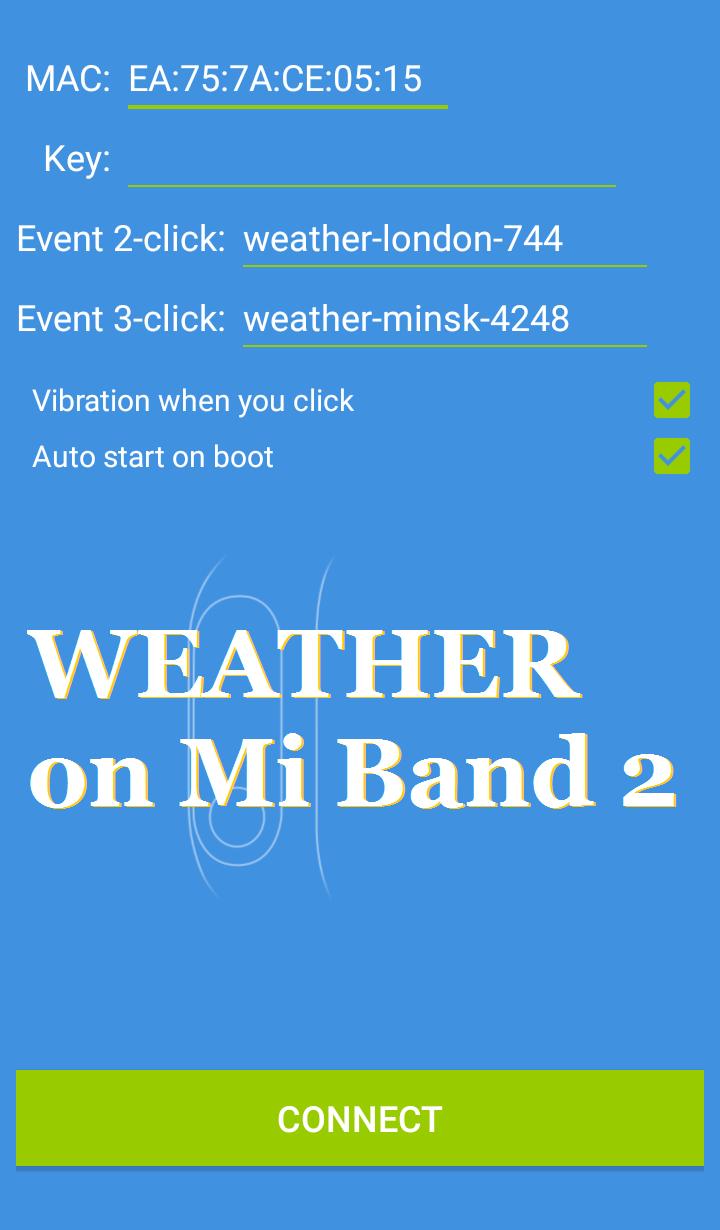
To get the weather forecast, enter the URL from gismeteo.com, as shown in the picture.
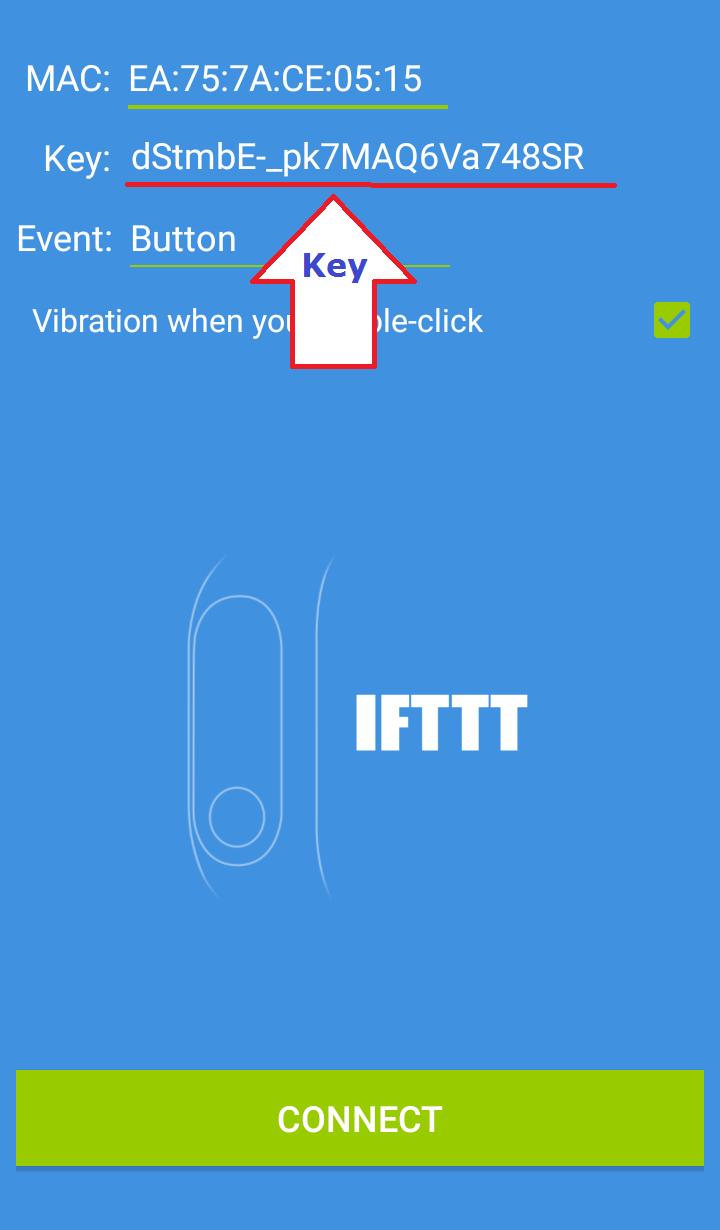
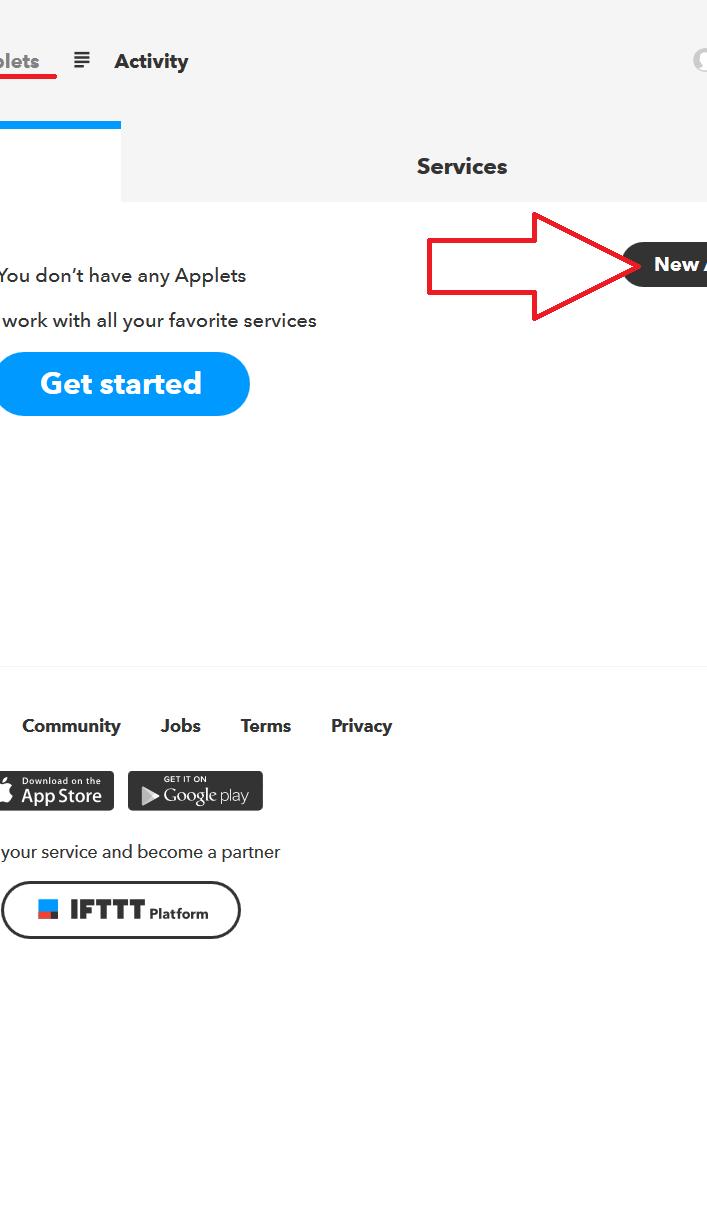
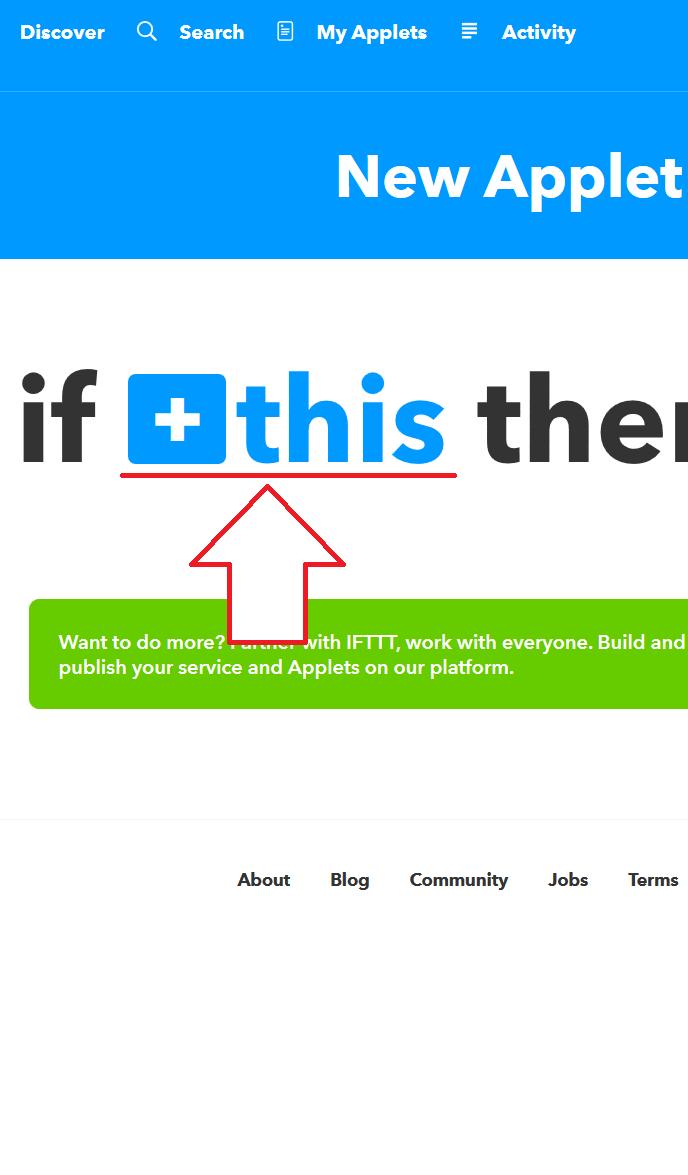
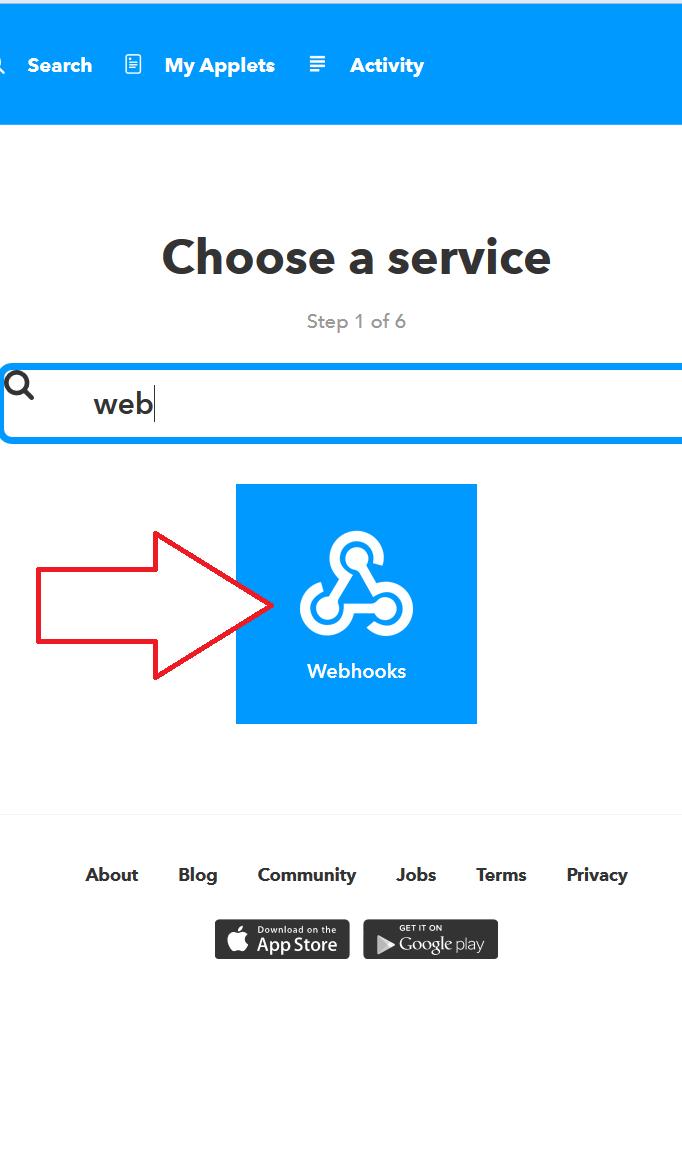
Trigger for IFTTT.com by double-clicking Mi Band 2/HRX & Amazfit Bip/Arc.
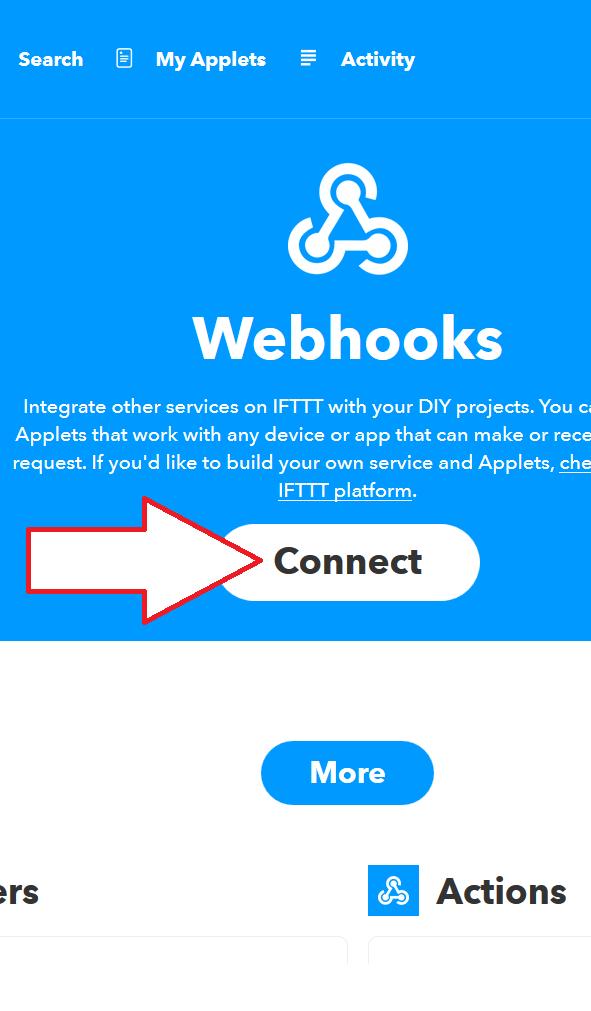
Works with the Webhooks service.
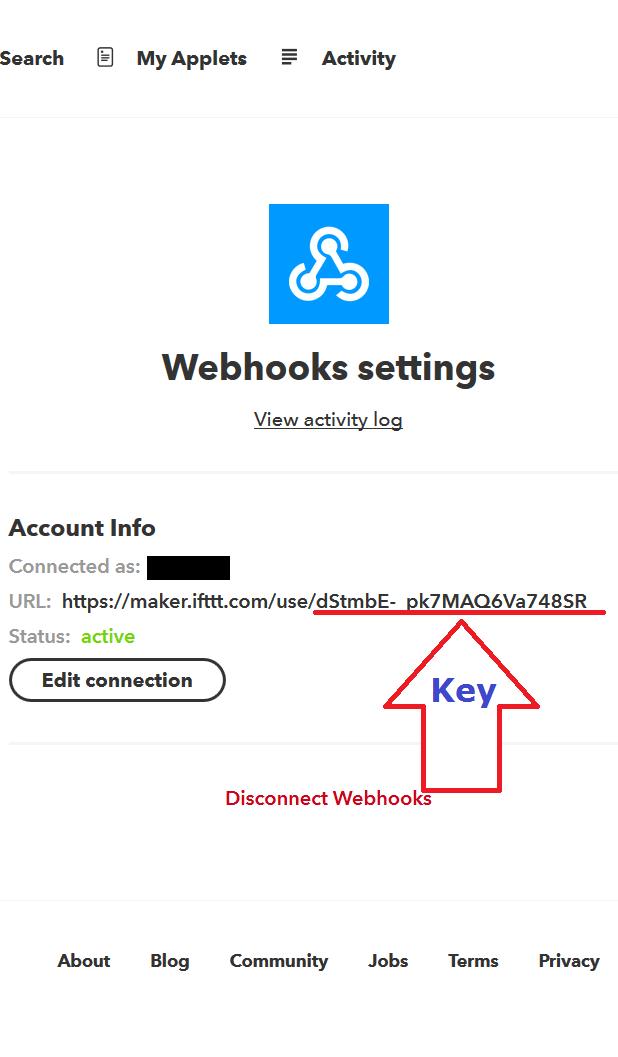
For settings, see the images.
If the app does not connect to MiBand2 or is connected, but does not work, you need to turn Bluetooth off and on, and after that the app will connect and work stably.
IMPORTANT!
The IFTTT.com service does not work instantly, sometimes it takes 30 minutes after double-clicking on MiBand2 before IFTTT processes the message.
Latest Version
2.1Uploaded by
Essam Panda
Requires Android
Android 4.3+
Category
Free Tools AppContent Rating
Everyone
Report
Flag as inappropriateLast updated on May 29, 2018
Double-click and triple-click support for Mi Band 2/HRX and Amazfit Bip/Arc
Added option to get weather from Gismeteo.com
Added option "Auto start on boot"



APKPure - A multi-platform app store primarily focused on Android, providing extensive app-related content. Discover the app you want easier, faster, and safer, with quick and efficient downloads and installations.