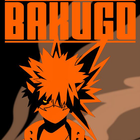
Here you can choose bakugou pictures for your cellphone wallpaper with the best quality images for your cellphone wallpaper.
In this application, many bakugo images have been provided with the best HD - 4K quality which of course will make your cellphone look cooler.
How to use:
1. Open the latest Bakugo Wallpapers application
2. Select the image you want, then click
3. Select the image size you want, then crop
4. Then click set
5. If you have clicked set, return to the main screen and see the new look of your wallpaper
How? Pretty easy isn't it?
If you are a fan of this bakugo character, immediately download and decorate your cellphone display to make it more attractive and cooler.
DISCLAIMER:
All images for wallpapers in the Bakugo Wallpapers application are under a general creative license. These images are copyright of their owners, and the images for these wallpapers are not endorsed by their owners. The images for this wallpaper are used purely for artistic, aesthetic and entertainment purposes only. No copyright infringement is intended, and any request to remove any of the images/icon/titles will be honored.
Latest Version
1.0.0Requires Android
5.0 and up
Category
Free Personalization AppContent Rating
Mature 17+ · Strong Language, Crude Humor
Report
Flag as inappropriateLast updated on Jul 17, 2021
Minor bug fixes and improvements. Install or update to the newest version to check it out!



APKPure - A multi-platform app store primarily focused on Android, providing extensive app-related content. Discover the app you want easier, faster, and safer, with quick and efficient downloads and installations.