
Backup Text for LINE allows you to export your LINE messages, convert to Plain Text, CSV, Excel and HTML file formats and yes, those files can be read in your phone or computer! Your exported files can be saved on your phone's SD card or sent to your email as attachment. It is fast and easy to backup your LINE messages!
★ Features:
* Export your conversation messages and Emoticon icons can be displayed in the HTML format
* Export and send to your email as attachment directly
* Filter by chat
* Filter by date
* Filter by message type
* Sorting messages
* Export to Normal plain text (*.txt)
* Export to CSV, comma-separated values (*.csv)
* Export to Excel 2007/2010 workbook (*.xlsx)
* Export to HTML conversation (*.html)
* Export to HTML table (*.html)
* Selectable date and time format
* Support Unicode UTF-8 encoding with/without BOM
* Support Windows, Unix, Mac plain text new line format
★ Our Facebook page has some Sample Output screenshots
♥♥ How to use:
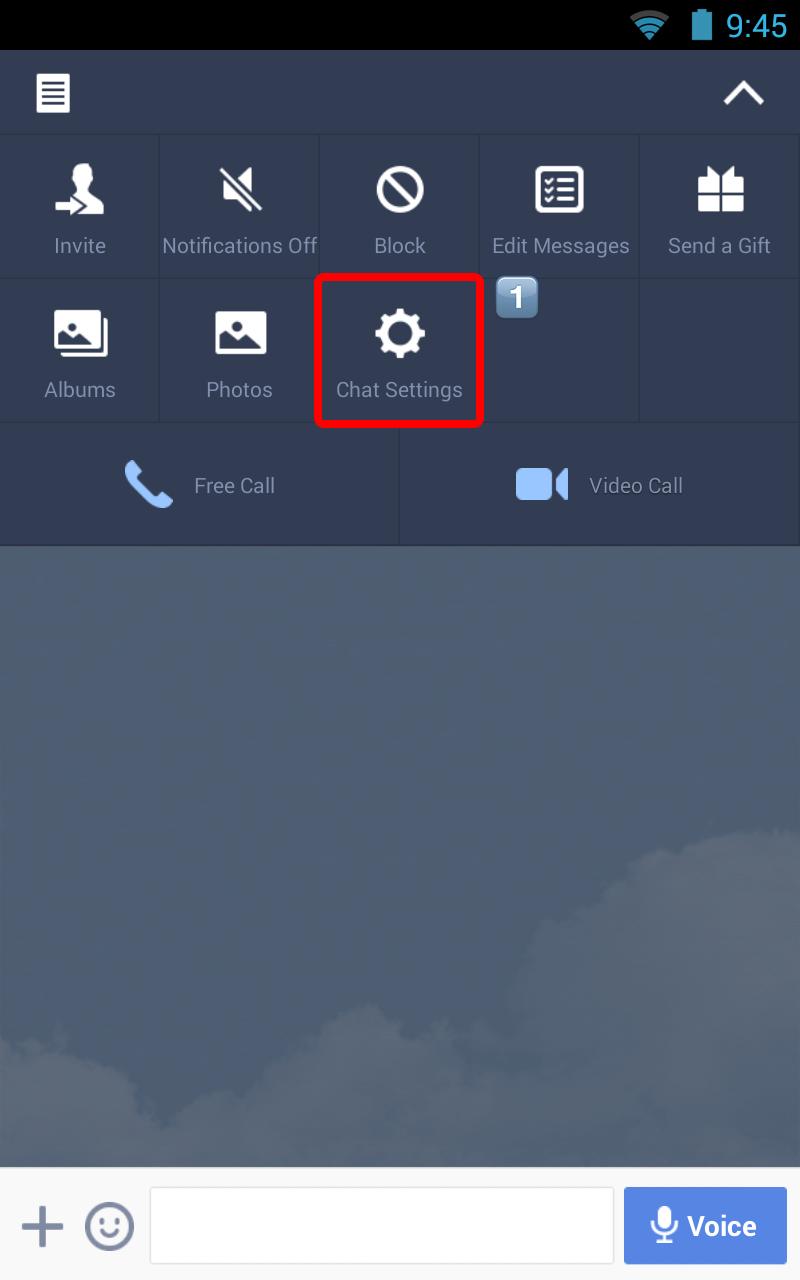
Backup Text for LINE export your messages, based on your LINE chat history backup. Please follow the steps below, to import the up-to-date chat history backup:
1. Open your LINE
2. Open your chat
3. Click "Chat Settings"
4. Click "Backup Chat History"
5. Click "Backup as a Text File"
6. Select "Backup Text for LINE"
7. Start to export your messages
♥ If you have any feedback, questions, or concerns, please contact us at:
contactus@smeiti.com
http://www.facebook.com/BackupTextForLINE
Latest Version
1.0.1Uploaded by
ေဂ်ေလဘိ ေကာင္းေလး
Requires Android
Android 2.3.4+
Category
Free Tools AppContent Rating
Everyone
Report
Flag as inappropriateLast updated on Feb 7, 2017
v0.9 (2014-09-09)
* Backup Text for LINE first launched




APKPure - A multi-platform app store primarily focused on Android, providing extensive app-related content. Discover the app you want easier, faster, and safer, with quick and efficient downloads and installations.




![Backup Text for Kik [root] APK](https://image.winudf.com/v2/image1/Y29tLnNtZWl0aS5rbXRvdGV4dF9pY29uXzE1NjcwMDc0NjNfMDYz/icon.png?w=102&fakeurl=1)