Only for Wear OS API 28+ devices
Powered by Watch Face Format
amoledwatchfaces.com
BUY ONE GET ONE OFFER!
amoledwatchfaces.com/bogo
CUSTOM COMPLICATION APPS
amoledwatchfaces.com/apps
FEATURES
• Watch Face Format 1 / 2
• true black background
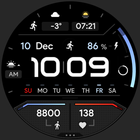
• progress circle seconds indicator
• charging / critical battery indicator
• high resolution
• day of week indicator
• moon phase indicator: https://bit.ly/3yuRwr1
• phone battery complication: https://bit.ly/3c31hoz
• many gradient color customization options
• colors editable in customization menu (savable color settings)
• PNGQuant optimized layers > battery friendly
• custom shortcut for preferable health app (steps)
• simple ambient mode with low OPR & adaptive colors
• 4x custom complication
BAR INDICATORS
• battery - % - 0 >> 100
• steps goal %
• heart rate - 50 >> 150 BPM
APP SHORTCUTS
• heart rate - tap to measure HR (watch needs to be on wrist)
• steps - open steps app
• am/pm - open alarm
• battery % - open battery status
• date - open calendar
USER CONFIGURATIONS
• Digital Gradient (10x Gradient, Tint, White)
• Steps Bar (10x Gradient, Tint, White)
• Battery Bar (10x Gradient, Tint, White)
• Sec Indicator (Progress, Digital, Off)
• AOD Style (Dimmed, Time only)
• Color (20x)
• Custom complications (app shortcuts too)
Installation and troubleshooting guide
amoledwatchfaces.com/guide
Please send any issues reports or help requests to our support address
support@amoledwatchfaces.com
Join our Telegram group for live support and discussion
t.me/amoledwatchfaces
Newsletter
amoledwatchfaces.com/contact#newsletter
amoledwatchfaces™ - Awf
Latest Version
Varies with deviceRequires Android
Category
Personalization AppContent Rating
Everyone
Report
Flag as inappropriateLast updated on Dec 3, 2025
Minor bug fixes and improvements. Install or update to the newest version to check it out!




APKPure - A multi-platform app store primarily focused on Android, providing extensive app-related content. Discover the app you want easier, faster, and safer, with quick and efficient downloads and installations.