“ Thank you for visiting High quality watch face brand AstrolabeWatch™”
We support all devices based Wear OS APi 28+, including Fossil Gen 2, Fossil Gen 3, Fossil Gen 4, Fossil Gen 5, Fossil Gen 6, Michael Kors Runway, Mobvoi Ticwatch pro, Mobvoi Ticwatch pro 4G, Mobvoi Ticwatch pro 2020, Ticwatch C2, Ticwatch S2, Ticwatch E2, Ticwatch Pro 3 GPS, Ticwatch E3, Montblanc Summit 2, Motorola Moto 360(3rd Generation) , Skagen Falster 2, Skagen Falster 3, Suunto 7, Samsung galaxy watch 4, Samsung galaxy watch 4 classic, Samsung galaxy watch 5, Samsung galaxy watch 5 pro.
FEATURES
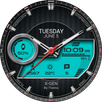
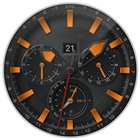
- 12h/24h format (automatic upon your phone setting)
- Date
- Battery rate
- x2 Hands style
- x5 Backgrounds
- AOD mode
INSTALLATION
1. Make sure that your watch is connected to your mobile via Bluetooth
2. Install the watch face and make sure that you selected your watch
3. You can also install the watch face by opening play store through your web browser.
4. You can install the watch face through your watch directly by opening the play store on the watch and search for your watch face and install it.
NOTIFICATION
1. if you see message "Your devices are not compatible",
use Play Store on WEB browser from PC / Laptop instead of app on phone.
2. All permissions must be given to display sensor data.
3. You can uninstall the application after installation
4. Make sure you have enabled all permissions from settings -> applications.
CONTACT
“Your comments give us better insight.”
Mail : mnmalsts@gmail.com
SNS : instagram.com/astolabewatch
Facebook page : facebook.com/AstrolabeWatchFace
—————————————————————————————————————————
CUSTOMIZATION
1. Press and hold display then hit "Customize".
2. Swipe left and right to choose what to customize.
3. Swipe up and down to choose options available.
4. Hit "OK".
Latest Version
1.0.0Requires Android
9
Category
Personalization AppContent Rating
Everyone
Report
Flag as inappropriateLast updated on Sep 7, 2022
Minor bug fixes and improvements. Install or update to the newest version to check it out!



APKPure - A multi-platform app store primarily focused on Android, providing extensive app-related content. Discover the app you want easier, faster, and safer, with quick and efficient downloads and installations.