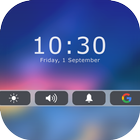
Assistive Touch Bar 2018 for IOS 11 is NEW ideal to protect the physical buttons of Android phone with bottom bar inspired like OS 11 for Phone 8. When you turn on Assistive Touch Bar , you will see assistive bar menu. You can control everything over your Phone 8 through intuitive touch gestures.
With a floating bar on the screen, you can easily to use your phone. You can drag Assistive Bar Touch to any edge screen, then tap to setting it.
Assistive Touch Bar provides the easiest ways with one touch to:
- Turn On/Off Wifi
- Turn On/Off Rotation
- Turn On/Off Bluetooth
- Airplane mode
- Flashlight Bright
- Change Sound volume
- Change Brightness
- Ring mode (Normal mode, Vibrate mode, Silent mode)
- Easy touch to quick open favorite apps
- Go to all setting very quick with a touch
Easy Touch Bar for Android
- Simple Control
- Virtual Home button
- Virtual Volume button
- Virtual Back button
- Custom navigation bar
- Support google search
- Support all launcher ( iLauncher, NovaLauncher, Holo Launcher...)
Quick touch bar for iPhone setting include:
- Custom Bar backround
- Custom Buttons background floating icon
- Handle color setting
- Change button position
- Auto-hide quick touch bar
Feed back
- If you like Easy Touch Bar for Android please review and give us 5 start
- If you have any problem with Quick Touch Bar feel free to let us know
THANKS FOR USING MY APPS.
Latest Version
1.0Uploaded by
Denis Oravec
Requires Android
Android 4.2+
Category
Free Tools AppContent Rating
Everyone
Report
Flag as inappropriateLast updated on Sep 15, 2017
Minor bug fixes and improvements. Install or update to the newest version to check it out!



APKPure - A multi-platform app store primarily focused on Android, providing extensive app-related content. Discover the app you want easier, faster, and safer, with quick and efficient downloads and installations.