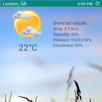
Arena Launcher has been created with an aim to make it possible for every android user to use Google Pixel-like Home interface. Based on Launcher3 from AOSP, it's developed by AceTechLabs. Keeping simplicity to its core, Arena Launcher features tons of customizations including:
💿Supports android O like notification dots and touch sensitivity allowing you to peek into the notifications even without opening your apps - and your productivity goes up!! Google awareness API brings you the latest weather reports.
🎨Become a designer, change the UI on your android phone and beautify your own icon packs, HD themes and live wallpapers.
☀️Rich settings give you flexibility, endless customizations - including the size of your app icon and widgets
🔐Get secured and get peace of mind back - supports 2 modes (standard password and fingerprint locks)
🔋 Powerful and light-weight implementation makes it battery-friendly
💡Gestures-support gives you ease-of-use
✔️Amazing 3D transition effects all around
📖Built-in multi- language support
🎖️By packing all the key features in a Home Launcher app while keeping it completely AD-FREE - it's a clear winner!
_________________________________________________
🔑Download Arena Launcher Pro version to unlock the ELITE features:
💎Pixel phone UI
💎Touch Gestures for quick access to apps and settings.
💎Fast Theme Download to protect and save network data.
💎Customized notifications (color, font)
💎Weather updates right on the front screen
Common TIPS:
-------------------------
✔️For notifications to work you need to enable notification access by going to Launcher Settings > Layout > Notification Badges and preview (and then granting the access)
✔️Weather updates can be enabled by going to Launcher Settings > Pixel UI > weather - then you can choose between OpenWeatherMap OR Google awareness API as a service provider
✔️To read the notification message, you need to lightly press the app icon with a notification badge. The popup window will show you the latest notification message
Latest Version
Release 1.4Uploaded by
Mai Hiếu
Requires Android
Android 5.0+
Category
Free Personalization AppContent Rating
Everyone
Report
Flag as inappropriateLast updated on Sep 3, 2017
Basic implementation of "Google Now" now LIVE. Swipe to right on the first [left-most] page of the launcher to open up Google Now. You will need to have Google app installed to make it work.



APKPure - A multi-platform app store primarily focused on Android, providing extensive app-related content. Discover the app you want easier, faster, and safer, with quick and efficient downloads and installations.