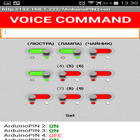
Program for load control via Wi-Fi with Android devices.
How it works:
Connect with "Android devices" over Wi-Fi to the Router.
Router via Ethernet cable is connected to the Ethernet input, such as "ENC28J60 Module".
"ENC28J60 Module" is connected to the Arduino.
With "Android devices" over Wi-Fi Url send commands to the Arduino, enable / disable the corresponding Pins on the Arduino.
By Arduino Pins can be connected relays and control the load of 220 volts.
Arduino Pins, can be controlled from the local network, and from anywhere in the world, are forwarded to the Router.
The interface of the program:
1. Url team.
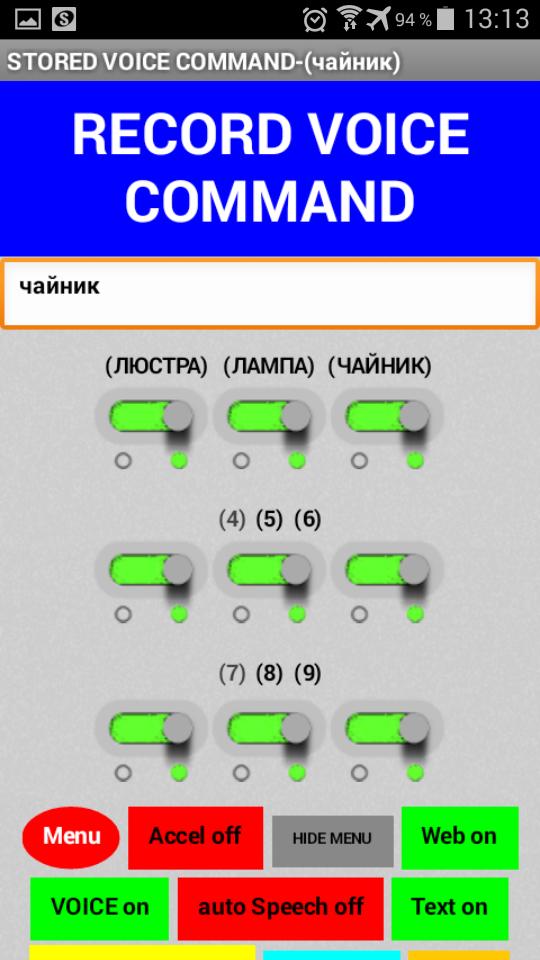
In the management of 9 buttons, each button has 2 modes on / OFF, you can send 18 "Url team."
Default "Url team" written under my sketch for Arduino.
It is possible to overwrite the 16 "Url team" on their own.
9 button enable / disable all Arduino Pins.
To enter the dubbing mode "Url teams", hold the button for 2 seconds "Set", Then press 2 times the button "Menu", enter in the text box its "Url command" example "http://192.168.1.222/?ArduinoPIN7= on ", and click on any of the 16 buttons (1 to 16)
all "Url team" are stored in non-volatile memory Android device.
2. Voice control.
9 voice commands duplicate press the 9 button.
By default, this command (1,2,3,4,5,6,7,8,9) by clicking on the "VOICE COMMAND", say for example, (1 or 8).
All 9 voice commands can be overwritten on your own! eg (chandelier or nightlight).
To enter the dubbing mode "voice command" hold the button for 2 seconds "Set", continue to press 1 times the button "Menu", enter in the text box from the keyboard or through voice recognition button "VOICE COMMAND", his "voice command" and click on any of the 9 buttons.
all the "voice commands" are stored in non-volatile memory Android device.
Button "Accel" activates start voice recognition by using the accelerometer when lifting / tilting Android device below.
Button "auto Speech", activate the Auto Start voice recognition stops "Auto Start" voice command "99".
The button "RESERVE" save / restore all your "Url team" and "VOICE COMMAND" in / profile
"Default" button to restore the default settings, "Url team" and "VOICE COMMAND".
Button "KEYBOARD SEND" sending "Url command" from the text field.
The button "Web" show / hide a Web page / server.
I made a few video tutorials on creating local Web server on the Arduino using "ENC28J60" on his channel youtube,
All sketches - sketch / library / instructions, refer to the description under the video tutorials.
Latest Version
1.0Uploaded by
Thiago Marongio
Requires Android
Android 4.0+
Category
Free Communication AppContent Rating
Everyone
Report
Flag as inappropriateLast updated on Sep 18, 2018
Minor bug fixes and improvements. Install or update to the newest version to check it out!





APKPure - A multi-platform app store primarily focused on Android, providing extensive app-related content. Discover the app you want easier, faster, and safer, with quick and efficient downloads and installations.