Controlar por Bluetooth el Arduino para aplicaciones como Carros, Brazos acrobáticos, Mandos a distancia, Automatizacion, etc...
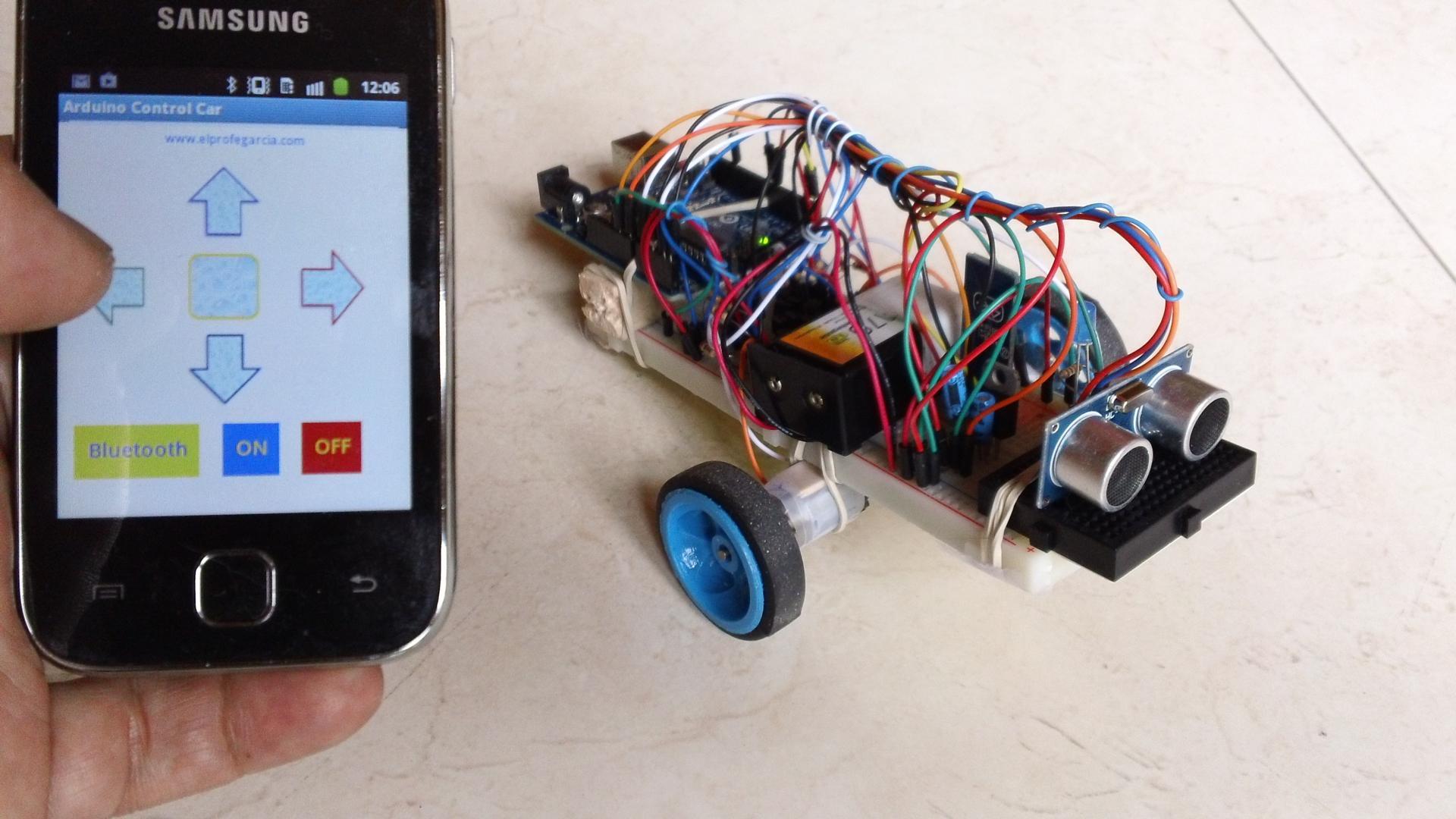
Que envía esta App por el modulo Bluetooth:
Flecha Arriba = Caracter 'a'
Flecha Izquierda = Caracter 'b'
Boton Cuadrado = Caracter 'c'
Flecha Derecha = Caracter 'd'
Flecha Abajo = Caracter 'e'
Boton ON = Caracter 'f'
Boton OFF = Caracter 'g'
Boton Bluetooth = Es para seleccionar el Modulo Bluetooth a que se va a conectar
(El modulo bluetooth debe estar previamente sincronizado con su telefono Android
Para realizar Pruebas conecte LEDs a los puertos PWM 5, 6, 9, 10 del Arduino, en el proyecto final a esos puertos se conecta el puente H, Cargue al Arduino el siguiente codigo:
int izqA = 5;
int izqB = 6;
int derA = 9;
int derB = 10;
int vel = 255; // Velocidad de los motores (0-255)
int estado = 'g'; // inicia detenido
void setup() {
Serial.begin(9600); // inicia el puerto serial para comunicacion con el Bluetooth
pinMode(derA, OUTPUT);
pinMode(derB, OUTPUT);
pinMode(izqA, OUTPUT);
pinMode(izqB, OUTPUT);
}
void loop() {
if(Serial.available()>0){ // lee el bluetooth y almacena en estado
estado = Serial.read();
}
if(estado=='a'){ // Boton desplazar al Frente
analogWrite(derB, 0);
analogWrite(izqB, 0);
analogWrite(derA, vel);
analogWrite(izqA, vel);
}
if(estado=='b'){ // Boton IZQ
analogWrite(derB, 0);
analogWrite(izqB, 0);
analogWrite(derA, 0);
analogWrite(izqA, vel);
}
if(estado=='c'){ // Boton Parar
analogWrite(derB, 0);
analogWrite(izqB, 0);
analogWrite(derA, 0);
analogWrite(izqA, 0);
}
if(estado=='d'){ // Boton DER
analogWrite(derB, 0);
analogWrite(izqB, 0);
analogWrite(izqA, 0);
analogWrite(derA, vel);
}
if(estado=='e'){ // Boton Reversa
analogWrite(derA, 0);
analogWrite(izqA, 0);
analogWrite(derB, vel);
analogWrite(izqB, vel);
}
if (estado =='f'){ // Boton ON se mueve sensando distancia
}
if (estado=='g'){ // Boton OFF, detiene los motores no hace nada
}
}
Latest Version
1.0Uploaded by
Daw Myat Myat Maw
Requires Android
Android 1.5+
Category
Free Communication AppContent Rating
Everyone
Report
Flag as inappropriateLast updated on Sep 6, 2015
Minor bug fixes and improvements. Install or update to the newest version to check it out!



APKPure - A multi-platform app store primarily focused on Android, providing extensive app-related content. Discover the app you want easier, faster, and safer, with quick and efficient downloads and installations.