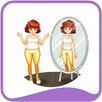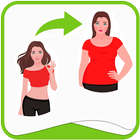
Make Me Thin - Make Me Tall- Make Me Slim is the best way to tune your photos to make you look good, tall or Slim or Thin and handsome.
Make Me Thin - Make Me Tall- Make Me Slim is easy to use:
1. Select a Photo you want to edit to make you look good.
2. Use one of the two tools Squeeze and Stretch.
3. Squeeze is used to make you look think and Make you look Fat by adjusting Fat scale to adjust your body width.
4. Stretch is used to make you look tall and make you look short by adjust Height Scale.
5. Save and Share photos with your height and body fat adjusted with friends and family.
Make Me Tall - Make Me Thin is the best way to make you look good by making you look tall and making you look lean.
Correct your Height and Weight with Make Me Tall - Make Me Thin in photos.
Make me Thin is the best application to make you look handsome.
Make me Thin application allows you to strech and squeeze your photo to make you look thin and tall.
Make me Thin is very easy to use:
1. Take a new photo or select one from your gallery
2. Select Squeeze and Stretch
3. Stretch allows you make you look tall and make you look short.
4. Squeeze allows you to make you look think and make you look short.
5. Share your beautiful photos with your friends and family in Facebook, Instagram, Twitter, WatsApp and other social networks.
6. Enjoy your thigh gap and bikini bridge!
احدث اصدار
1.0محمل
Barham Blbas
Android متطلبات النظام
Android 3.0+
تقييم المحتوى
Everyone
الإبلاغ
تحديد كغير مناسبLast updated on 14/01/2017
يتضمن هذا الإصدار إصلاحات بسيطة للأخطاء وتحسينات عامة. حدّث إلى أحدث إصدار للحصول على أفضل تجربة.




APKPure - متجر تطبيقات متعدد المنصات يركز بشكل أساسي على نظام أندرويد، ويوفر محتوى واسع يتعلق بالتطبيقات. اكتشف التطبيقات التي تريدها بسهولة وسرعة وأمان، مع تنزيلات وتثبيتات سريعة وفعالة.