


Package Name:com.sketchdraw.ardrawing.drawwithcameraAI
SHA-256:282907ace3ce770223d0e6a4461437c7934c27bb7f9517e772fe6d9a68b9c641
Show More
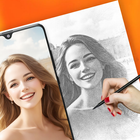
AR Drawing App: Unleash Your Creativity with Augmented Reality
Welcome to AR Drawing App, a revolutionary platform that reimagines the drawing experience by merging traditional artistry with modern augmented reality AR technology. Whether you're a beginner or a seasoned artist, this app provides a comprehensive suite of tools and features to help you create stunning artwork effortlessly.
Basic Tutorial: Getting Started
Import or Choose a Picture from Art Gallery
Begin by selecting an image from the app's extensive Art Gallery or import your own photo. The gallery offers a wide range of categories, ensuring you'll find the perfect starting point for your masterpiece.
Locate the Phone on a Steady Tripod or Object
For optimal results, ensure your phone is stable by placing it on a tripod or any steady surface. This stability is crucial for precise drawing and sketching.
Create Your Own Draw Sketch with AR Draw Technology
Dive into the creative process by using the app's AR drawing technology. This feature allows you to overlay your sketch onto the real world, blending digital art with physical surroundings seamlessly.
Main Features
📷 AR Drawing Sketch Paint:
Use your device's camera to infuse real-world elements into your AR Draw Sketch. Set the opacity to your preference and watch your drawings come to life.
Explore various categories such as Cute, Anime, Chibi, People, Eyes, Food, Text Art, and more, providing endless inspiration for your sketches.
🧪 Advanced Features:
Import photos from your camera, gallery, or browser, making it easy to use any image as a reference.
Enhance your AR drawing with advanced options:
Convert your own photos into drawings: Easily draw from your photos with detailed AR technology.
Record Video: Capture your drawing process in real-time to share with others or for future reference.
Take Photo: Snap a photo of your finished artwork directly from the app.
Adjust Opacity: Fine-tune the opacity of your AR sketch for better visibility and precision.
On/Off Flashlight: Use the flashlight feature to improve lighting conditions while drawing.
🏫 Special Features:
Save or Share: Once your drawing is complete, save it to your device or share it with friends and family. Flaunt your artistic accomplishments and inspire those around you.
Track Your Progress: The My Profile feature allows you to track your artistic journey, providing insights into your growth and achievements as you delve into the realm of augmented reality art.
AR Draw - Trace Drawing App is more than just a drawing tool it's a portal to a new era of creativity. By blending traditional drawing techniques with state-of-the-art AR technology, this app unlocks endless possibilities for artists at any skill level. Immerse yourself in the world of AR Drawing Sketch Paint and let your creativity flourish!
Get Started Today! Download AR Draw - Trace Drawing App now and embark on your artistic adventure. Unleash your imagination and discover the limitless potential of augmented reality art. Join our community of creators and start making your artistic dreams a reality!
Latest Version
1.3.2_20260306Uploaded by
سيوفي سيوفي
Requires Android
Android 7.0+
Category
Free Art & Design AppContent Rating
Everyone
Security Report
Check Now
Report
Flag as inappropriateLast updated on Apr 16, 2026
Minor bug fixes and improvements. Install or update to the newest version to check it out!



APKPure - A multi-platform app store primarily focused on Android, providing extensive app-related content. Discover the app you want easier, faster, and safer, with quick and efficient downloads and installations.











