Package Name:com.anydroid.ar.drawing.sketch
SHA-256:9ef5144c2b138a492dc5d01d9e62c89ea0364765edd4b74ce1318f2bd5a5bcd9
Show More
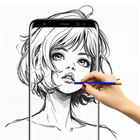
AR Drawing: Sketch & Paint is an augmented reality drawing app that helps you bring your imagination to life. With this AR drawing app, you can easily draw, sketch, paint, and trace on real-world surfaces. Whether you want to create digital art, practice how to draw, or trace drawings step by step, this app makes creativity simple and fun.
Create Art in Augmented Reality
Place your phone camera in front of any surface and start drawing in AR. With AR drawing tools, you can sketch outlines, trace drawings, and paint on paper or walls with perfect accuracy. It’s the best way to learn how to draw while exploring your artistic side in augmented reality.
Features of AR Drawing App:
AR Drawing & Tracing → Project outlines in augmented reality and trace them step by step.
Sketch & Paint Tools → Use multiple brushes, colors, and styles to create unique drawings.
Learn How to Draw → Practice with tracing guides and improve your drawing skills.
AR Art Studio → Combine real-world objects with AR drawings to create 3D-style artwork.
Save & Share → Export your AR art and share with friends instantly.
Easy & Fun → A clean, simple interface for beginners, kids, and professional artists.
Why Choose AR Drawing: Sketch & Paint ?
Unlike traditional drawing apps, this app uses augmented reality to make drawing interactive. You can learn how to draw, practice sketching, or just have fun creating AR art anywhere. From doodles to detailed sketches, AR drawing and trace drawing features help you improve quickly.
Who Is This App For ?
Kids & Students → Learn drawing in a fun, interactive way.
Beginners → Practice simple sketches and tracing to build confidence.
Artists & Designers → Create AR art and experiment with painting in 3D space.
Anyone who loves drawing apps → Explore creativity with AR tools.
Latest Version
1.0.2Uploaded by
Jess Decobert
Requires Android
Android 7.0+
Category
Free Art & Design AppContent Rating
Everyone
Security Report
Check Now
Report
Flag as inappropriateLast updated on Dec 14, 2025
What’s New (Open Beta Release):
First beta release of AR Drawing: Sketch & Paint
Draw and trace using AR technology on real paper
Multiple sketching and painting tools
Easy-to-use tracing mode for beginners
Share your creations with friends
This is an Early Access (Open Beta) version. Some features may change based on your feedback. Please share your suggestions with us to help improve the app!



APKPure - A multi-platform app store primarily focused on Android, providing extensive app-related content. Discover the app you want easier, faster, and safer, with quick and efficient downloads and installations.