
Any File Converter is an online converter to convert document, video, audio, image, icon and archive files on Android device.
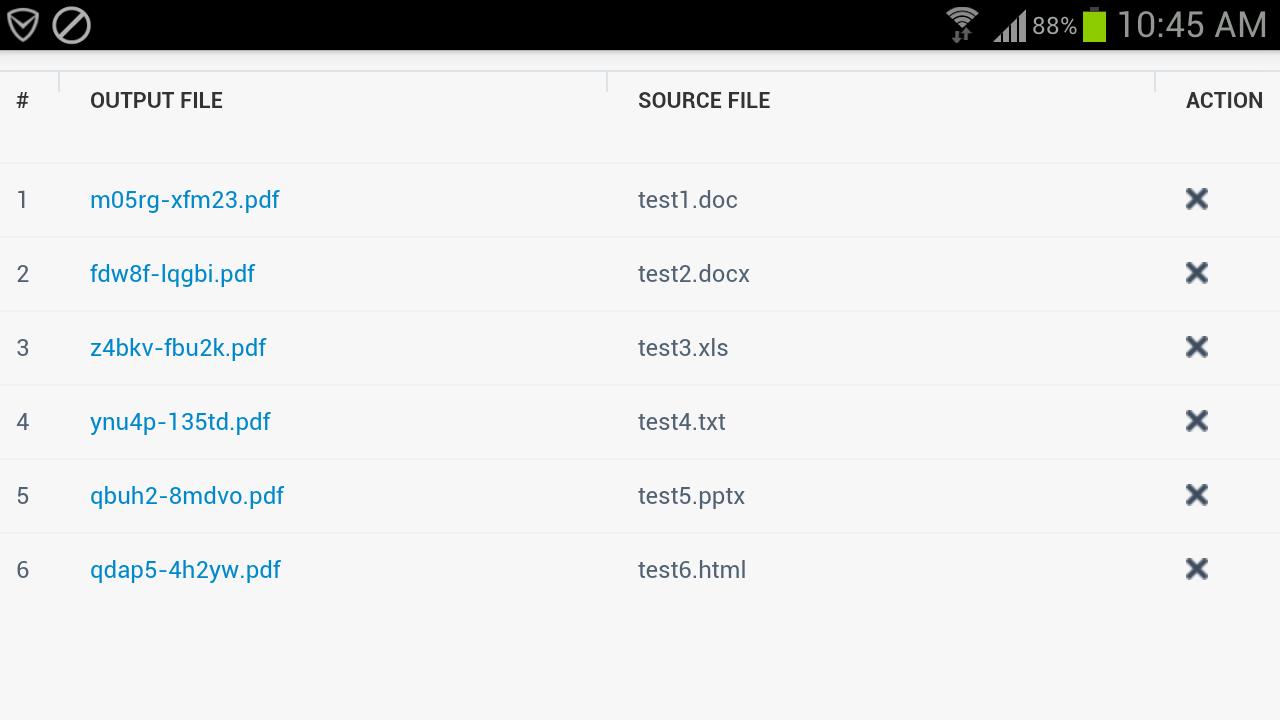
Any File Converter is easy to use. Just add a batch of files on your Android phone, choose a target format, and tap the "Convert Now" button to convert. You can convert different file formats at the same time. For example, you can add JPG, DOC, XLS, PPT, XPS, TXT and HTML files on the list and convert all the files to PDF files. Any File Converter will automatically convert these files on different servers and return output files for you to download when conversion is complete.
Notice: Any File Converter for Android works on Android 2.3 and later versions. It needs internet connection to run.
Latest Version
1.4Uploaded by
Vladimir Trushchenko
Requires Android
Android 2.3.2+
Category
Free Tools AppContent Rating
Everyone
Report
Flag as inappropriateLast updated on Feb 6, 2018
Use default file chooser on Android.
All file transmissions are through HTTPS instead of HTTP.
Added support for more file formats.




APKPure - A multi-platform app store primarily focused on Android, providing extensive app-related content. Discover the app you want easier, faster, and safer, with quick and efficient downloads and installations.