

AniWatch helps users follow favorites and find working streams without jumping between different sites. It is built for mobile use, so navigation stays simple and episodes load in a straightforward way. Because it combines several popular sources, it presents choices that suit subbed or dubbed preferences. As a result, users can keep up with new releases while on the go. For those comparing versions, installing the AniWatch APK offers a direct way to try the app experience.
AniWatch organizes TV series, movies, specials, and OVAs and ONAs into clear sections. You can browse by genre or use an A to Z list to scan titles quickly. Both subbed and dubbed options appear where available, which helps you choose the format you prefer.
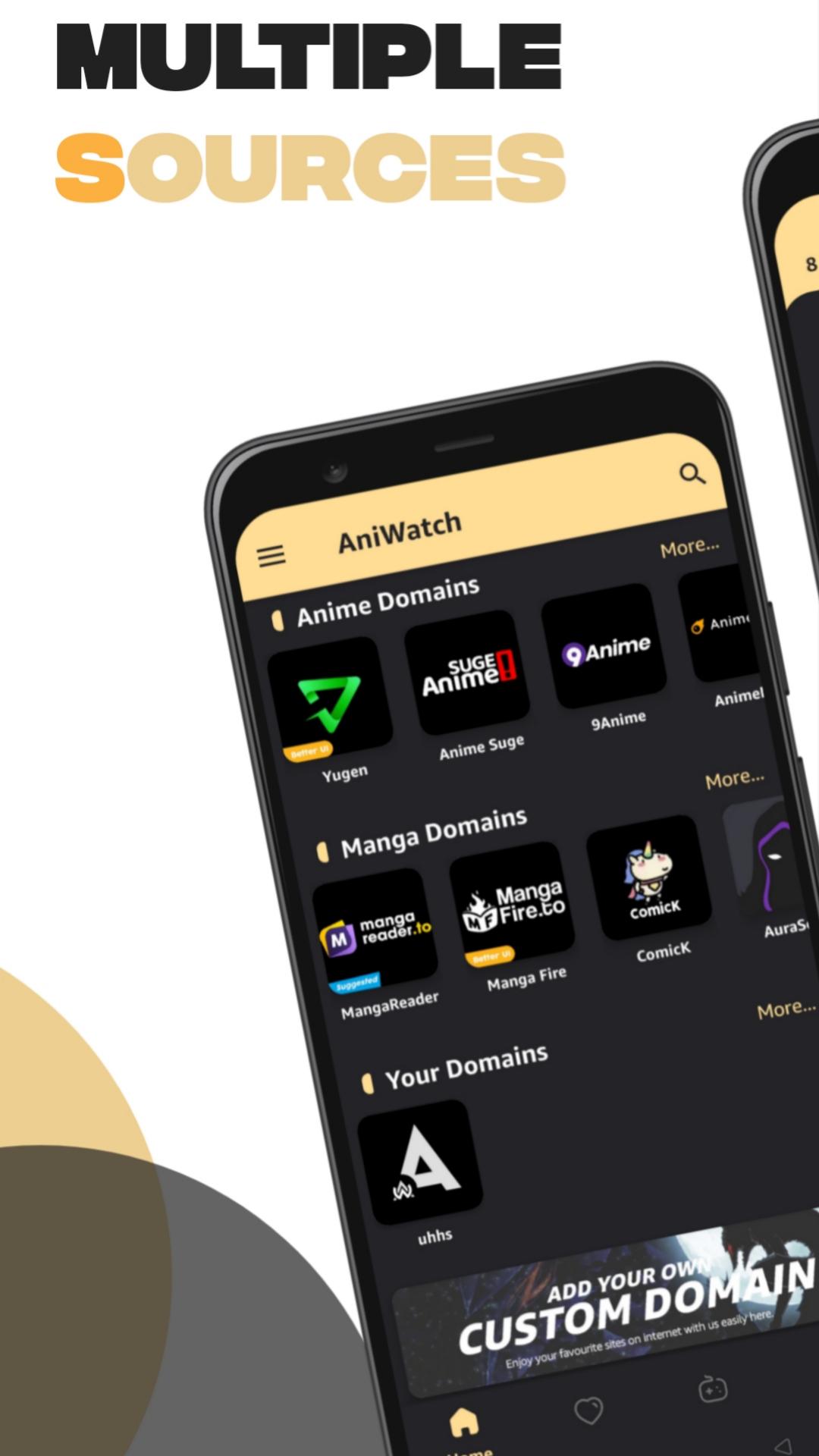
Multi-source episode finderAniWatch searches across multiple domains, including sources such as YugenAnime, 9Anime, AniWatch, AnimeSuge, AnimixPlay, and AnimeDao. If one source is slow or down, you can switch to another option and continue watching. This approach helps users find a working stream faster, especially during peak hours.
Search and navigation designed for quick discoveryThe search tool handles direct titles and common name variations, so finding a show is straightforward. Filters and clear menus guide you to specific types of content without extra taps. As you move between seasons and episodes, the layout keeps progress and choices easy to follow.
Playback optimized for mobileAniWatch focuses on smooth, high-quality playback designed to reduce buffering on typical mobile connections. The player responds well to scrubbing and quick jumps, keeping control simple on small screens. This helps users watch episodes with fewer interruptions.
Updates and seasonal trackingContent updates regularly, so new episodes and seasonal releases appear as sources provide them. AniWatch keeps sections fresh, which makes it easier to check what just arrived. For ongoing series, returning to your show list offers a quick way to resume.
AniWatch links to media hosted on third-party services, so availability and stream quality can vary by source and region. At times, a title may show up with missing episodes until the linked host updates or returns. The website includes extra sections such as Most Popular, Random, and Watch2gether, which some users prefer for broader discovery. If the AniWatch app feels limited compared with the site, open the mobile website and use the “Aniwatch App” footer link or add it to your home screen for quick access.
Version names may change over time; confirm the AniWatch latest version on the APKPure page before installing. Users searching for AniWatch TV APK often compare the app and site experience, and it is normal to see small differences between them. If content looks different on AniWatch Android versus the website, try switching sources within the app or use the site to verify episodes.
If images are not showing, start by refreshing the page, then check your connection and try opening a different source. Thumbnails may take time to load when the host is slow, so waiting a moment and reloading can help. When a show appears but no episodes are listed, review filters and language options, then switch to another source and check again. If issues persist, clear app cache and data, or update to the AniWatch latest version for potential fixes.
When streams stall or buffer frequently, pick another source within the same episode and test playback. If a particular host is down, the episode may work on a different host. For discovery problems, use genre pages and the A to Z list to find titles even when a source index is incomplete. Many users also check the site when troubleshooting, then return to the AniWatch app once availability improves.
To get started, download AniWatch and open it on your phone. The app helps you search across sources and watch episodes in subbed or dubbed formats. Use the steps below to move from install to playback quickly.
AniWatch combines multi-source streaming and manga reading with simple navigation and stable playback. To begin, install the AniWatch latest version and explore titles across different sources on mobile.
Latest Version
1.0.2Uploaded by
Anuj Anuj
Requires Android
Android 5.0+
Category
Free Entertainment AppContent Rating
Teen · Diverse Content: Discretion Advised
Report
Flag as inappropriateLast updated on Aug 3, 2023
Bug fixes




APKPure - A multi-platform app store primarily focused on Android, providing extensive app-related content. Discover the app you want easier, faster, and safer, with quick and efficient downloads and installations.