Scan Date:May 7, 2026
Show More

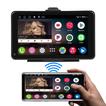
The Car play - Android Auto Sync app is designed to streamline the connection between your smartphone and your car's dashboard system. This app supports both Car Play and Android Auto, making it easier for users to integrate their phones with their vehicle's infotainment system for a safer and more convenient driving experience.
Key Features:
Seamless Integration:
Effortlessly connect your Android device with your car's dashboard system.
Automatically detect and establish a connection with compatible car infotainment systems.
User-Friendly Interface:
Simplified setup process with step-by-step instructions.
Intuitive controls for managing and adjusting settings.
Enhanced Compatibility:
Supports a wide range of vehicles and infotainment systems.
Regular updates to improve compatibility with new car models and phone updates.
Smart Connectivity:
Connect your phone via USB or wireless (if supported by your car).
Auto-launch Car Play or Android Auto upon connection.
Customizable Settings:
Personalize your dashboard display preferences.
Manage notifications and app permissions for a more tailored driving experience.
Troubleshooting Assistance:
Built-in diagnostic tools to help resolve connection issues.
Access to a support community and FAQs for additional help.
Safety Features:
Voice control integration for hands-free operation.
Access to navigation, music, and communication apps with minimal distraction.
Benefits:
Increased Safety: Keep your focus on the road by using voice commands and hands-free features.
Convenience: Easily access your favorite apps and features from your car's dashboard.
Enhanced Connectivity: Enjoy reliable and consistent connectivity between your phone and car system.
How to Get Started:
Download the Car Play - Android Auto Sync app from the App Store or Google Play Store.
Follow the on-screen instructions to connect your phone to your car’s infotainment system.
Customize your settings and start enjoying the seamless integration of your smartphone with your car’s dashboard.
Note: Make sure your car's infotainment system is compatible with Car Play or Android Auto before using this app.
Latest Version
2.5Uploaded by
Zēā Thy
Requires Android
Android 8.0+
Category
Free Auto & Vehicles AppContent Rating
Everyone
Security Report
Report
Flag as inappropriateLast updated on May 7, 2026
v2.5 — Major Update!
New features added:
🗺️ Turn-by-turn GPS navigation with voice guidance
🎵 Integrated music player
📍 Trip recording & analytics
🚗 Multi-vehicle management (fuel logs, expenses)
🅿️ Parking memory — save & find your car
🌦️ Weather & driving alerts
🚘 HUD Mode for safe driving
🔧 OBD vehicle diagnostics
🛠️ Maintenance reminders
Screen mirroring improved. Bug fixes & performance improvements



APKPure - A multi-platform app store primarily focused on Android, providing extensive app-related content. Discover the app you want easier, faster, and safer, with quick and efficient downloads and installations.