
ATTENTION!
Work of widget with the second hand is designed for top-model of devices. If you install the widget and see the slow down of your device, please turn off the second hand (THEMES - EDIT - HANDS - SECOND HAND).
------------------------------
Key Technical Features:
1. Appearance:
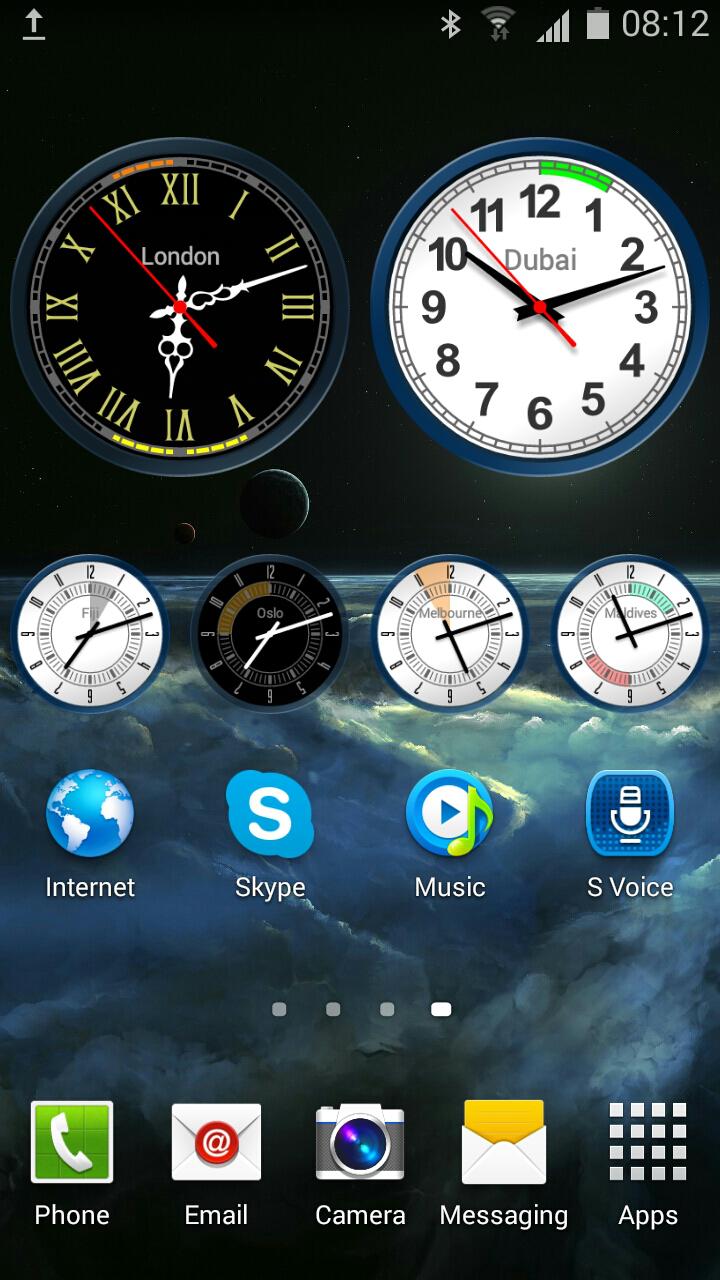
1.1. 50 basic widget themes.
1.2. Ability to create your own theme.
1.3. Ability to save custom themes.
1.4. Each theme is presented in two variations: day and night.
1.5. Settings allow you to resize and change color of clock elements.
1.6. Settings of color also contains the transparency setting.
1.7. Ability to resize the widget.
1.8. Ability to add the dynamic sectors on the clock face.
2. Work of the widget:
2.1. Widget works in the user-defined time zone.
2.2. Automatic change of theme variations (day / night).
2.3. Individual settings for time of theme variation change.
2.4. Automatically switches to DST (Daylight saving time).
2.5. There is an option beeping at the beginning of each hour.
2.6. There is a choice of time period in which hourly signal sounds.
2.7. There is a choice of melody and volume of hourly signal.
2.8. No ROM memory used for Clock drawing.
2.9. Saves battery energy when the screen turned off.
3. Alarm Clock.
3.1. Is possible to set up several alarm clocks..
3.2. For each instance of the widget creates a separate set of alarms.
3.3. Each alarm has a setting for the weekday of actuation.
3.4. Each alarm can be triggered once, or remind within an hour.
3.5. For each alarm, you can set the alarm melody and volume.
3.6. Alarm settings allow you to overcome the system modes "MUTE" and "VIBRATE".
3.7. Each alarm has a text label.
3.8. When multiple alarms signals providing detailed information about each of them.
3.9. When the alarm sounds, the user can set aside any signal at 10, 15, 20 minutes.
Thank you!
Latest Version
Varies with deviceRequires Android
Category
Personalization AppContent Rating
Everyone
Report
Flag as inappropriateLast updated on Mar 20, 2019
Minor bug fixes and improvements. Install or update to the newest version to check it out!



APKPure - A multi-platform app store primarily focused on Android, providing extensive app-related content. Discover the app you want easier, faster, and safer, with quick and efficient downloads and installations.










