Package Name:com.watchfacestudio.ab22
SHA-256:cfc661f1ecbbe8e4c7bda3bb668ef5138e9ca77145c29254ab86db2cc2a1fc36
Show More

=======================================================
NOTICE: READ THIS ALWAYS BEFORE AND AFTER DOWNLOADING OUR WATCH FACE TO AVOID ANY SITUATION YOU DON'T LIKE.
=======================================================
a. This watch face contains a lot of options in customization menu.If for some reason it takes time to load customization options in Wearable app so please wait for at least 10 to15 secs to let it load up all customization menu options.
b. DO NOT PAY TWICE FROM WATCH PLAY STORE .Use Helper App. Open it click Open Watchface on connected Wear OS Watch.If it shows Amount instead of an Install Buttton. Just click it . After clicking it will say error please wait for youyr purchases to sync and then install button will appear . Its a Bug for Wear OS & NOT the Watch faces has been like this for last 3 years and has not been resolved.
You can also use drop down install button in phone play store app and select your watch before installing in this way both helper companion app to your phone & Watch face to your watch will be installed. OR you can simply just install watchface direct to your watch without even need of the companion app.
=======================================================
FEATURES AND FUNCTIONS
=======================================================
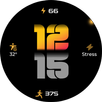
This watch face for Wear OS 4+ has following features:-
1. Tap on OQ logo to open watch settings menu.
2. Tap on Date Text to open watch Calendar app.
3. The circular outlines on all 3 x Chronometers can be switched On/Off as well for more darker look from customization menu for both main and aod separately.
4. Tap on digital clock to open watch alarm settings. Digital clock follows 12/24h mode that is set on your connected phone. So to change mode change it on phone
and it will also change on connected watch.
5. Tap on steps icons or steps reading in steps chronometer and it will open on Watch the Steps details. The Step chronometer will automatically sync and adjust with what ever Step Target you choose in Samsung Health App and show your Goal Percentage with needle and in text form the steps completed.
6. Tap in Battery Chronometer and it will open watch battery settings.
7. Outer Index Minutes Color is set to off by default and if you want you can turn it on/off from customization menu.
8. Shadow on Top of the watch face can be turned on/off from customization menu.
9. 2 x Types of seconds movement have been added and select-able by customization menu.
10. Background styles can be changed for main from customization menu.
Latest Version
Varies with deviceUploaded by
Nicolas Silva
Requires Android
Category
Personalization AppContent Rating
Everyone
Security Report
Check Now
Report
Flag as inappropriateLast updated on Jul 8, 2025
V1.0.2 Change log:-
Changelog:-
1. New pair of hands.
2. Color styles done again.
3. Logo main display color.
4. Brightness adjustments.
5. Outer mins index brightness reduced.
6. Secs hands analog improved.
7. heart rate shortcut fix for Wear OS 4.
8. Compatibility Wear OS4.
9. Index Alignments.
10. New Helper Companion App , Thanks to Bredlix @ github.



APKPure - A multi-platform app store primarily focused on Android, providing extensive app-related content. Discover the app you want easier, faster, and safer, with quick and efficient downloads and installations.