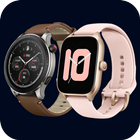
Amazefit watch app for receive a new notification on your smartphone, you'll never miss any call or your friends' messages.You can personalize the notification of all incoming and missed calls.Track all your health data including workouts, steps, sleep, heart, calories and weight. Compare your week statistics to get better goals.
STAY CONNECTED ALWAYS: read messages, emails and answer calls instantly.
Amaze watch app for android & Bluetooth notifier (Wear OS) not only allows you to establish a Bt binding between Android phone and your smartwatch, but it will also show all incoming messages on the smartwatch shield. It will also expand the facilities of the watch to maximize its performance.
The one-stop app for all your athletic and health tracking needs; paves the way to supreme fitness with the amaze watch App. Sync your OG smartwatch to the app to unlock the full potential of your device.
the application will help you:
1. Push call notification to smart watch, and let your know who is calling.
2. Push SMS notification to smart watch and you can read text and detail of SMS on your wearable device.
3. Display your heart rate, sleeping and workout history tracked from your smart watch.
Together with our Amazefit sport smartwatch provides you with the best set of information straight from your wrist.
APP SUPPORTED BY POPULAR BRANDS: The app is supported on most popular brand smartwatches and also Chinese swatches - Samsung, Garmin, Xiaomi, Grape, Fundo, Kurio and many others!
Installation and sync guide:
1. Install the Amaze watch app from online market on Android smartphone and SmartWatch device.
2. Open Amazefit watch app on your smartwatch. Select "Turn on Bluetooth". Next, make Switch discoverable by clicking the “Discoverable button”.
3. Open the Amazefit watch app on your mobile. Click Enable Permissions to let the Notifier app access to bt messages. You can see the phone notifier setting screen where you need to turn on the toggle switch for the Sync app. Then, press the "Back" button to return to the bt notifier application.
4. Select "Enable bt" after "Connect device".
5. Find the name of the Amazefit in the Bt list and connect.
6. Press "Pair / OK" on both devices and, if necessary, confirm the pair of devices (press "OK" / "Allow").
Done! Smartphone and android / wear watch are now paired!
Disconnect and reconnect devices. A quick connection reset can sometimes fix the error.
Check your device for connectivity with other Android devices. Some smartwatches are trying to connect to the last phone/earphone they were previously paired with. Here you may need to change the settings manually.
Precautions:
1. The sport function will use GPS positioning, so if it's continuous running of the GPS function in the background hat may consume battery power quickly.
2. Amazefits watch has been connected to HealthKit, which can synchronously run data to health
Note:
This mobile application is a guide. It is not a official app or part of an official app product.
Latest Version
1.0Uploaded by
Ahmed Amjed
Requires Android
Android 5.1+
Category
Free Tools AppContent Rating
Everyone
Report
Flag as inappropriateLast updated on Mar 23, 2023
-new release




APKPure - A multi-platform app store primarily focused on Android, providing extensive app-related content. Discover the app you want easier, faster, and safer, with quick and efficient downloads and installations.











