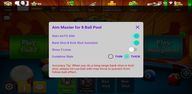

Aim Master for 8 Ball Pool app helps players who struggle to judge lines, angles, and cue ball paths during shots. It analyzes your screen in real time to identify the table, balls, and cue, then displays clean visual guides on top of your game. This setup supports focused practice without touching game data, so you can build repeatable routines and better shot awareness. Many users install the Aim Master for 8 Ball Pool apk for casual training sessions, which can make pre-match warmups more consistent.
Auto-aim with extended guideline
Aim Master for 8 Ball Pool apk automatically detects the table, cue, and object balls, then draws a long, accurate aiming line. This extended guide helps you see the true potting path before you strike the shot. It reduces guesswork during setup and supports steady cue alignment across repeated practice drills.
Bank, cushion, and kick visualization
When a direct pot is not available, you can use broken and multi-line guides to visualize rebounds and angles. The overlay shows how the cue ball or object ball will interact with rails for bank, cushion, and kick attempts. This makes it easier to plan rebounds and adjust aim based on table geometry.
3 Lines Guideline and Super Line modes
Advanced modes are available for long-line aiming and positional planning. The 3 Lines Guideline helps you consider multiple paths at once, which is useful when you want to compare options quickly. Super Line extends sight lines even further for clear target visualization on long shots and tight angles.
Overlay-only design and privacy
The app renders guides on top of your screen without altering game files or data. It requires display over other apps and one-time screenshot permission to analyze frames locally. According to the design, frames are processed in real time on the device and are not saved or shared.
Training-focused feedback for consistency
Aim Master for 8 Ball Pool apk is built for practice and learning, not for altering competitive gameplay. Consistent visual feedback helps you improve cue ball control and shot selection during casual modes. Over time, this can support better pre-shot routines and fewer misreads under pressure.
Aim Master for 8 Ball Pool apk is a training tool and is not affiliated with any pool or billiards game. Competitive modes in some games may restrict aids, so consider using the overlay only in casual or practice sessions. The app does not promise any ban protection, and it cannot control enforcement by game publishers. Use it responsibly and follow the rules of the games you play.
The app needs display over other apps permission to show lines on your screen and needs screenshot permission to read the table layout. Frame analysis is performed on the device to detect balls and angles, and frames are not stored or uploaded. You can revoke permissions at any time, which will disable the overlay until permissions are granted again.
If lines do not appear, first confirm that display over other apps and screenshot permissions are enabled. Next, disable battery optimizations for the app, then restart the service or relaunch the app and your game. If you see a caution icon or inconsistent behavior, update to the Aim Master for 8 Ball Pool latest version to ensure compatibility.
After installing the Aim Master for 8 Ball Pool latest version, setup takes only a few moments. The overlay draws guides on your screen while you practice, and you can switch modes as your session progresses.
Open Aim Master for 8 Ball Pool app on your Android phone and follow the on-screen prompts.
Grant display over other apps permission, then allow the screenshot permission for real-time analysis.
Start the overlay service inside the app, then switch to your preferred pool or billiards game.
Line up your shot as the guides appear, and adjust until the path matches your intended angle.
When needed, change to 3 Lines Guideline or Super Line for longer or alternative paths, then stop the overlay after practice.
Aim Master for 8 Ball Pool provides a clear, on-screen guide to support focused practice and better shot planning. Use it to study angles, visualize rebounds, and build consistent routines before competitive play. When ready, download Aim Master for 8 Ball Pool to begin structured training on your device.
Latest Version
1.5.0Uploaded by
Milton Ferreira
Requires Android
Android 5.0+
Category
Free Entertainment AppContent Rating
Everyone
Report
Flag as inappropriateLast updated on Sep 25, 2020
Auto-aim & Extended Aim Line
Easy to Aim Bank Shots




APKPure - A multi-platform app store primarily focused on Android, providing extensive app-related content. Discover the app you want easier, faster, and safer, with quick and efficient downloads and installations.