AAAD suits users who want to extend the in-car experience beyond the built-in selection while keeping steps simple. The AAAD APK provides a guided way to add unofficial apps built for Android Auto, so personalization is more accessible. It handles retrieval and setup in a few steps, which helps if you prefer avoiding manual installs or a computer. This approach keeps the process consistent and easy to follow when preparing your device for use in the car.
Guided installation and updates
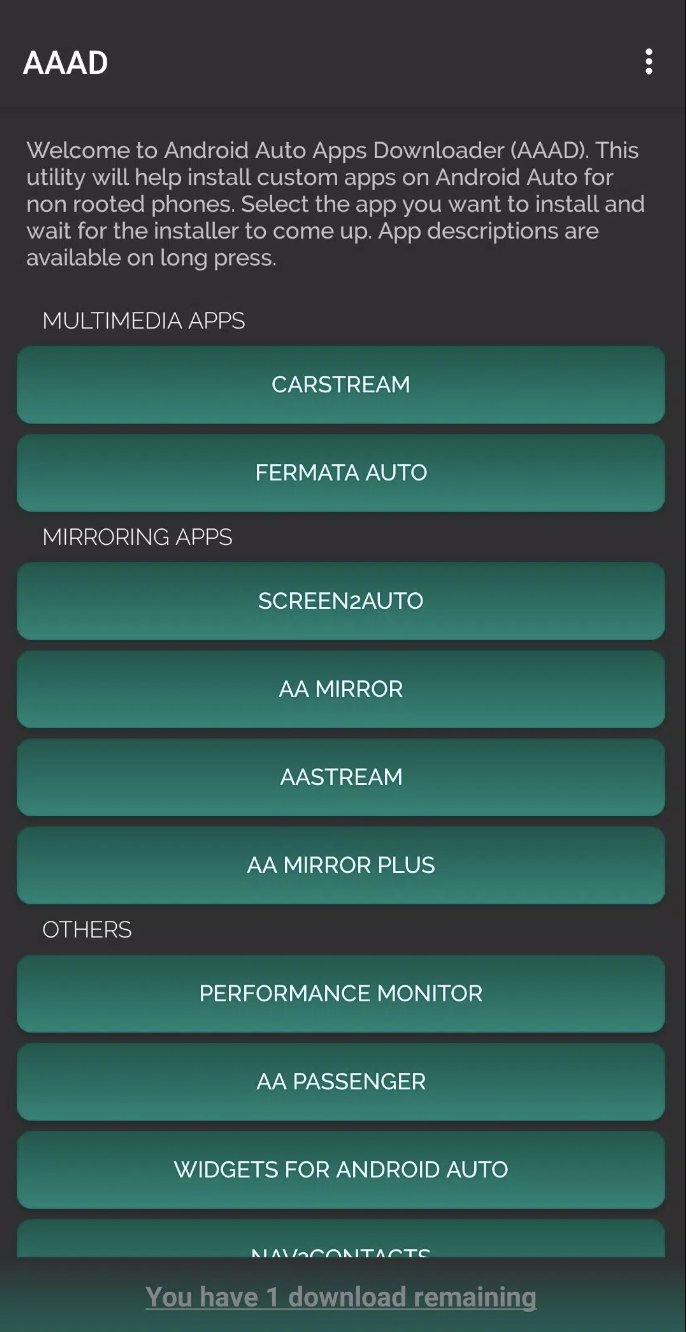
AAAD lets you download and install unofficial Android Auto apps directly on your device without a computer. It also fetches the newest available versions of supported apps automatically to reduce manual updates. Installing the AAAD latest version helps maintain compatibility with the included catalog.
No root required
You can use AAAD on a wide range of Android devices without root access. This lowers setup risk and keeps your phone closer to its default state.
Free and Pro usage limits
Catalog, launcher, and safety notes
AAAD is open source and works as a launcher to show compatible apps on the car screen. The current catalog is limited to around ten titles, so options may be narrow. These apps are unofficial and not officially certified for use while driving, and performance may vary by vehicle. Test features while parked and follow local safety rules.
AAAD focuses on installing and managing unofficial Android Auto apps with straightforward steps and clear limits. If this matches your needs, download AAAD and follow the on-screen guidance. Use the tool responsibly and confirm each app works properly in your car.
Latest Version
2.8.4Uploaded by
Gabriele Rizzo
Requires Android
Android 9.0+
Category
Free Tools AppReport
Flag as inappropriateLast updated on Jan 26, 2026
Minor bug fixes and improvements. Install or update to the newest version to check it out!



APKPure - A multi-platform app store primarily focused on Android, providing extensive app-related content. Discover the app you want easier, faster, and safer, with quick and efficient downloads and installations.