

Scan Date:Mar 18, 2026
Show More
FineCaddy, a golf GPS range finder made by Finedrive, a famous GPS navigation company!!!
2017 Fine Caddy M300 released~~~
Try using the Smart Fine Caddy application that works with the M300.
Main function introduction
# Turbo GPS
-4 times faster GPS reception speed!! No more ruining rounds because of the GPS function~
-Make a Bluetooth connection between FineCaddy M300 and the application at the start point before the round.
-It is more effective in poor reception conditions.
#Automatic download of the latest golf course information
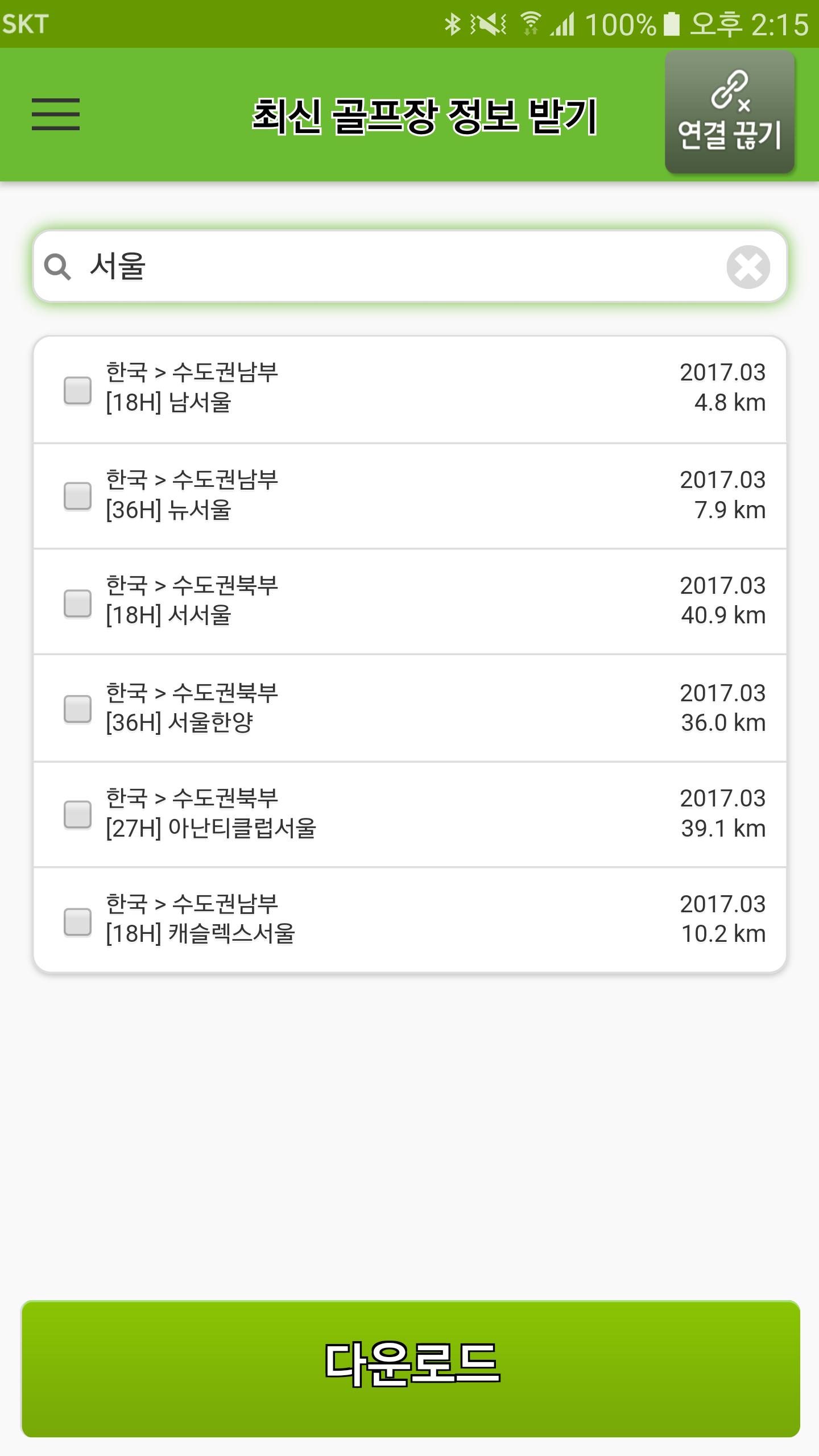
-The latest golf course information around the world can be automatically downloaded in real time!!
-Even in new golf courses and renewed golf courses, get information on the exact distance with the latest golf course information without any problems.
#Automatic download of the latest firmware
-M300 latest firmware can be downloaded automatically in real time!!
-Easily download and use the new features of FineCaddy M300, which are constantly being upgraded.
Bluetooth connection method
# First connection
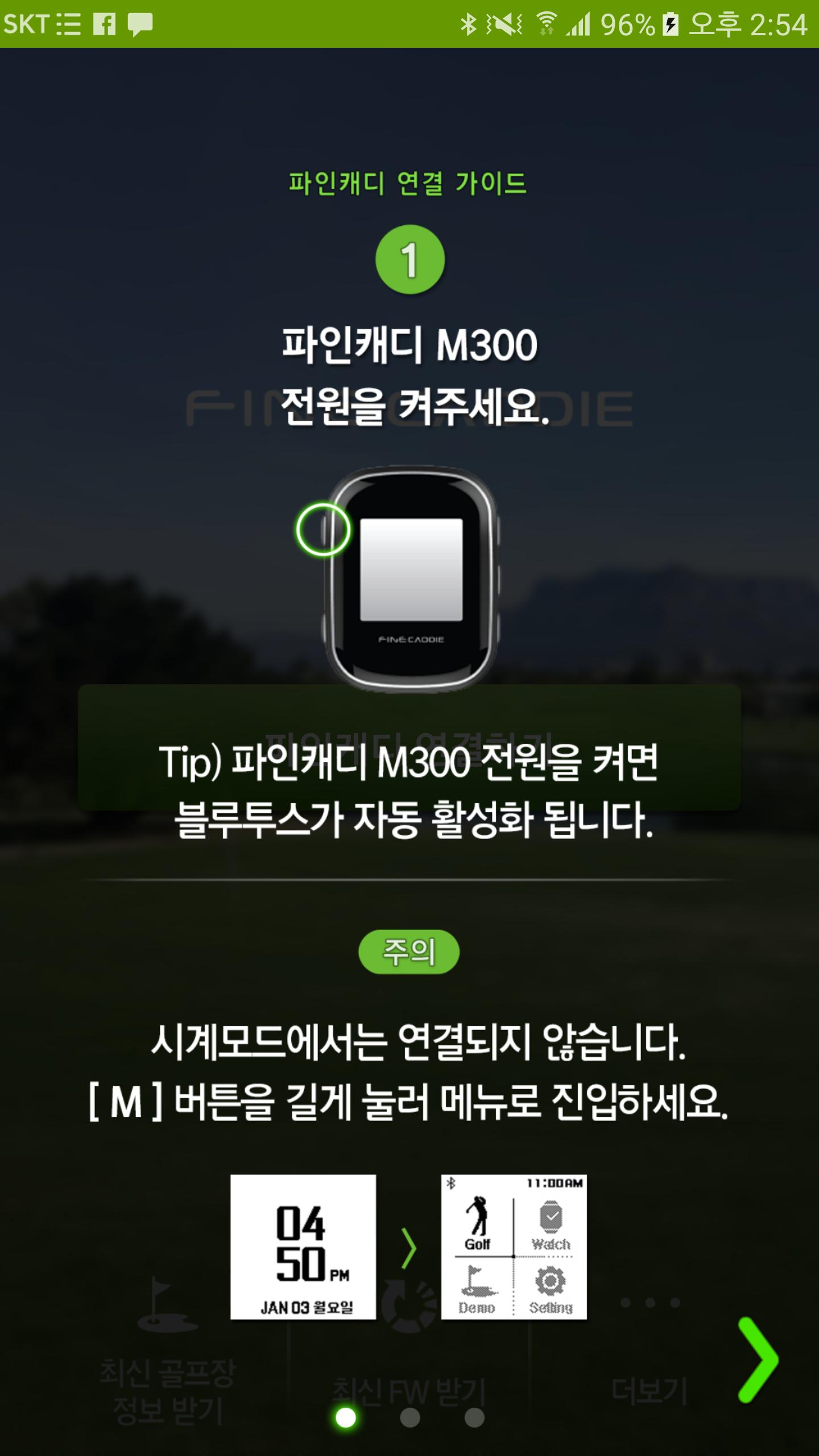
-Open FineCaddy app> SNS login> M300 power ON> Click “Connect” app>
Activate smartphone Bluetooth> Register FineCaddy M300 terminal to connect> Complete connection
# Connect after 2 times
-Power on FineCaddy M300> Run app> Click Bluetooth activation> Connection completed
Function usage
# Turbo GPS
-Connect the app with FineCaddy outside the golf course> Complete GPS reception more than 4 times faster
# Automatic download of DB/FW
-After connecting, click the download button> click “OK” for the estimated time required> Download> Complete
▶ List of permissions (required)
Bluetooth (BLUETOOTH, BLUETOOTH_ADMIN)
-Used for the function to connect with FineCaddy devices
-Used to turn on/off Bluetooth
Location (ACCESS_FINE_LOCAITION, ACCESS_COARSE_LOCATION)
-Used to search nearby golf courses
Internet access (INTERNET, ACCESS_NETWORK_STATE)
-Used to search nearby golf courses
-Used to update the latest firmware
-Used to update the latest golf course
Files (WRITE_EXTERNAL_STORAGE, READ_EXTERNAL_STORAGE)
-Used to update firmware
-Used to update the latest golf course
▶ List of permissions (optional)
Camera (CAMERA)
-Golf score shooting
Developer Contact:
Fine Service 1588-4458
Latest Version
1.6.1Uploaded by
علا الشيخ
Requires Android
Android 5.0+
Category
Free Sports AppContent Rating
Everyone
Security Report
Report
Flag as inappropriateLast updated on Dec 10, 2021
Android 12 지원




APKPure - A multi-platform app store primarily focused on Android, providing extensive app-related content. Discover the app you want easier, faster, and safer, with quick and efficient downloads and installations.