Scan Date:Apr 26, 2026
Show More

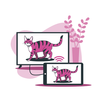
The #1 wired screen mirroring app for Android — connect your phone to TV using a USB-C to HDMI cable with zero lag, zero buffering and no WiFi needed.
Whether you want to cast to TV, mirror your phone screen, share photos or stream videos on the big screen — just plug in your USB-C to HDMI cable and go. No router, no Chromecast, no wireless setup.
Why wired beats wireless
Wireless screen mirroring breaks in hotels, schools and offices where the WiFi blocks casting. Wired HDMI connection via USB-C never drops, never lags and works anywhere — even with no internet at all.
Key features
— USB-C to HDMI screen mirror with zero lag
— Wired screen cast to any TV, monitor or projector
— Connect phone to TV without WiFi
— 4K, Full HD (1080p) and HD (720p) output
— Cast videos, photos and music to TV via HDMI cable
— USB-C HDMI compatibility checker (DisplayPort Alt Mode)
— MHL connector support for older Android devices
— OTG USB support check for your device
— HDMI output phone guide — step-by-step setup
— No signal / black screen HDMI troubleshooter
— Cast phone to hotel TV with no network needed
— Present phone screen on projector via USB-C HDMI
— Works with Samsung, Pixel, OnePlus, Motorola and more
Perfect for
— Screen share in meetings and classrooms
— Stream movies and shows to TV from phone
— Cast mobile games to TV without lag
— Mirror Android phone to TV for presentations
— Connect phone to projector via HDMI for work
— Hotel room entertainment — cast phone to hotel TV
How to connect phone to TV with HDMI
1. Open the app and run the USB-C HDMI compatibility check
2. Connect your Android phone to TV using a USB-C to HDMI cable or adapter
3. Select what to cast — video, photo, music or full screen mirror
4. Enjoy lag-free wired screen mirroring on the big screen
Not sure if your Android phone supports HDMI output? Our built-in USB-C HDMI checker scans for DisplayPort Alt Mode, MHL and OTG support so you never buy the wrong cable.
Compatible with Samsung Galaxy, Google Pixel, OnePlus, Motorola, Sony Xperia and all Android phones with USB-C video output. Works with all TV brands — Samsung, LG, Sony, Hisense, TCL, Philips — via standard HDMI port.
Latest Version
1.3.1Uploaded by
امير شخصيتي
Requires Android
Android 8.0+
Category
Free Tools AppContent Rating
Everyone
Security Report
Report
Flag as inappropriateLast updated on Apr 26, 2026
Minor bug fixes and improvements. Install or update to the newest version to check it out!



APKPure - A multi-platform app store primarily focused on Android, providing extensive app-related content. Discover the app you want easier, faster, and safer, with quick and efficient downloads and installations.