
Manage default applications when launch an action or opening a file.
With Defaul App Manager, it facilitates the management of the default apps established on your Android device.
▶ Features
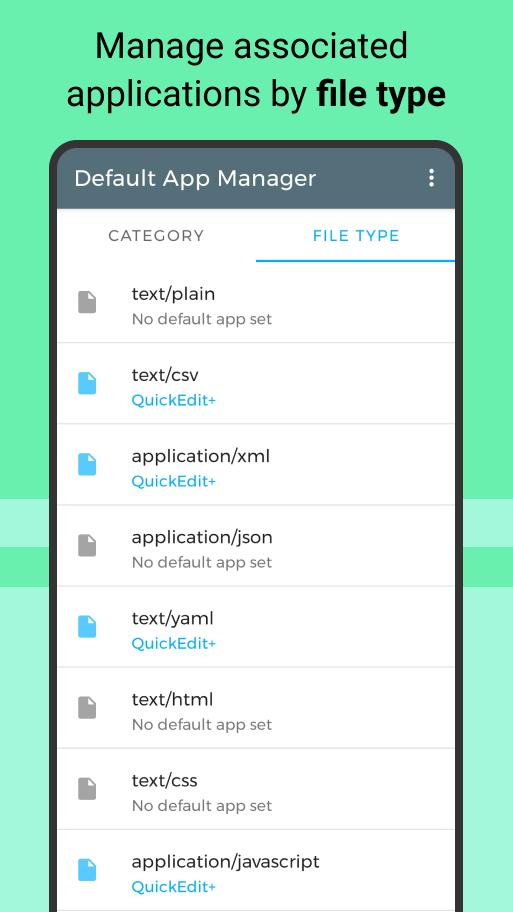
• Find the default app for a particular category or file type.
• See all the apps available for a particular category.
• View compatible application for set default.
• Set a new default for a particular category or file type.
• Intuitive and simple design with Material 2.0.
• Quick action: remove and set the default app with a long press
▶ Categories of the default applications
• Home launch
• Device assistant
• Handling of calls and messages
• Contacts agenda
• Web navigator
• Email client
• Clock, Calendar
• Photo Camera
• Video Camera
• Image viewer
• Music player
• Navigation and map viewer
• Apps store
• Car dock
• File explorer
• Input method
Languages
Translate into: English, Spanish, Italian and German
►Remember:
Depending on the version of Android that we have on our device, more categories will appear.
As of Android M google has added management of predetermined apps, an option of difficult access, use the direct access of the menu of the application.
FAQ
This application solves the following frequently asked questions:
How to remove the default application?
Clicking on the remove action will open the application settings page, where you can delete the default values.
How to change the default application?
First, the current default application must be removed.
When there is no default application, tap to select an application from the list.
Why removing the default application even shows it?
If there is only one compatible app for a default action, Android will always use it directly.
Android M and later
As of Android M Google added that when requesting the opening of an App for the first time, it lets you choose "only this time" or "always" to set the app as default you must select "Always". Make sure the application is established.
Where to find the default application manager in Android?
As of Android M, there is a section for managing predetermined applications, although it is still difficult to access.
Use the Go Default Apps Settings menu to directly open the Default Apps window.
Latest Version
1.2.5Uploaded by
Tauqeer Hussain
Requires Android
Android 5.0+
Category
Free Tools AppContent Rating
Everyone
Report
Flag as inappropriateLast updated on Sep 27, 2023
Minor bug fixes and improvements. Install or update to the newest version to check it out!





APKPure - A multi-platform app store primarily focused on Android, providing extensive app-related content. Discover the app you want easier, faster, and safer, with quick and efficient downloads and installations.