Edit & run Python code (Beta release).
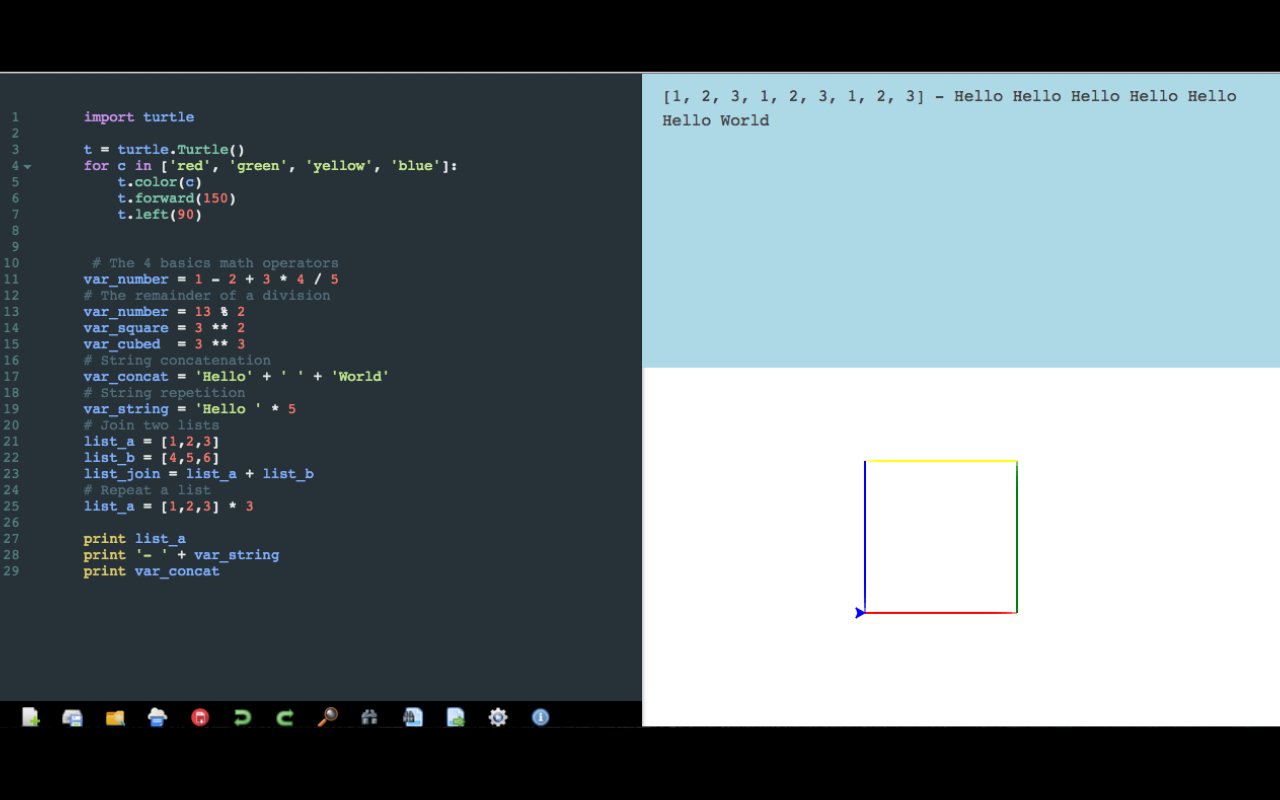
Offline Python Editor based on Skulpt, entirely client side with display result & validation code
========
Release 1.3.0 - Introduced the new toggle button to display output area in full-screen mode
Release 1.2.5 - Updated python standard library and now the editor supporting partially pygal library
Release 1.0.5 - New full-screen button in sidebar for code editor
Note: sidebar with tools is now positioned to the left of your screen
========
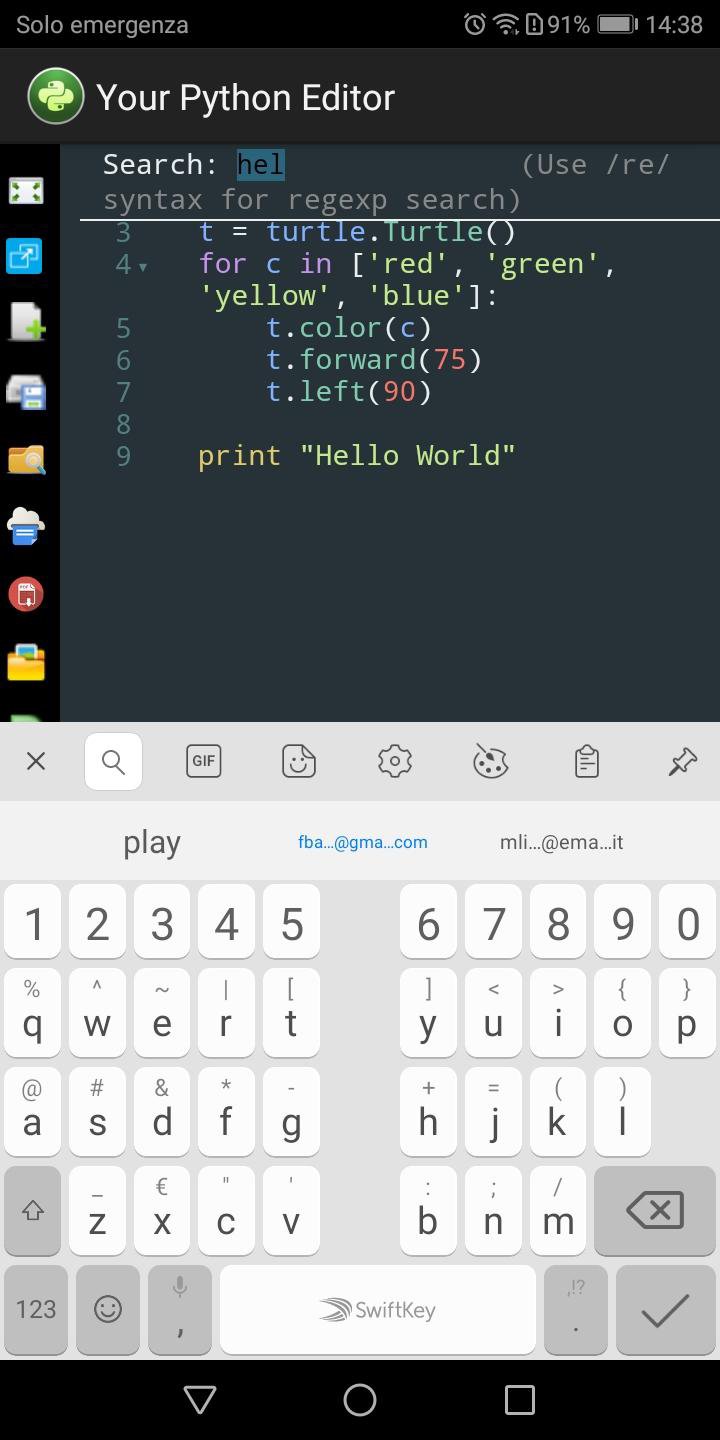
* Edit, run and validate Python code
* Save code in your Android storage as Python application and as txt format
* Print result as pdf format
* Drag & Drop to open python and txt file (Chromebooks). You can use button toolbar too (For all devices)
* Undo & Redo buttons
* Bluetooth keyboard shortcuts Ctrl-Space to autocomplete the code
* Search/Replace string and jump to line (Using advanced functions with bluetooth keyboard shortcuts too)
* Save Python code as pdf format
* Bluetooth keyboard shortcuts to save project as Python application (CTRL-SHIFT-S for Windows - CMD-SHIFT-S for Mac)
* Bluetooth keyboard shortcuts to save code as txt format (CTRL-S for Windows - CMD-S for Mac)
* Numpy, matplotlib libraries partially supported
Details about bluetooth keyboard shortcuts:
* Ctrl-F / Cmd-F (Mac): Search
* Ctrl-G / Cmd-G (Mac): Search next
* Shift-Ctrl-G / Shift-Cmd-G (Mac): Search previous
* Shift-Ctrl-F / Cmd-Option-F (Mac): Search and Replace
* Shift-Ctrl-R / Shift-Cmd-Option-F (Mac): Replace All
* ALT-G: Jump to line
* Ctrl-Z and Ctrl-Y / Cmd-Z and Cmd-Y (Mac): Undo & Redo
Here is the list of libraries you can use:
- arduino;
- document;
- image;
- led matrix;
- math;
- matplotlib (partially supported);
- numpy (partially supported);
- operator;
- plot;
- processing;
- random;
- re;
- string;
- time;
- turtle;
- urlib;
- webgl;
- pygal (partially supported)
=============
Important notice
To view files saved in your Phone file system I suggest you use the Files by Google application. Unfortunately, the native file systems of some smartphones limit the complete display of folders and files
Thank you for your patience
=============
Latest Version
1.4.6Requires Android
3.2
Category
Productivity AppContent Rating
Everyone
Report
Flag as inappropriateLast updated on May 22, 2023
Minor bug fixes and improvements. Install or update to the newest version to check it out!




APKPure - A multi-platform app store primarily focused on Android, providing extensive app-related content. Discover the app you want easier, faster, and safer, with quick and efficient downloads and installations.