Package Name:com.note.maker
SHA-256:6a95e0cd5c989cc67f5fac2d01428f1b9d4072e5cf2e5386a19c38d63e6d09e3
Show More

NoteMaker is a simple, fast, and private app for notes and checklists on Android.
Perfect for quick notes, shopping lists, to-dos, ideas, and daily thoughts — without ads, accounts, or anything you don't need.
Free to use forever. An optional one-time Premium upgrade adds locked notes, Google Drive backup, and unlimited tags. No subscriptions.
✦ WHY NOTEMAKER
- No ads. Not a single one. Ever.
- No account required to start writing.
- Works fully offline. Cloud backup is optional and opt-in.
- No subscriptions. Premium is a one-time purchase, never recurring.
✦ CORE FEATURES
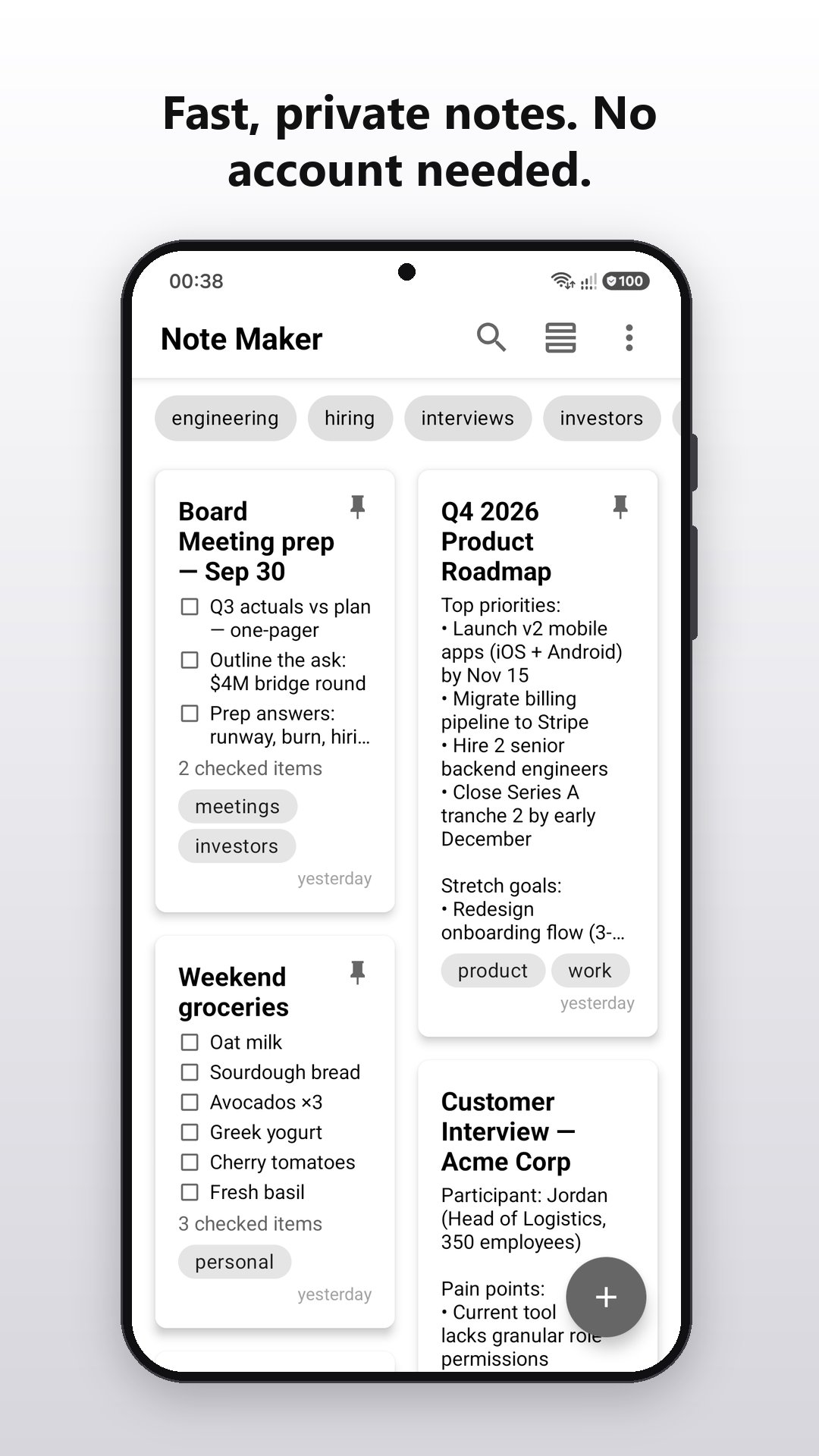
- Create, edit, and delete notes with a clean, distraction-free interface
- Instant search across all your notes by title, content, and tags
- Pin important notes to the top
- Duplicate any note in one tap — great for templates and recurring lists
- See when each note was last edited at a glance, with the exact time on tap
- Drag-and-drop manual reordering
- Switch between grid and list layout with one tap
- Long-press to select multiple notes for pinning, sharing, deletion, or duplication
- Auto-save — never lose a note, even if you press back accidentally
- Light and dark themes — follow system or set manually
- In English, Spanish, Portuguese, German, Russian, and Ukrainian
✦ CHECKLISTS (FREE)
- Start a checklist from an empty note, or turn any note into one
- Tick items off with one tap — done items move to the bottom
- Lists you already typed with dashes or numbers convert as they are
- Uncheck all or clear done items at once — perfect for shopping lists you reuse
- See open items right on the note card
✦ TAGS
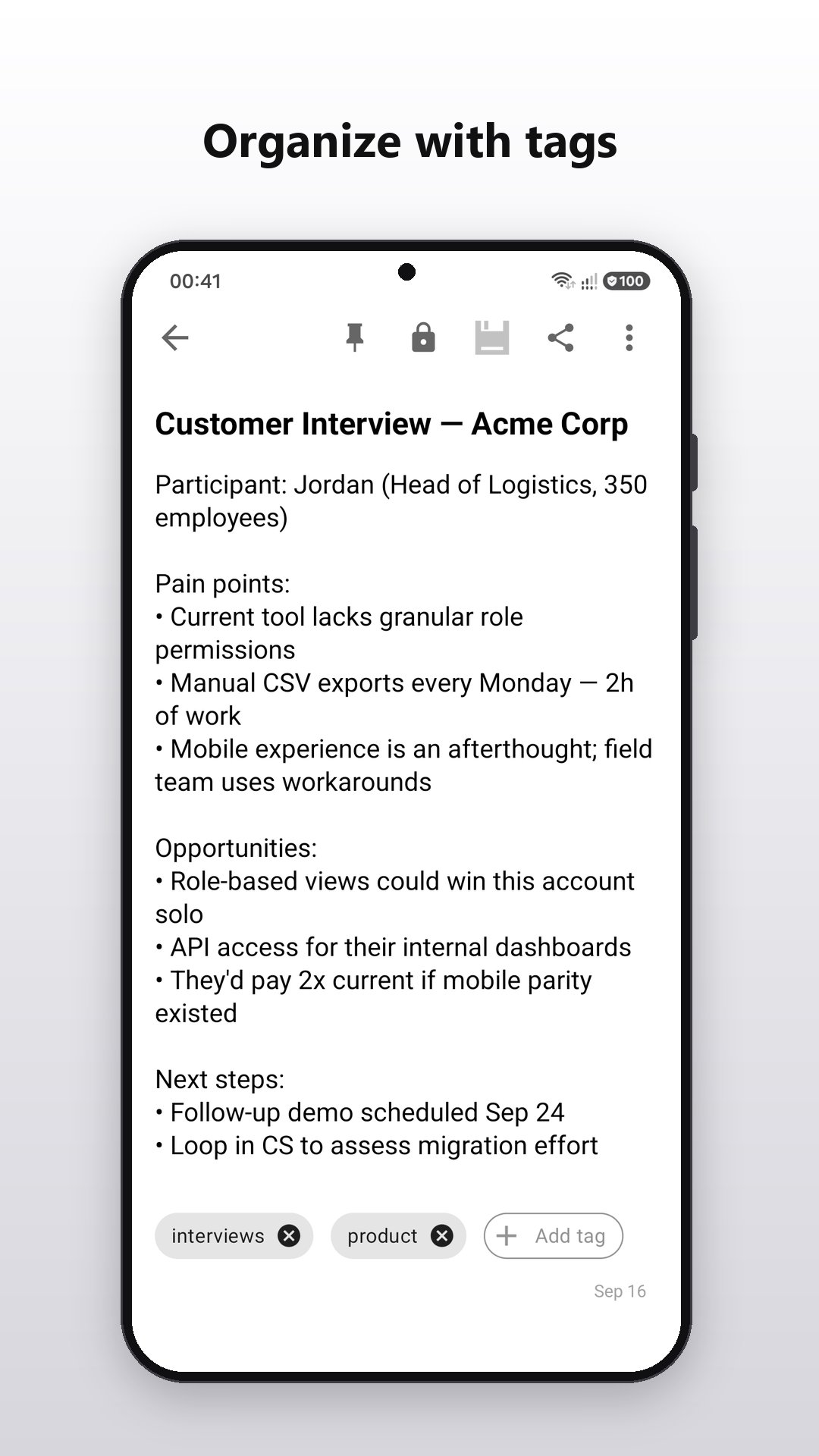
- Label notes with tags for quick organization
- Filter the note list by tag with one tap
- Smart tag suggestions as you type — reuse tags effortlessly
- Free: one tag per note. Premium: unlimited tags.
✦ PREMIUM (ONE-TIME UPGRADE)
- Lock individual notes with your fingerprint or device PIN. Title and content are encrypted on your device using AES-256, with the key held in the Android Keystore. Your biometrics and PIN are handled by Android — the app never sees them.
- Back up all your notes to your own Google Drive, into a private folder only NoteMaker can see. The app cannot access any of your other Drive files. Back up manually, or turn on automatic daily backups.
- Restore from Drive with three modes: replace, merge, or add.
- Unlimited tags per note.
- One-time purchase. No subscriptions.
✦ IMPORT & EXPORT
Unlike most note apps, NoteMaker lets you take your data with you:
- Export all your notes to a single JSON file
- Import notes from JSON with three modes: Replace, Merge, or Add
- Share individual notes via any app — messengers, email, cloud storage
- Your notes. Your device. Your control.
✦ PRIVACY-FIRST
- Your notes stay on your device by default
- Optional Google Drive backup goes only to your own private folder — the app cannot see, read, or modify any of your other Drive files
- No tracking of note content; analytics measure usage, not what you write
- No account required for the core app — Google sign-in only if you choose to use Drive backup
✦ DESIGN
Distinctive monochrome interface — clean and distraction-free.
Available in light and dark themes (or follow your system setting).
Thoughtfully crafted for writers, thinkers, and anyone who values focus over flash.
✦ PERFECT FOR
- Quick thoughts and ideas
- Shopping lists and to-do checklists
- Meeting notes
- Journal entries
- Study notes
- Code snippets and references
- Private notes you'd rather keep behind a lock
- Anything you want to remember
✦ ACTIVELY DEVELOPED
NoteMaker is actively maintained and improved by an independent developer.
New features are guided by user feedback — keep ideas coming.
Have feedback or a feature request? Email us anytime — we read every message.
---
If you enjoy the app, please leave a review — it really helps us grow.
Latest Version
0.6.1Uploaded by
Amanndda Pereira
Requires Android
Category
Free Productivity AppContent Rating
Everyone
Security Report
Check Now
Report
Flag as inappropriateLast updated on Oct 8, 2026
v0.6.1
Checklists are here — tick things off right inside your notes.
What's new:
• Checklists: tap "Checklist" under an empty note, or turn any note into one from the menu. Lists you already typed with dashes or numbers convert as they are
• Ticked items move to the bottom. Uncheck all or clear them at once — handy for shopping lists you reuse
• Small improvements and polish across the app




APKPure - A multi-platform app store primarily focused on Android, providing extensive app-related content. Discover the app you want easier, faster, and safer, with quick and efficient downloads and installations.