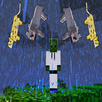
Project Superhuman Mod armor sets for different superheroes. Each character has unique abilities which are admittedly quite fun to play with. None of the suits or items are craftable; instead, as you kill mobs, they will drop points that are collected similar to experience. These points can be used to “purchase” costumes. In addition to points, mobs will also drop Blind Bags. When right-clicked, the bag is opened and a random armor piece is dropped. This is inspired by collectible card games where early on you will get mostly unique pieces but the more you get the harder it is to find the pieces you actually need. This is intended to promote trading with friends as is the case with CCGs. Additionally, there is a block, the Point Converter, that can consume your extra armor pieces and turn them into points. To get started with “purchasing” suits you will need the HeroSuits Catalog. It can be found in dungeons, blacksmiths, or strongholds or crafted using a book and an emerald in a shapeless recipe (Add a piece of dirt to this recipe if there is a conflicting recipe). The HeroSuits Catalog has a description of each character. It also serves as the “store” for buying individual costume pieces and weapons as well as blind bags and other goodies. The point converter can also be found in the catalog as well.
How to install:
Make sure you have already installed Minecraft Forge, Baubles Mod and Render Player API.
Locate the minecraft application folder.
On windows open Run from the start menu, type %appdata% and click Run.
On mac open finder, hold down ALT and click Go then Library in the top menu bar. Open the folder Application Support and look for Minecraft.
Place the mod you have just downloaded (.jar file) into the Mods folder.
When you launch Minecraft and click the mods button you should now see the mod is installed.
This application is not affiliated in any way with Mojang AB. The Minecraft Name, the Minecraft Brand and the Minecraft Assets are all property of Mojang AB or their respectful owner. All rights reserved. In accordance with http://account.mojang.com/documents/brand_guidelines
Ф
Latest Version
1.0Requires Android
4.0 and up
Category
Free Adventure GameContent Rating
Everyone
Report
Flag as inappropriateLast updated on May 13, 2018
Minor bug fixes and improvements. Install or update to the newest version to check it out!




APKPure - A multi-platform app store primarily focused on Android, providing extensive app-related content. Discover the app you want easier, faster, and safer, with quick and efficient downloads and installations.