Scan Date:Apr 28, 2026
Show More


PlayStation App keeps your PlayStation world within reach wherever you go. It brings friends, community updates, and your console tools into a single mobile experience. You can follow what your friends are playing, browse the latest titles and discounts, and prepare your console for your next session. Moreover, it supports quick access to your captures and timely alerts, so you never miss invites or news. The interface is built for short, focused actions that save time while away from the TV. Therefore, PlayStation App helps you manage games, social activity, and account engagement without turning on your console first.
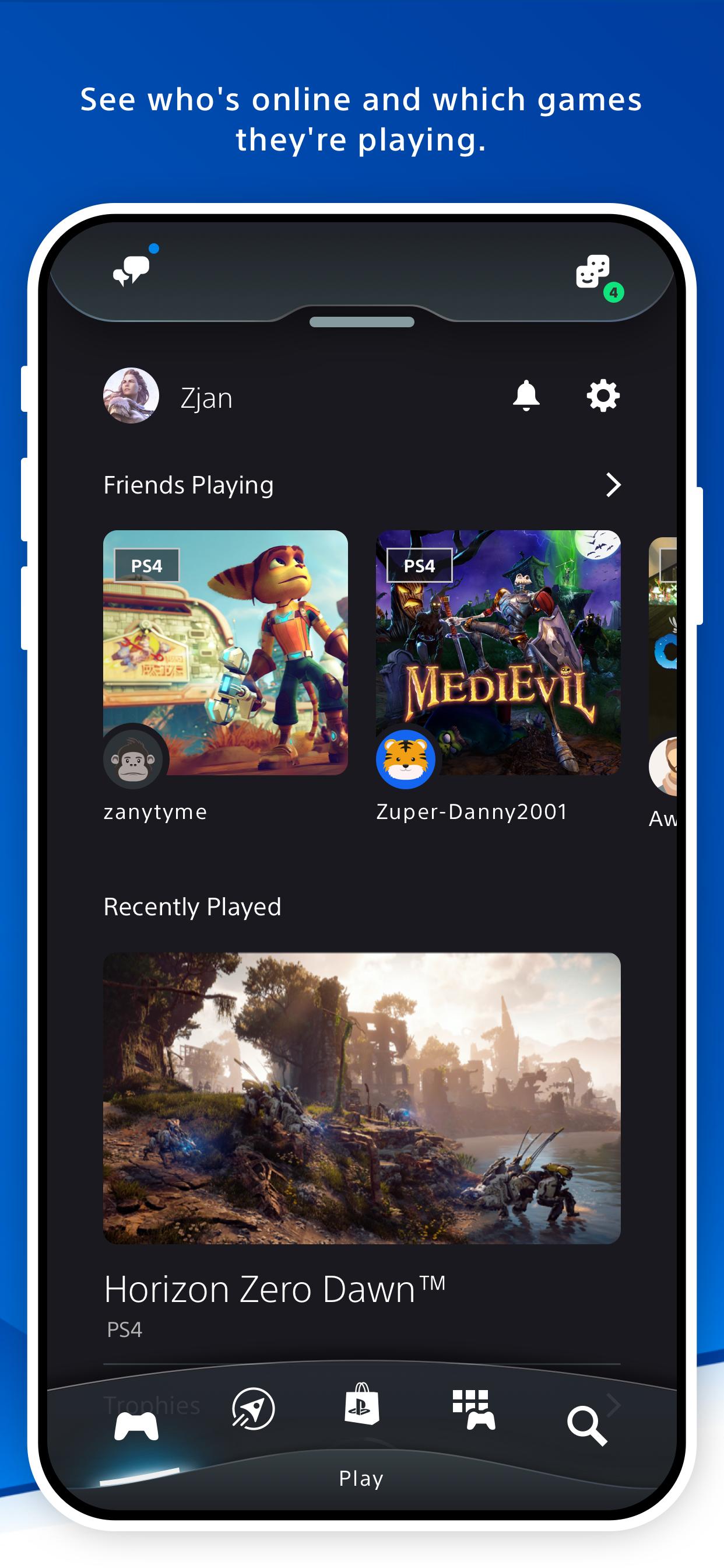
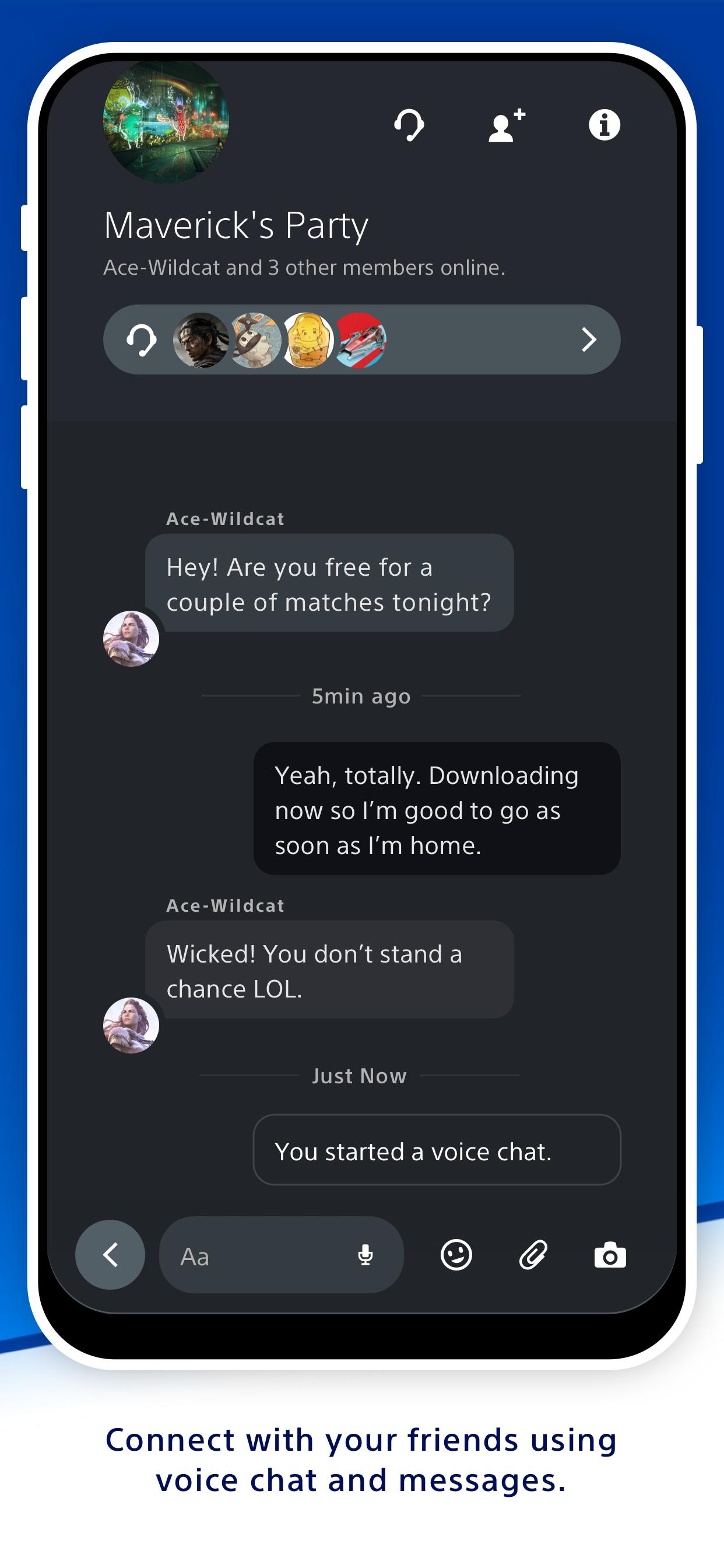
Connect with friends and parties
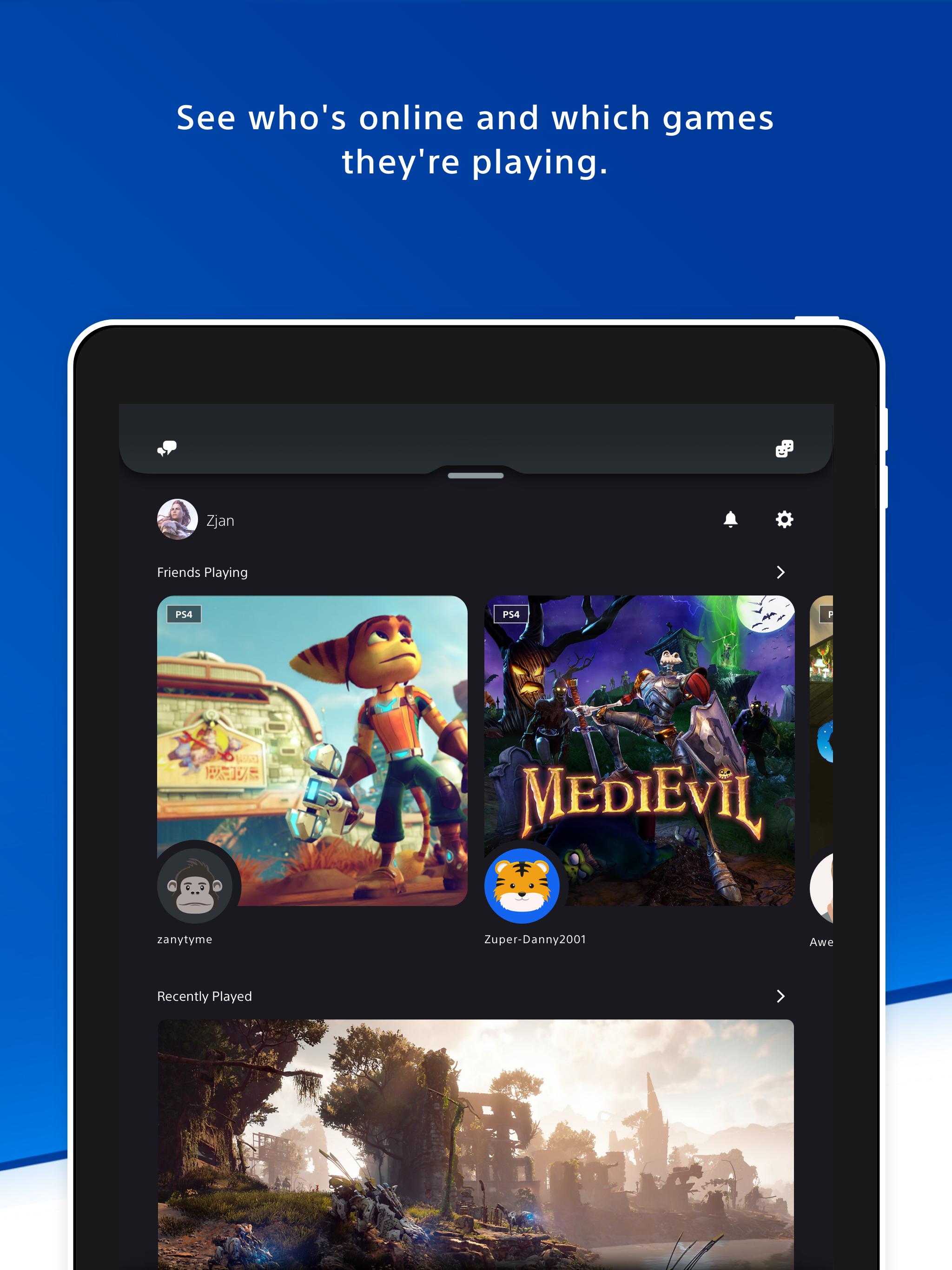
PlayStation App shows who is online and what they are playing, and it lets you view profiles and trophies. You can send text messages and join voice chat parties from your phone. In addition, you can watch a friend’s PS5 Share Screen to follow gameplay in real time.
PS5 game captures on your phone
PlayStation App automatically displays screenshots and short video clips uploaded from your PS5. Clips are up to about three minutes and remain available in the cloud for a limited time. You can save them to your device or share them with friends and supported social apps in a few taps.
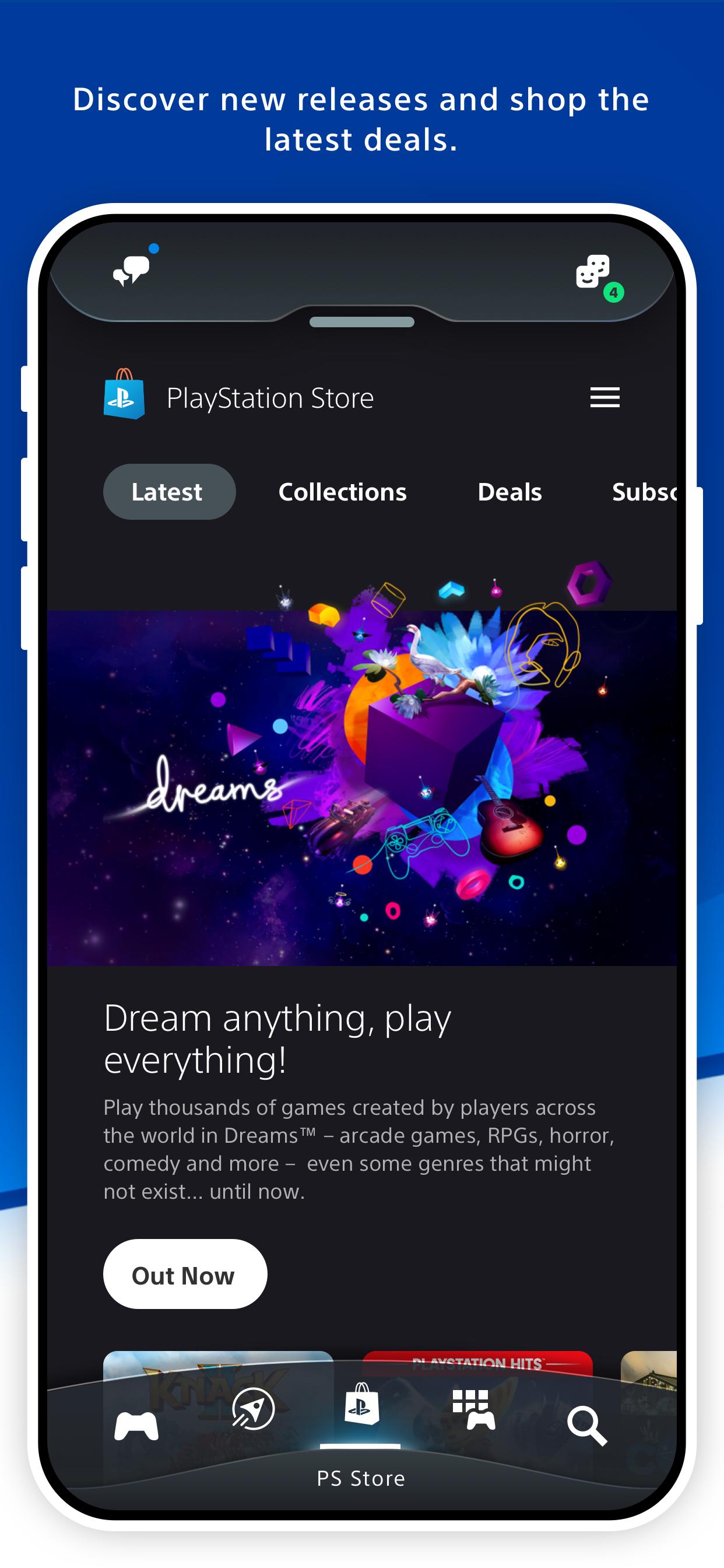
Shop and track deals
Browse new releases, upcoming games, and special offers from the PlayStation Store inside PlayStation App. You can build a Wishlist and receive price drop notifications when a saved item goes on sale. Therefore, you can catch deals and pre-orders without checking your console.
Control your console remotely
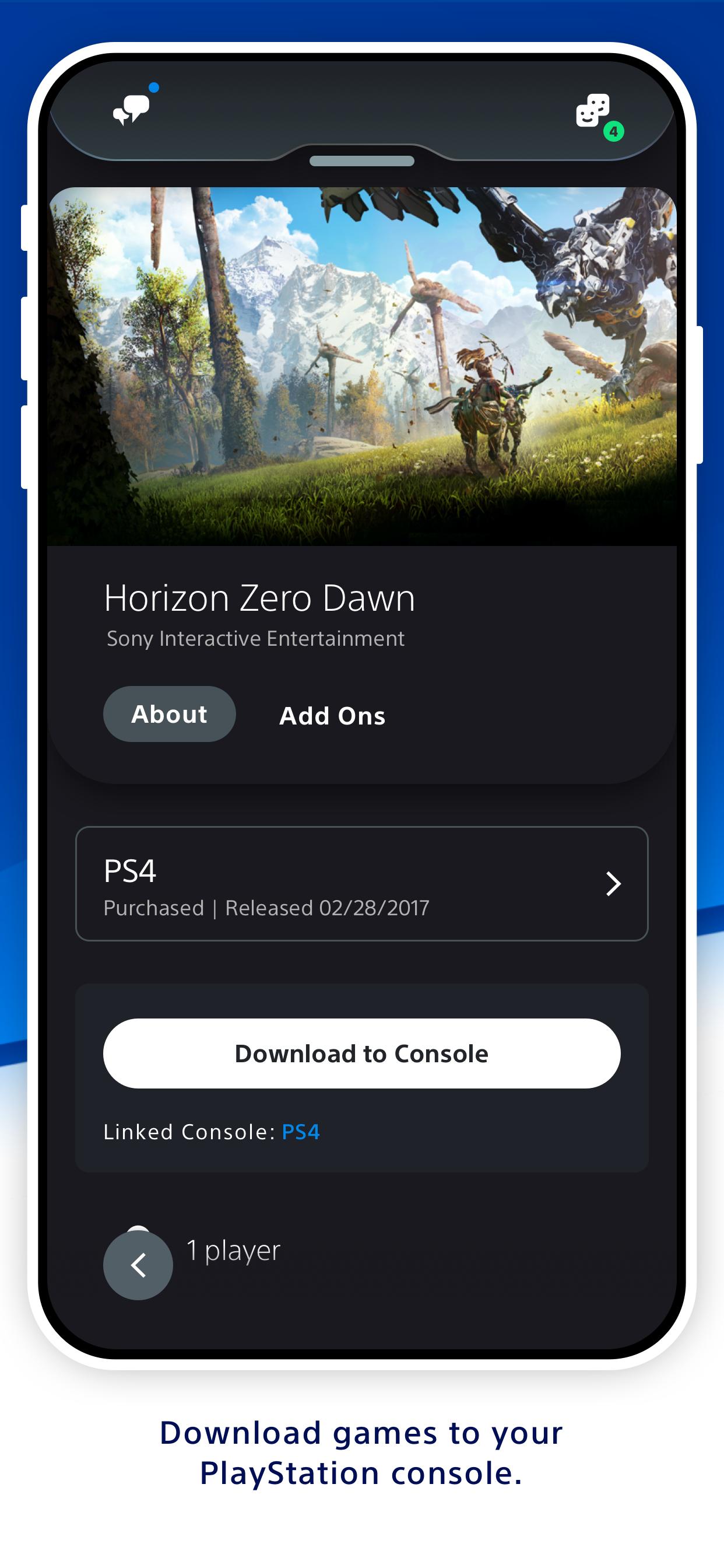
The PlayStation App lets you start remote downloads, manage add-ons, and launch games so your console is ready when you are. You can also manage PS5 storage and use quick sign-in during setup or when adding a new console. Some remote features need a PS4 or PS5 to be signed in and in rest mode.
Timely news and notifications
It keeps you informed with PlayStation news plus lock screen alerts for invites, updates, and store releases. You can adjust notification preferences to focus on the alerts you care about. As a result, you stay current without opening multiple apps.
PlayStation Stars
You can join PlayStation Stars to complete campaigns and earn points. Points can be used on eligible rewards, and Digital Collectibles can be displayed within the app. Availability of campaigns and rewards may vary by region.
Once enabled on your PS5, new screenshots and short clips automatically appear in the PlayStation App for easy viewing. Availability is time-limited in the cloud, so you may want to download important media to your phone. Sharing to friends or supported social apps works directly from the media viewer with simple options.
Some features in PlayStation App require a PS4 or PS5 linked to the same account and placed in rest mode for remote actions. Content and services, including store offers, may vary by region and account age. Moreover, stable internet connections on both your phone and console improve performance for downloads and remote operations.
You can start a Remote Play session from the PlayStation App, which hands you over to the Remote Play experience more quickly. This cross-app flow reduces steps when you want to jump into a game from your phone. Therefore, you reach your games faster when you are away from your TV.
Follow these steps to get started after you install the PlayStation App. You only need your PlayStation Network account and a connected PS4 or PS5.
Open PlayStation App, sign in with your PlayStation Network account, and allow the requested permissions for notifications and media.
Link your PS4 or PS5 by following the prompts. Ensure the console is on or in rest mode and signed in to the same account.
Open the social section to view friends, send messages, and start or join a voice chat party. You can also check profiles and trophy progress.
Browse the Store tab to add games to your Wishlist, pre-order titles, and receive price alerts. Then, manage your Library to see owned games and add-ons.
Go to console management to start remote downloads, launch games, and manage storage. After that, open captures to view and share your PS5 screenshots and clips.
PlayStation App brings friends, store browsing, captures, and remote console controls to your phone. Download PlayStation App APK latest version on APKPure to stay connected and prepared for your next play session.
Official resources:
How can I send messages to my friends outside of the console?
Open PlayStation App and go to the social section to access messages. Select a friend or group, type your message, and send. You can also start a voice chat party from the same area if you prefer talking.
How can I view my downloads in PlayStation App?
PlayStation App shows your remote download queue in the console management area. You can check progress, start or pause downloads, and manage storage to make space when needed. Your PS4 or PS5 must be signed in and in rest mode for remote actions.
Can I see trophies on the PlayStation App?
Yes, you can view trophies in the PlayStation App by opening a profile and selecting the trophy section. You will see earned trophies, progress, and details for each game. You can also compare with friends from their profiles.
Latest Version
26.4.0Uploaded by
Najīb El Imrân
Requires Android
Android 8.0+
Category
Free Entertainment AppContent Rating
Teen
Security Report
Report
Flag as inappropriateLast updated on Apr 28, 2026
• This update includes fixes and performance improvements.
Recent updates:
• Stay Signed In: Automatic sign-outs happen less frequently due to improvements made to the authentication system.
• Account Creation: Create an account for PlayStation on the welcome screen when first opening PS App.



APKPure - A multi-platform app store primarily focused on Android, providing extensive app-related content. Discover the app you want easier, faster, and safer, with quick and efficient downloads and installations.