Google Keep in the AI Era: Why One Long-Time User Is Testing Alternatives

2026-11-17
A Keep user is testing Claude and ChatGPT because Keep lacks MCP support. What that gap means for your notes, and when to keep Keep anyway.
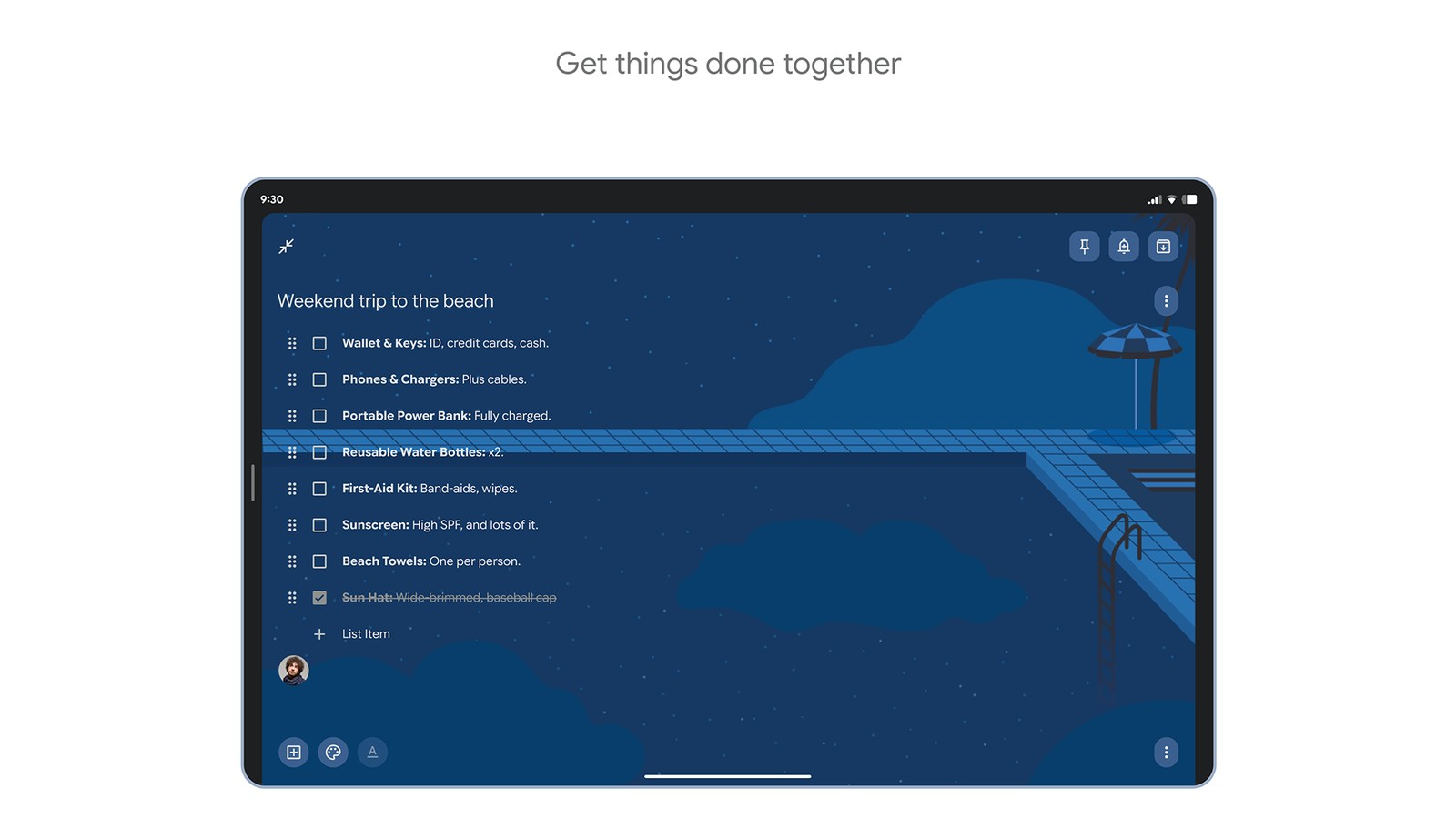

Google Keep - Notes and lists is a note taking app that captures ideas and tasks across your devices.
Google Keep has survived a decade of note-taking apps because it does one thing well: you open it and you're typing within a second. No folders, no templates, no decisions.
That's also the reason an Android Police writer says he's looking elsewhere. Not because Keep got worse. Because his workflow changed around it, and Keep stayed the same. His specific complaint is narrow, and it's worth understanding before you decide whether it applies to you.
What actually pushed a Keep user toward Claude and ChatGPT
The complaint is about ports, not features. Keep has no official Model Context Protocol integration, so other AI assistants can't read the notes stored in it.
Model Context Protocol, or MCP, is the open standard that lets an assistant talk to outside apps. With it, you ask a question and the assistant fetches the relevant data itself. Without it, you copy, paste, and repeat.
The writer's example is concrete. If Keep supported MCP, he could ask Claude or ChatGPT to search his saved notes on Android apps, summarise them, and turn the result into a shortlist. Today he opens Keep, searches, copies, and pastes into the assistant. Every time.
That's a workflow tax, and it compounds. A single copy-paste is nothing. Twenty a week is a habit you start avoiding.
Why Google Keep still wins at capture
Keep's advantage hasn't moved. Capture speed is the whole product, and it's still the fastest path from thought to saved text on Android.
The writer says as much. He keeps returning to Keep for quick notes, saved links and ideas, because nothing else opens as fast or asks as little. He also notes that many note-taking apps with MCP support exist, and that they aren't as simple, while some of the better ones are iPhone-and-Mac only.
That's an honest trade, and it cuts both ways. A richer note-taking app Android users could switch to usually costs you the two-second capture. Keep costs you the integration.
Search for a Google Keep alternative and you'll find plenty of candidates, most of them built for documents rather than jottings. Almost none of them beat Keep on the one job it was designed for. That's worth remembering before you treat this as a product losing to newer products, because it isn't.
Google Keep's other strength is longevity. It's on every Android phone, it syncs through a Google account, and notes you wrote in 2016 still open today. For a notes app, boring infrastructure is a feature. On a phone, Keep is still the best notes app Android ships with for pure capture speed, and no integration gap changes that on a Tuesday morning when you need to save a door code.
What Claude notes and ChatGPT notes workflows change
The difference isn't that Claude or ChatGPT store notes better. It's that they do something with them.
A ChatGPT notes app workflow typically looks like this: you paste a block of scattered thoughts, ask for structure, and get back an outline, a summary, or a set of next steps. Claude notes work leans the same way, with longer documents and more back-and-forth on revisions.
Neither product is a note-taking app in the Keep sense. They're assistants that can hold text and reason over it. What the writer wants is the two joined up: his archive in Keep, his thinking in the assistant, and a bridge between them.
That bridge is what MCP would provide, and it's why the missing support feels bigger than a missing feature. It's the difference between an assistant that can read your notes and one that waits for you to paste them.
The Google Keep MCP gap looks odd from outside
Google has been adding MCP support to its own products. The writer points out developer previews for Drive, Docs, Gmail and Calendar. Keep is absent from that list.
His read is that this is strange rather than deliberate. Keep is the most personal of those apps, and the one where an assistant's help would be most direct: search my notes, summarise them, remind me what I saved.
There is a Keep API, and he notes it exists mainly for enterprise and security use cases rather than consumer integrations. There are also unofficial Keep MCP servers built by third parties, which he explicitly declines to use. That's a reasonable line to draw. An unofficial bridge into your notes is a privacy decision, not a convenience one.
Keep's official AI path runs through Gemini, Google's own assistant, which the writer says isn't his preference. That's a personal choice, and it doesn't make Gemini a worse assistant. It just means the lock-in is real for anyone whose workflow settled on a different one.
Who should stay on Google Keep, and who should test an AI workflow
| If you want | Stay or move | Why |
|---|---|---|
| Two-second capture on any Android phone | Stay on Google Keep | Nothing opens faster |
| Notes that survive phone changes for years | Stay on Google Keep | Account-level sync since 2013 |
| An assistant to restructure your notes | Test a second workflow | Keep won't feed Claude or ChatGPT |
| Everything inside one Google account | Stay, and try Gemini | Keep only talks to Gemini today |
| Long documents and revisions | Test Claude or ChatGPT | Built for rewriting, not capture |
The split is about volume and intent. If your notes are reminders and shopping lists, Keep is still the right tool and the integration gap never touches you.
If you write to think, meaning long notes you return to and reorganise, the missing bridge costs you real time. That's the case the writer is making, and it's a fair one.
What a sensible setup looks like right now
The pragmatic answer is to stop treating this as a choice between one app and another.
Keep stays as the inbox. Everything gets captured there because capture is what it's best at. Then, for the notes that need thinking, copy the relevant block into whichever assistant you already use and work on it there. Tedious, yes. But it keeps your archive in a place that syncs across devices and keeps the heavy rewriting in a tool built for it.
If you want to reduce the copying, start with structure. Notes with clear titles and a line of context are easier to find and easier to paste. A messy Keep archive is the real bottleneck, not the missing integration.
Privacy is the other half of the decision. Anything you paste into an assistant leaves your phone, and anything you keep in Keep stays inside your Google account. Decide which of those matters more for each note, because the two stores have different rules.
The verdict on Keep versus AI notes
Keep hasn't fallen behind on note-taking. It has fallen behind on interoperability, and those are different problems with different fixes.
For most Android users, the gap is invisible. Capture a thought, find it later, done. For a smaller group who already think in an AI assistant, the gap is the reason they're testing alternatives.
Download Google Keep and keep using it for what it's good at. Then decide, honestly, whether your notes ever need to leave it. If the answer is yes, the integration you're waiting for doesn't exist yet, and a two-app workflow is the workaround until it does.
Google Keep - Notes and lists is a note taking app that captures ideas and tasks across your devices.
 NEWS
 REVIEWS
 HOWTO