Scan Date:Apr 5, 2026
Show More
Enabling at-a-glance summaries of working/overtime hours of each month with a simple click on your way in and out of work.
Embrace a comprehensive time clock that your staff will love to clock in and out with.
Invite employees to join your Mobile Punch Clock organization, empowering them to log their hours and effortlessly track work with their own devices.
Track work hours easily with our easy to use app that employees clock in and out with from their own device.
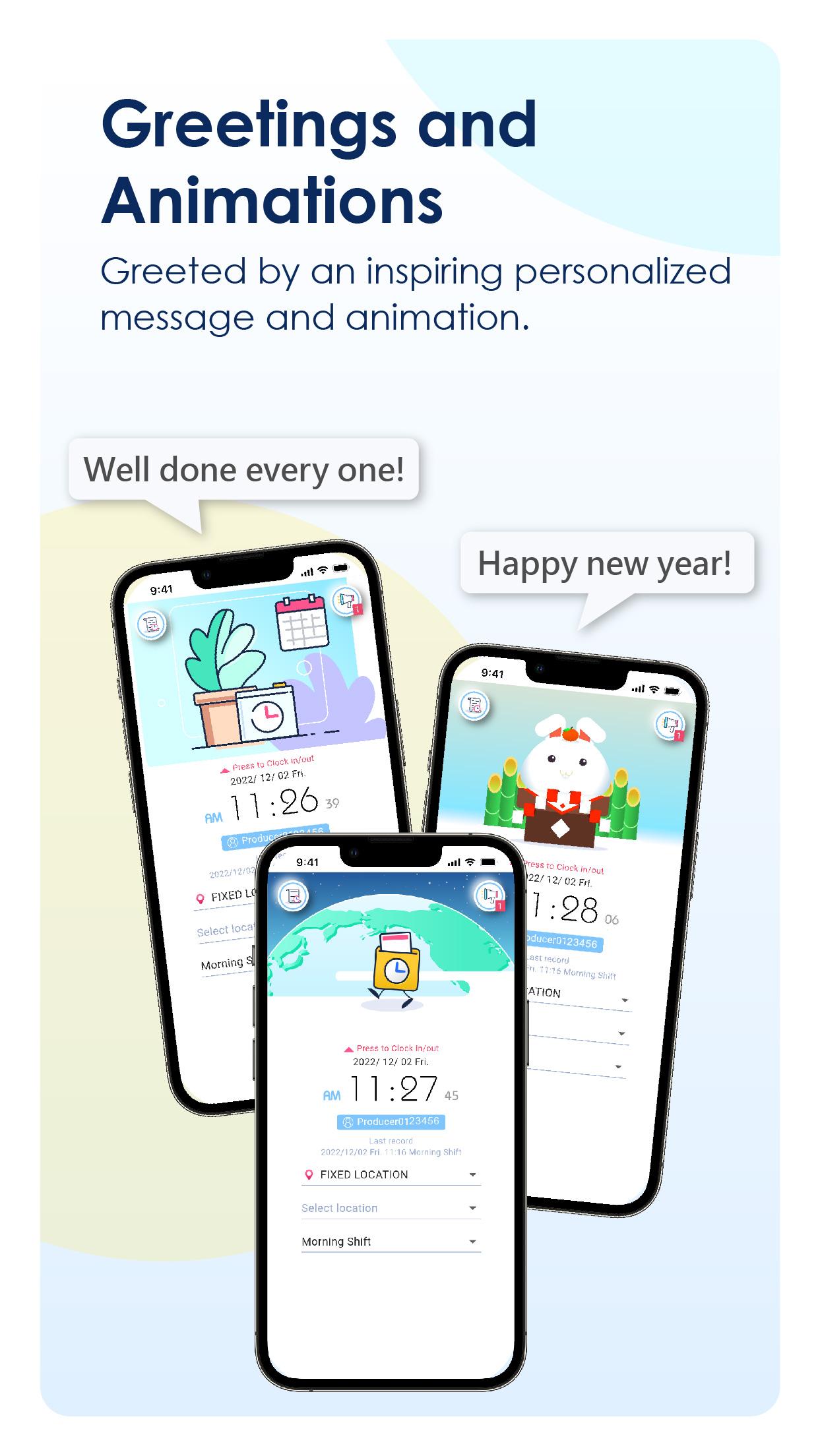
Beyond clock-in or clock-out functions, inspire you or your team members with successful messages and deliver announcements on the bulletin board of the Mobile Punch Clock App.
Export timesheet via e-mail to manage working hours on your own pc or submit to work.It is also convenient for part-time workers to figure out paychecks beforehand.
The Mobile Punch Clock App integrates the mobile device and the cloud architecture. It is the best tool for attendance records. This App provides 4 unique clock-in methods, no matter in/out of office, centralized or distributed, or even work from home (WFH), remote work, hybrid work, etc. You can find the most suitable punch mode through the appropriate settings
Mobile Punch Clock supports multiple languages and clock-in across time zones. Take control of employee timesheets and effortlessly calculate hours worked with Mobile Punch Clock App- the ultimate time tracking solution for your business. Mobile Punch Clock App's field-proven solution saves you time, money, and enhances overall accountability.
At Mobile Punch Clock, our mission is to empower businesses of all sizes with an easy-to-use, fair, and transparent work hours tracker that both staff and managers will adore. Let us handle the day-to-day administrative tasks while offering valuable insights to support your company's growth.
Mobile Punch Clock offers both a free version and paid subscriptions, you can visit website for more details of the versions.The subscriptions will Not automatically renew.Experience minimal setup and a gentle learning curve. Should you require assistance, our friendly team is available 24/7 right inside the app.
Website: https://app.cyberstar.com.tw/mobile-clock
Guides: https://youtu.be/9etjpY1CRn0
Web-version of APP: https://mobileclock.cyberstar.com.tw/web/auth/login
The system supports three different user roles (administrator/group manager/general member). All three user roles can clock in/out, view personal clock-in/out records and bulletins, and select their favorite clock-in animations and messages. In addition, the administrator and group managers also have the following functions.
Group manager
1. View clock-in records and abnormal records of group members.
Administrator:
1. Manage organization user account information.
2. Maintain the basic information of groups and group members.
3. Clock-in type and clock-in status messages of the managed group.
4. Set up the clock-in status and clock-in type.
5. Set up abnormal clock-in conditions.
6. View clock-in records and abnormal records of the group.
7. Manually add the clock-in records.
8. Export overall attendance report
9. Export personal attendance report
Latest Version
2.1.2Uploaded by
Bikash Dura
Requires Android
Android 5.0+
Category
Free Business AppContent Rating
Everyone
Security Report
Report
Flag as inappropriateLast updated on Apr 4, 2026
Minor bug fixes and improvements. Install or update to the newest version to check it out!





APKPure - A multi-platform app store primarily focused on Android, providing extensive app-related content. Discover the app you want easier, faster, and safer, with quick and efficient downloads and installations.