Package Name:com.hark.android
SHA-256:881df5e9ac3d0dcea289514028a77e49cd9ca405eb41cc0112251246ff4418f1
Show More


Hark Pro is designed for people who want help handling everyday errands and work tasks without switching between many websites and conversations. It uses remembered context and connected services to keep relevant details available as plans change. Instead of only returning answers, the Hark AI assistant can help carry out requested actions when supported services and user approval are available. This can be useful when coordinating schedules, reservations, orders, messages, and ongoing work.
Plan around your existing schedule
Hark Pro can use your calendar and previous context to help organize personal plans. For example, you can ask it to find a restaurant that matches a free time and dietary preference. It can also look ahead to related needs, such as transport or parking after a booking.
Handle tasks across websites
With Hark Handoff, you can ask Hark Pro to visit supported websites and work through a task. It can fill in forms, compare options, request quotes, and manage supported sign ins. Before completing actions such as a reservation, product return, or food order, Hark Pro uses your consent.
Manage errands and recurring needs
You can use Hark Pro for tasks such as ordering groceries or dinner, arranging flights and hotels, and monitoring subscriptions. It can also help with recurring tasks that need the same preferences each time. For instance, you may ask it to order a preferred pizza or prepare options for an upcoming trip.
Turn messages into a daily plan
Hark Pro connects with tools such as email, Slack, Google Docs, and calendars. It can surface messages that need attention, summarize discussions, and place relevant items into a daily plan. This helps you review work activity in one conversation before deciding what to handle next.
Keep ongoing work in Projects
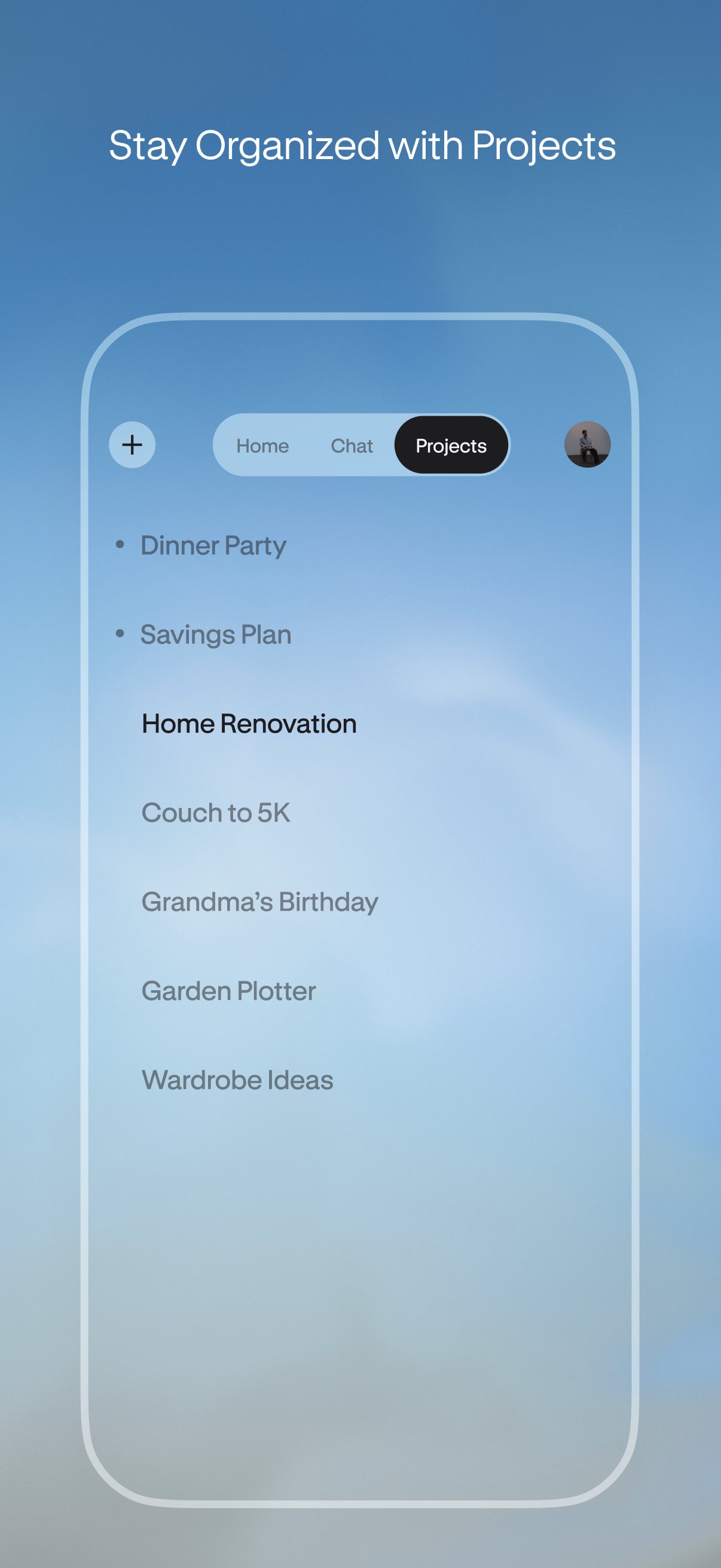
Projects keep a long term topic in one dedicated thread. Hark Pro can group related conversations and files so you can return to the same work without starting over. This can suit planning a trip, tracking an event, or following a continuing work assignment.
Create simple tools from a prompt
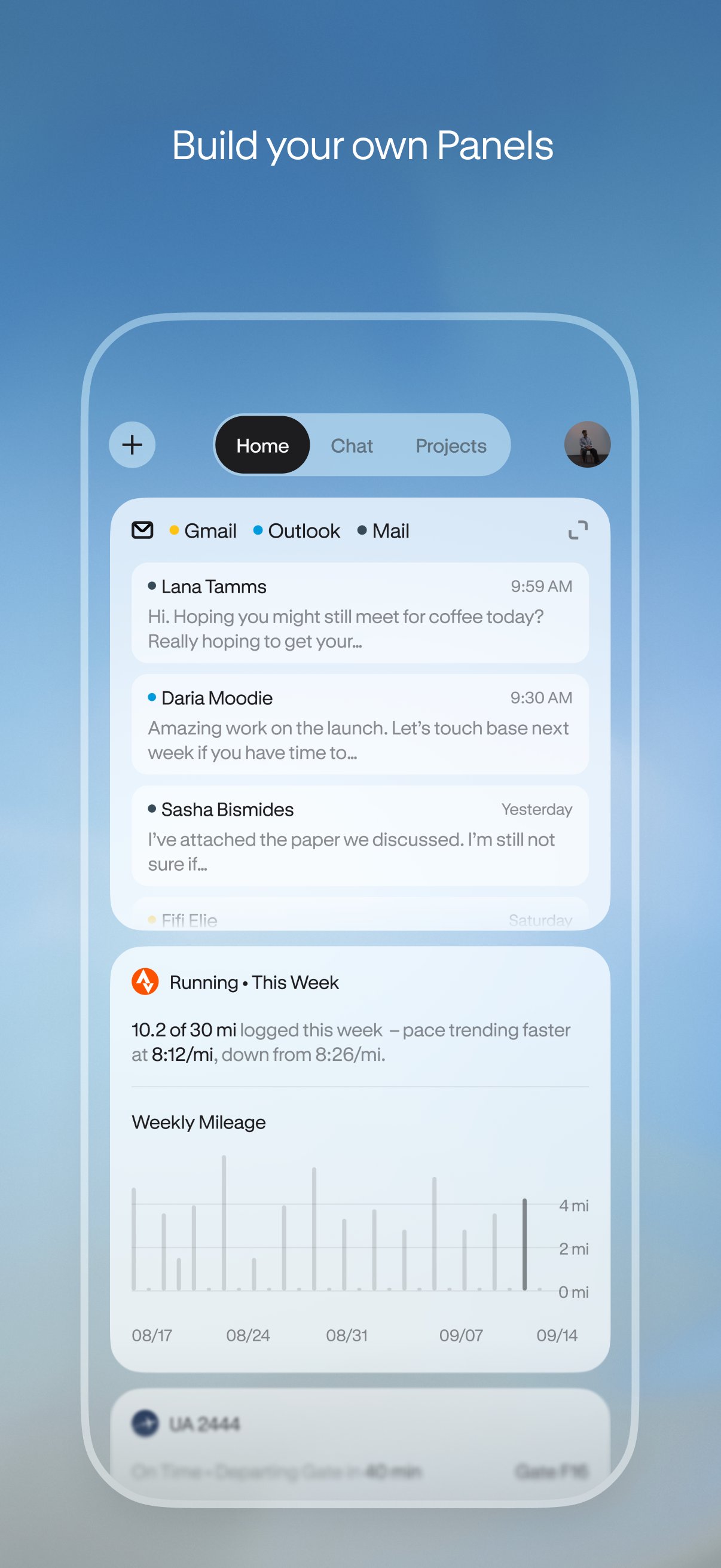
Hark Panels lets you request small in app utilities, such as trackers or media players, without writing code. Hark Action Buttons can also place actions inside a summary, including paying a bill, reviewing a claim, or responding to an RSVP. You can use these controls when a task needs a direct next step rather than another chat message.
Hark Pro is intended to work with connected services rather than acting as a standalone chat tool. The available ecosystem includes services such as OpenTable, DoorDash, Google Docs, Slack, Strava, Spotify, and Venmo. Connections and task availability can depend on the service you use and whether the needed account is supported.
Before you download Hark Pro, consider which parts of your routine you want to manage in the app. It may be more relevant if you regularly coordinate bookings, deliveries, work messages, documents, or calendars. Users who only need simple questions and answers may not need its task completion tools.
Start with a clear request that includes the details Hark Pro needs, such as timing, preferences, or a budget. The Hark Pro APK supports chat based requests, while connected tasks may ask you to review information or approve an action before it is completed.
Open Hark Pro and describe what you need to do, such as finding a dinner reservation after work or preparing a plan from recent messages.
Add useful details in the conversation, including dates, locations, dietary needs, preferred services, or people involved in the task.
Review the options or summary that Hark Pro returns, then ask follow up questions if you want to change the choice.
When a task requires a website or connected account, follow the Handoff prompts and confirm any requested action.
For work that continues over time, save the conversation in a Project and return to that thread when new files, messages, or plans need attention.
Hark Pro combines planning, connected service tasks, work organization, and prompt created utilities in one chat based app. Check the Hark Pro latest version if you want an assistant that can help move a request from planning to an approved action.
For product information or account support, use the official contact details below.
Website: https://hark.com/
Support email: support@hark.com
Latest Version
1.0.0-60Uploaded by
Gianni Rome
Requires Android
Category
Free Lifestyle AppContent Rating
Everyone 10+ · Diverse Content: Discretion Advised
Security Report
Check Now
Report
Flag as inappropriateLast updated on Oct 29, 2026
This release includes minor bug fixes and general improvements. Update to the latest version for the best experience.





APKPure - A multi-platform app store primarily focused on Android, providing extensive app-related content. Discover the app you want easier, faster, and safer, with quick and efficient downloads and installations.