


Package Name:com.spens.notes.android
SHA-256:2e718eff60a46a45d5ea58ea52e6258ac82af6d709de98f59a803886ede051a2
Show More
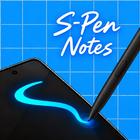
Catch an idea the moment you have it. Double-tap your S Pen and a see-through page opens over whatever is on your screen. Sketch, write or mark it up, save, and you are right back where you were.
QUICK NOTES OVER ANY SCREEN
• Opens straight onto a clear page over the app you are using
• Starts from the S Pen double-tap or the lock-screen note shortcut once S-Pen Notes is your default notes app, or from its own Quick icon
• Save and close in one tap
DRAWING THAT FEELS LIKE PAPER
• 12 brushes, each with its own feel: pen, fineliner, gel, streamline, tattoo inker, pencil, crayon, charcoal, marker, fountain, brush and neon
• Pressure-sensitive strokes and adjustable stabilisation for steady lines
• Draw a rough line, box, circle or triangle and hold the pen still: it snaps into a clean shape
• Scribble over something to erase it, flip the pen, or hold its side button
• Text, lines, arrows, shapes and pictures, cropped to a square, circle or oval
• Move and resize anything, with full undo and redo
• The pen draws and your finger scrolls, and you can lock the zoom
TYPED NOTES TOO
• Normal notes for typing, with bullets, numbered lists and checklists
• Add pictures and shapes and arrange them freely
FIND THINGS FAST
• A tidy grid of square previews, centred on what you drew
• Colour labels: tag a note "Info" or "Work" and filter in one tap
• Search titles, text and labels
MAKE IT YOURS
• Page colours with plain, grid, dotted or lined paper
• A wallpaper photo behind your notes
• Light and dark themes that follow your phone
• English, Arabic and Kurdish (Badini), fully right-to-left where needed
BACKUP ON YOUR TERMS
• Optional backup to your own Google Drive, by hand or automatically
• Restoring merges notes and never wipes your phone
• The app can only see the files it creates in your Drive
PRIVATE BY DESIGN
• No account, no ads, no tracking
• Your notes stay on your phone unless you back them up or share them
Made for Samsung Galaxy S Ultra phones with the S Pen. It also runs on other Android phones, where you start notes from the New note button or the Quick icon.
S Pen, Galaxy and Samsung are trademarks of Samsung Electronics Co., Ltd. S-Pen Notes is an independent app and is not affiliated with or endorsed by Samsung.
Latest Version
1.0.0Uploaded by
محمود مصطفي
Requires Android
Category
Free Productivity AppContent Rating
Everyone
Security Report
Check Now
Report
Flag as inappropriateLast updated on Oct 28, 2026
Firs Release



APKPure - A multi-platform app store primarily focused on Android, providing extensive app-related content. Discover the app you want easier, faster, and safer, with quick and efficient downloads and installations.






