How to Set up Default Browser on Android
2022-07-22
Set up a new default browser.

As we all know, a default browser has been pre-installed when you power on your new phone, as well as music, map, and Appstore. Sometimes, these default apps may not be so good for achieving your requests, such as high security or various functions. Actually, in terms of browsers, other than the popular Google browser, there are still many excellent and all-inclusive browsers to protect your Internet journey. Let's have a look at them.
There are many differences between browsers. Some browsers may pay more attention to results, while some may to user interfaces. Nowadays, it is so easy to download several web browsers on Android devices and try to test which one is preferable instead of tolerating the less-than-perfect default browser all the time. By downloading other browsers, you will find more interesting homepages, convenient searching ways, and stronger anti-ad functions.
As a useful and top-ranking third-party app store, there are a ton of popular browsers provided by APKPure, such as Firefox, DuckDuckGo, Opera, and more. Today, we will introduce several apps in detail and teach you how to change the original default browser.
So, how to dump a favorite browser as the default browser on Android devices? Detailed steps are in the following text. Let's make an example of Firefox on a Google phone.
Note: To change your default browser, you'll need to have more than one browser already installed on your Android phones.
Main Steps:
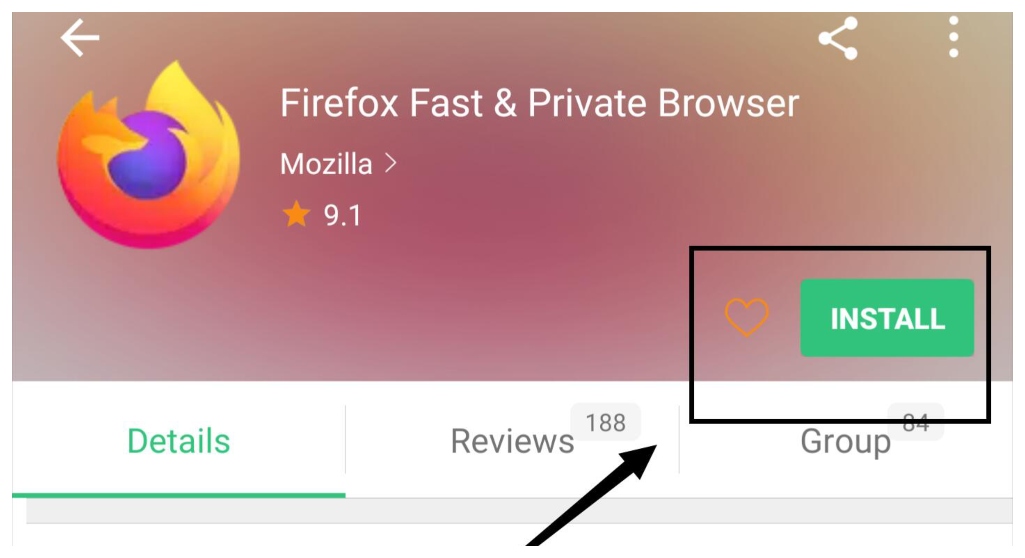
Step 1: Search and download FireFox on APKPure.
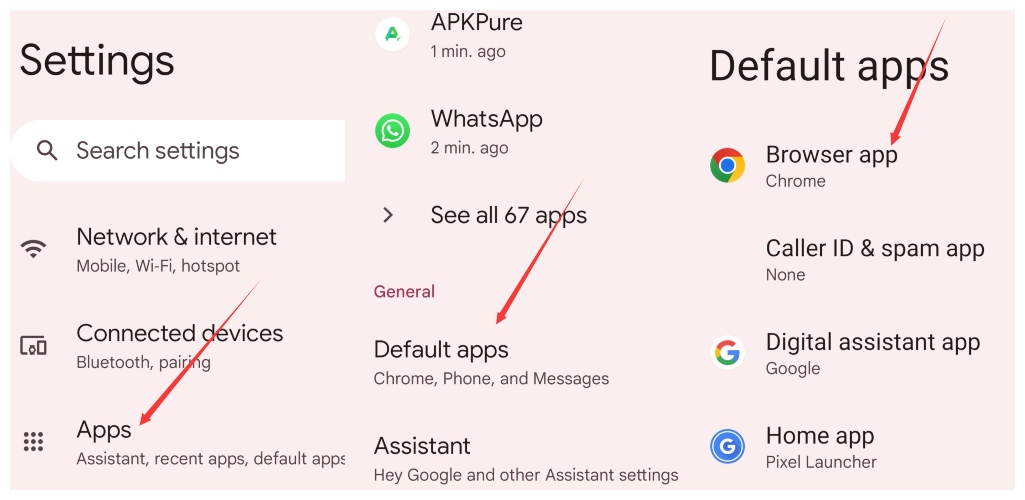
Step 2: Tap "Settings" > "Apps/App Management" > "Default Apps" > "Browser App".
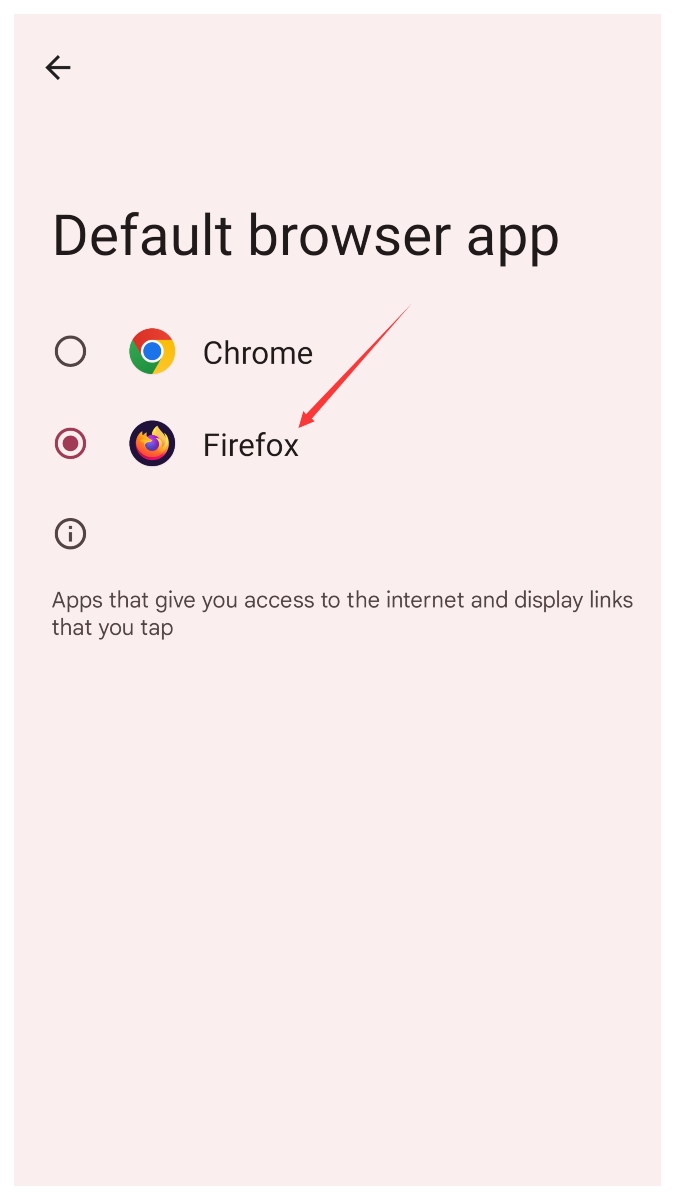
Step 3: Choose the Firefox.
By the way, Samsung phones have similar steps to set up Default Browser. Have a try.
Now, we want to recommend more popular and useful web browsers on APKPure for you to consider. You just need to click and download them.
- FireFox
- Vivaldi
- Opera
Of course, if you are not familiar with some of these browsers, we will make brief introductions to them.
- FireFox: Mozilla Firefox is not only easy to use and also has browser syncing functionality. Girls may be interested in its various customizations and clear results pages, which have a good experience.
- Opera: A big attractive point is that Opera has a built-in VPN. It also can block intrusive ads efficiently and recommend personalized news.
- DuckDuckGo: Cute and clear style provides various functions where surfers can filter by region, date, and set degree of "Safe Search".
That's all information about some trendy web browsers and how to set the Default Browser. Let's start!

Firefox is a mobile web browser that focuses on privacy, speed, and control.
 NEWS
NEWS REVIEWS
 HOWTO
HOWTO