


How to Play PickUp on PC

2023-06-07
Restore and customize an old pickup truck to make money in "PickUp - beta" game. Learn how to download and play PickUp on PC from this guide.
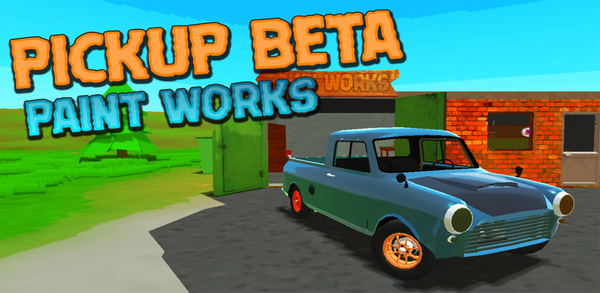
PickUp is an exciting new game that allows you to live out your dreams of restoring and customizing a classic pickup truck. As the player, you are given full control over every aspect of this rusty old vehicle, from its appearance to its performance on the road. The goal of PickUp is simple: restore your vintage car piece by piece until it's in perfect working condition. This means scouring junkyards for spare parts, installing upgrades like turbochargers or nitrous oxide systems, and even giving it a fresh coat of paint if desired! But there's more to owning a pickup than just fixing up an old ride - as any savvy entrepreneur knows! In addition to upgrading your beloved truck with all sorts of cool features such as different engines and wheels styles etc., players can also use their pickups for work purposes; hauling cargo around town while making money at the same time. With stunning graphics that bring these vehicles back into action along with a realistic physics engine that simulates each part’s behavior accurately so one could enjoy driving them across rugged terrains without worrying about breaking down easily makes Pick Up stand apart from other games currently available on mobile devices today In conclusion, Pickup provides endless hours’ worths entertainment where users get lost in tinkering under hoods tweaking settings looking at various options how they want to customize their trucks resulting sense satisfaction having built something unique usable both leisurely activities well-profit-making ventures alike through haulage services offered within the gameplay itself.

PickUp is a car restoration simulation game that lets you rebuild a rusty pickup from scratch.
What Makes Playing PickUp on PC So Popular?
There are several factors that may lead individuals to favor playing games on PCs rather than mobile devices:
More Game Options: While mobile games have grown in popularity, the PC gaming market still offers a wider variety of games, including more complex and in-depth titles.
Superior Controls: PCs often come with more accurate input devices, such as keyboards and gaming mice, which offer better control and responsiveness compared to touchscreens.
Modding and Customization Options: PC games frequently support modding and customization, allowing for the addition of new content, features, and experiences within the game.
Bigger Screen: PC monitors are usually larger than mobile screens, making it easier to view and engage with game elements.
Superior Graphics and Performance: PCs generally possess more robust hardware components compared to mobile devices, enabling enhanced graphics and increased frame rates. This leads to a more captivating and pleasurable gaming experience.
How to Play PickUp on PC?
If you want to play PickUp on PC, you need to install an Android Emulator such as Gameloop, which is easy to set up, launch and run mobile games on the computer. Follow the steps below to learn how to download and play PickUp on PC with the Gameloop Android emulator.
Step 1: Download Gameloop on your PC
Click here to download the Gameloop Android emulator installer. Once the emulator is installed, launch the Gameloop on your PC.
Step 2: Search and Install PickUp on Gameloop
Search for PickUp in Gameloop and click the "Install" button next to the game.
PickUp is a car restoration simulation game that lets you rebuild a rusty pickup from scratch.
Step 3: Launch PickUp on Gameloop
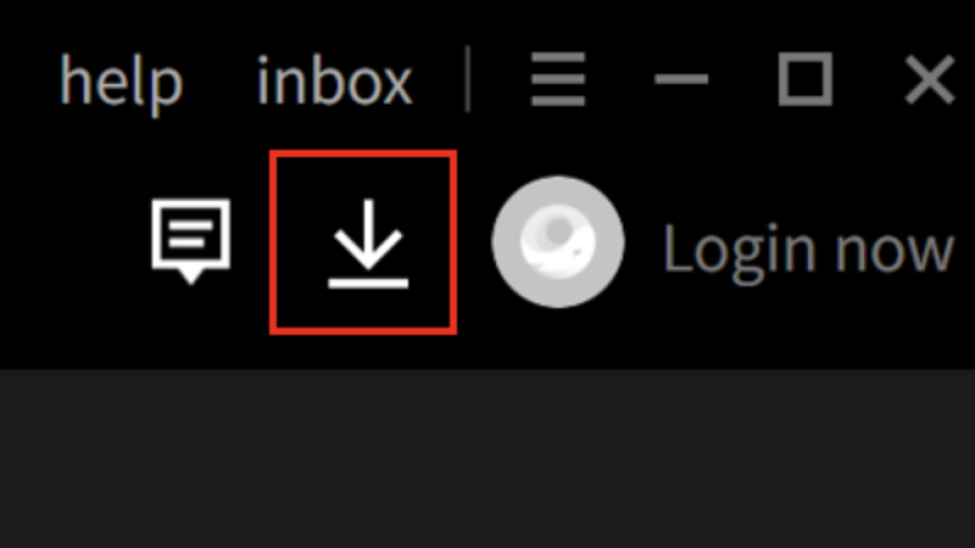
Once PickUp is installed, click the download icon in the top-right corner to view the installed list. Locate PickUp and click "Open" to launch the game.
Step 4: Play PickUp on PC
After granting necessary permissions, begin playing PickUp on your PC using the Gameloop Android Emulator.
Note: When launching a game on Gameloop for the first time, the emulator will require certain permissions. Accept all permissions to enjoy the game on your computer.
Minimum Requirements
To play PickUp on PC with Gameloop, you have to meet the following minimum system requirements:
- OS: Windows 8.1 64-bit or Windows 10 64-bit
- GPU: GTX 660
- CPU: i3-9320
- Memory: 8 GB RAM
- Storage: 20 MB available space
In addition to PickUp, APKPure has a plethora of other popular mobile games waiting for you to explore! Don't forget, you can also enjoy a more thrilling gameplay experience on your PC.
- How to Download PickUp APK Latest Version 1.2.3 for Android 2025
- How to Download Garten of Banban 0 on PC
- How to Download Naruto Mugen on PC
 NEWS
NEWS REVIEWS
 HOWTO
HOWTO TOPICS
 PUBG M
 Roblox Codes









