How to Fix GCash Magisk Detected 2025

2025-02-19
To fix the "GCash: Magisk Detected by App" error, try reinstalling GCash or downloading an old version!
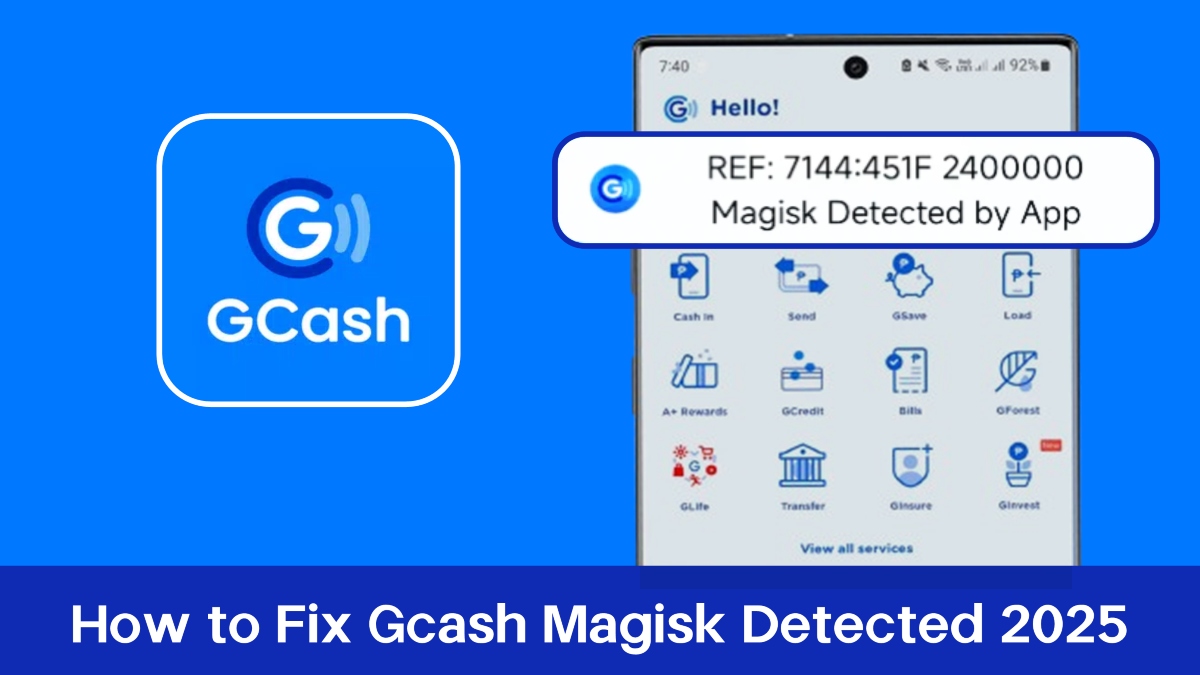


What Is "GCash: Magisk Detected by App" Error?
GCash, a popular mobile wallet in the Philippines, employs strict security measures to protect user accounts. One common issue users face is the "Magisk Detected" error, which occurs when GCash identifies that a device is rooted or modified. This article provides solutions to resolve this issue effectively.

Why GCash Detects Magisk?
The detection of Magisk or similar modifications can happen due to several reasons:
- Root Access: GCash may flag devices that have been rooted using tools like Magisk, as this can compromise device security.
- Developer Options: Settings that allow installation from untrusted sources or enable developer options may trigger detection.
- Malicious Apps: The presence of certain applications that can compromise device integrity may also lead to this error message.
How to Fix the "Magisk Detected" Error?
Facing the "Magisk Detected" error with GCash? Here's a short guide:
Method 1: Download a GCash Old Version
GCash Old Version Direct Download Links:


Select the old version you want to download and tap the "Download APK" button to get the GCash APK file.
Open the downloaded file and install it (you may need to enable installations from unknown sources).
Method 2: Reinstall the GCash App on the Google Play Store
- Update Magisk: Use the latest Magisk and modules (like ZygiskNext with Shamiko).
- Disable Zygisk: Turn off the built-in Zygisk in Magisk settings.
- Shamiko Whitelist: Use Shamiko's whitelist mode, excluding system apps.
- Clear GCash Data: Clear GCash app data in your device settings.
- Disable Developer Options: Turn off developer options.
- Reinstall GCash: Uninstall and reinstall the GCash app.
- Use Shelter/Parallel Space: Try running GCash in a separate environment.
Encountering the "Magisk Detected" error on GCash can be frustrating, especially for users who rely on the app for daily transactions. By following the steps outlined above—updating software, adjusting settings, and ensuring device security—users can often resolve this issue and regain access to their accounts. If problems persist, it may be beneficial to consult forums or communities where experienced users share their solutions and insights on overcoming such challenges.
- How to Fix GCash Incompatible Problem on Android
- How to Login GCash Account on Android
- How to Update GCash App on Android
 NEWS
NEWS REVIEWS
 HOWTO
HOWTO
 How To
 How To