


How to Download Youtube Videos Without Any Software
2022-08-04
In this article, I will show you how to download YouTube videos without downloading any software step-by-step.
As one of the most popular video streaming websites in the world, YouTube features quite a wide range of content, including live streaming, quality videos, music, and more, which keeps its viewers entertained for hours.
If you are an active user of YouTube, you may want to save your favorite videos at some point on your pc or mobile device, whether it's a funny clip or a course your want to watch offline. Through this, you can watch videos smoothly without annoying ads and lagging problems.

YouTube is a video streaming app that helps you watch, follow, and create content on Android.
Actually, there are many websites available on the market to help you download youtube videos without any software. Here we list some great options:
1. yt1s.kim
2. savefrom.net
3. y2mate.com
Despite a slight difference between these website names, the downloading methods are largely similar. y2mate.com, for example, is a powerful web-based downloader. It not only allows you to download video and audio from multiple sources, including YouTube, Facebook, Dailymotion, and more but also allows you to convert video to mp3 format with just a few clicks.
Official website: https://www.y2mate.com/en358
Features:
• Download videos from multiple platforms.
• Convert video to mp3 with just a few clicks.
• It's totally free to use.
• No registration and no software required.
• All formats are supported
How to use Y2Mate to download videos from YouTube?
In order to download YouTube videos, you need to follow the steps below:
Step 1: Copy the URL of the youtube video you want to download.
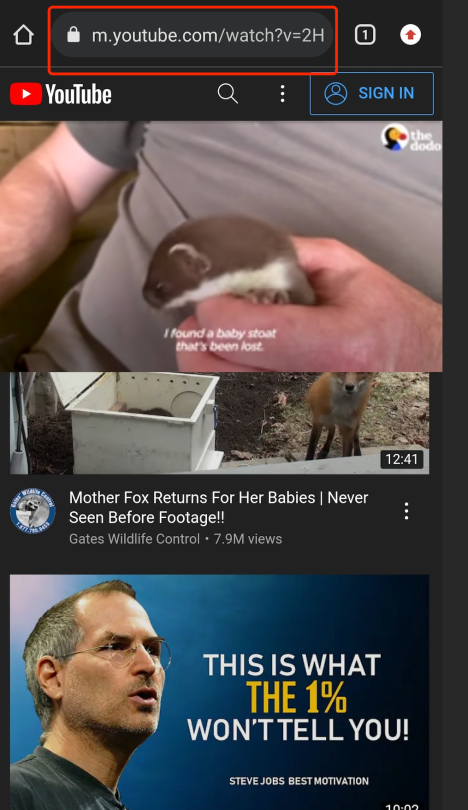
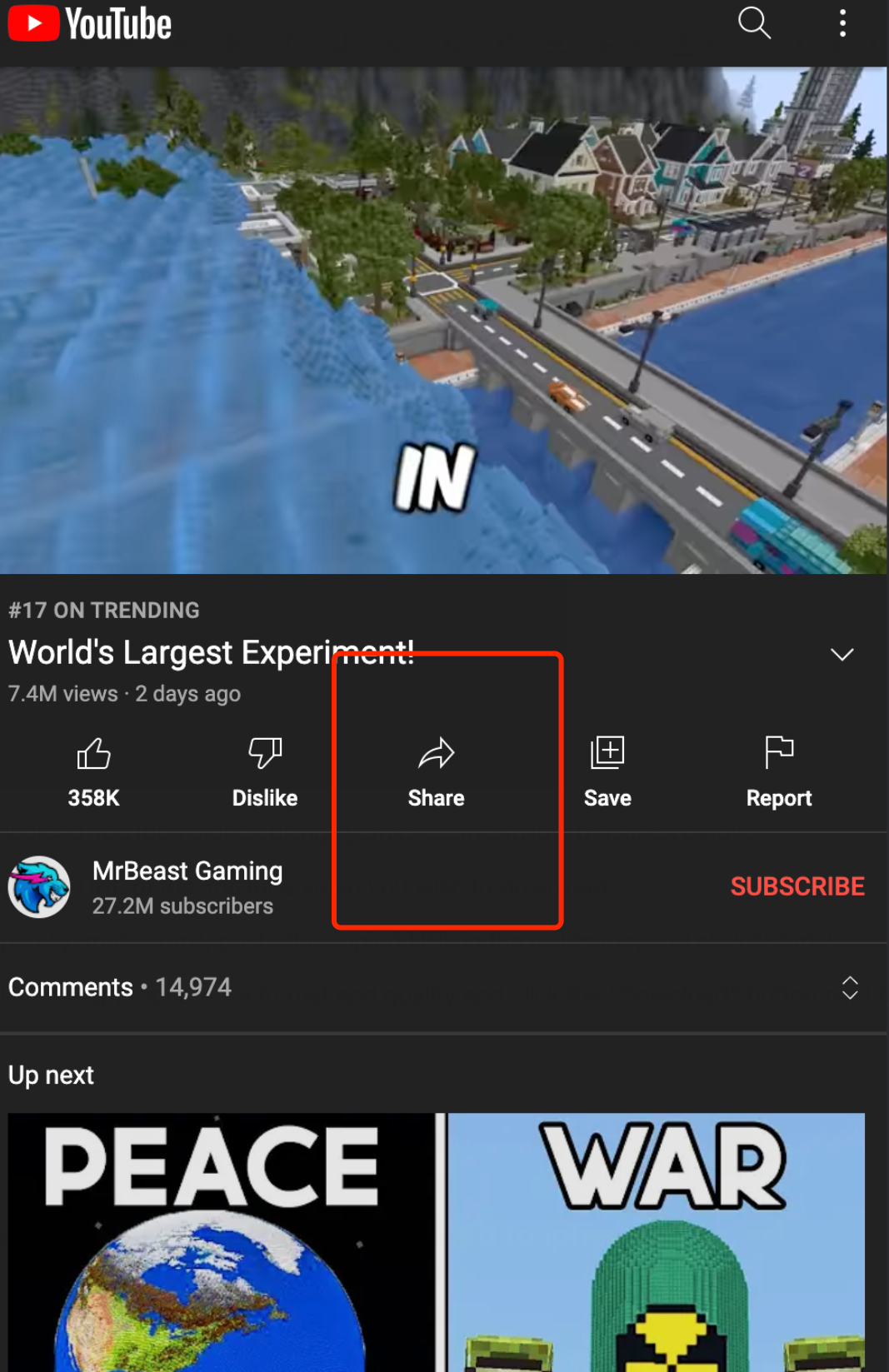
You can either copy the link from the address bar above the video or click the "Share" button to copy the video link.
Step 2: Open "y2mate.com", and paste the copied link in the red frame, then click "Start".
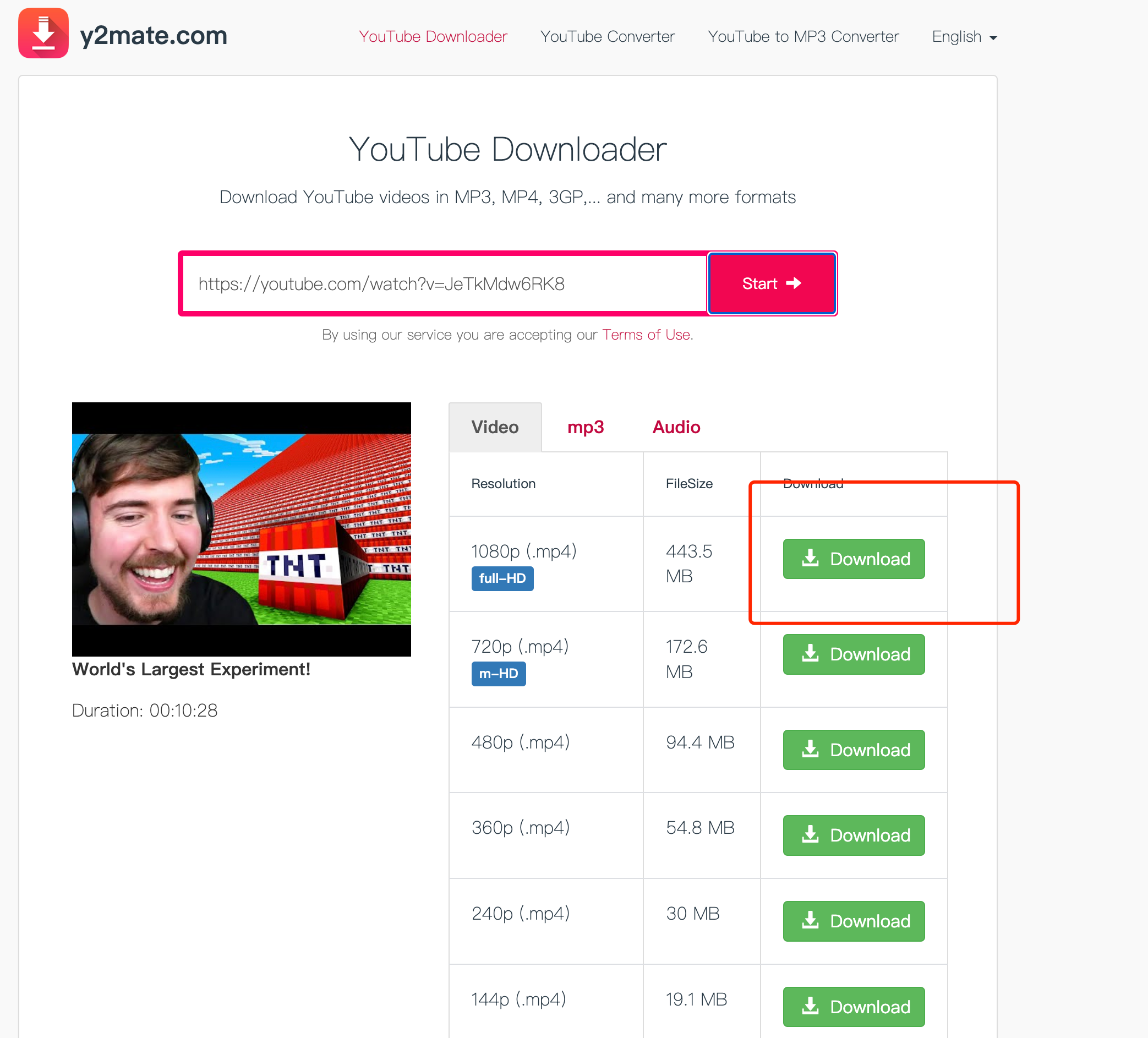
Step 3: Choose your preferred format and quality, and then click "Download" to save the file onto your device. Once the process is finished, you can enjoy the video or music offline.
 NEWS
NEWS REVIEWS
 HOWTO
HOWTO








