


How to Download LED Keyboard: Colorful Backlit APK Latest Version 16.6.21 for Android 2026
2026-05-09
Read through this guide to learn how to download and install LED Keyboard: Colorful Backlit apk latest version 16.6.21 on mobile in 2026. Follow the step-by-step tutorial to download LED Keyboard: Colorful Backlit apk for Android.
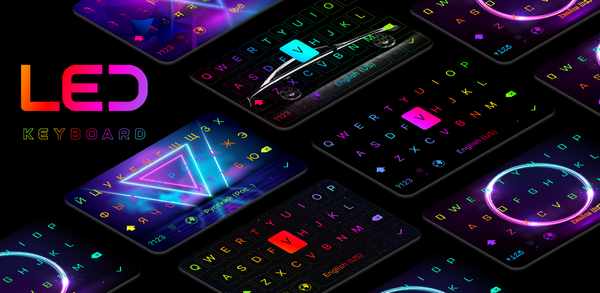
About LED Keyboard: Emoji, Fonts
The LED keyboard app offers a customizable backlit keyboard with various color effects, fast typing options including swipe and voice dictation, GIFs and stickers for sharing, live wallpaper themes and neon effects. It also supports auto-correction and word suggestion in multiple languages while ensuring user privacy.

LED keyboard - RGB Lighting Effect Keyboard - Emojs, Fonts, GIFs, Themes
How to download LED Keyboard: Emoji, Fonts on Android
To install LED Keyboard: Emoji, Fonts on your mobile device:
Step 1: Visit APKPure.com and search for LED Keyboard: Emoji, Fonts.
Step 2: Press the Download APK button to begin downloading it to your phone.
Step 3: Once the download has finished, begin the installation process of LED Keyboard: Emoji, Fonts on your phone.
Step 4: Once the installation is completed, launch the game and start playing LED Keyboard: Emoji, Fonts on your mobile device immediately.
What's New in the Latest Version 16.6.21
Last updated on May 9, 2026
Update themes keyboard
Update themes mechanical keyboard
If you're looking for more great mobile games, then APKPure is the place to go! Our editors have carefully chosen the following three articles to introduce some of the most popular apps available:
- How to Download YouTube TV: Live TV & more APK Latest Version 10.20.0 for Android 2026
- How to Download ECG PowerApp APK Latest Version 6.0.160 for Android 2026
- How to Download AddOns Maker for Minecraft PE APK Latest Version 3.8.11 for Android 2026
 NEWS
NEWS REVIEWS
 HOWTO
HOWTO









