How to Download AirDroid Parental Control APK Latest Version 2.7.3.0 for Android 2026
2026-04-07
Read through this guide to learn how to download and install AirDroid Parental Control apk latest version 2.7.3.0 on mobile in 2026. Follow the step-by-step tutorial to download AirDroid Parental Control apk for Android.
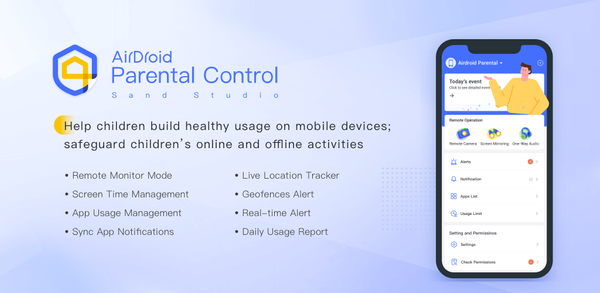
About AirDroid Parental Control
Task 1 Summary: AirDroid Parental Control is an app that helps parents monitor and control their child's phone usage for safety purposes. It offers features such as real-time monitoring, sync app notifications, screen time limits, GPS location tracking with alerts, and battery status checks. The app requires access to certain device functions like camera and microphone but has no advertisements. A free trial of premium features is available before subscribing at a cost debited from the user's Google Play account.

AirDroid Parental Control is a digital parenting app that helps manage kids’ device use and location.
How to download AirDroid Parental Control on Mobile
To install AirDroid Parental Control on your mobile device:
Step 1: Go to APKPure.com and search for AirDroid Parental Control.
Step 2: Press the Download APK button to begin downloading it to your phone.
Step 3: Once AirDroid Parental Control has finished downloading, begin installing it on your phone.
Step 4: Once the installation is finished, launch AirDroid Parental Control and start playing!
What's New in the Latest Version 2.7.3.0
Last updated on Apr 7, 2026
Bug fixes and finetunes that improve stability and user experience.
Discover and download even more of the hottest mobile games on APKPure! Our editors have carefully selected the following three articles as introductions to some of the most popular apps available:
- How to Download Soul Strike - Idle Action RPG APK Latest Version 3.1.4 for Android 2026
- How to Download Google Photos APK Latest Version for Android 2026
- How to Download Boo: Dating. Friends. Chat. APK Latest Version 1.13.126 for Android 2026
 NEWS
NEWS REVIEWS
 HOWTO
HOWTO