How to Download ADB Shell - Debug Toolbox Old Versions for Android

2026-04-13
ADB Shell - Debug Toolbox offers comprehensive features for app management, file handling, system monitoring, and advanced shell commands across Android 4.X to 13. Here is the guide that will show you more details about how to download ADB Shell - Debug Toolbox old versions on your Android devices.
What is ADB Shell - Debug Toolbox about?
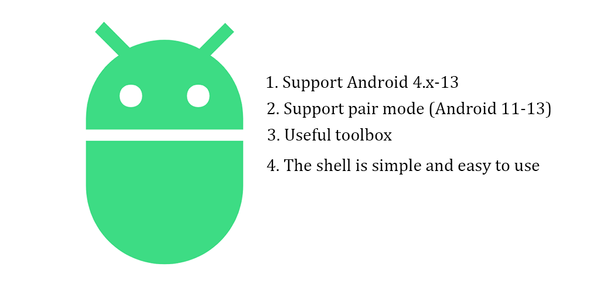
The 'ADB Shell - Debug Toolbox' is a comprehensive and versatile tool designed for Android developers and enthusiasts who need advanced control and debugging capabilities over their devices. This powerful toolbox integrates a wide range of features to simplify device management, application debugging, and system monitoring. With support for Android versions from 4.X to 13, it offers both wired and wireless ADB connectivity, making it adaptable to various development environments. Key features include application management (launching, uninstalling, force-stopping, clearing data, and enabling/disabling apps), device management, and the ability to push, pull, install, and delete files directly on the device. It also supports remote viewing of media files, taking screenshots, and even includes a TV remote controller for added convenience.
Additionally, the ADB Shell component enhances the debugging experience with features like associative input, command history, autosave output, and multi-window support. It allows users to run commands in the background, share output with others, and access prefab and recommended commands for efficient workflows. The toolbox also provides system monitoring tools, enabling users to view running applications, system information, and prop details. Whether you're a seasoned developer or a curious Android user, 'ADB Shell - Debug Toolbox' is an indispensable tool for streamlining Android device management and debugging. For more information and tutorials, visit the project's GitHub page.
System Requirements of ADB Shell - Debug Toolbox
The latest version of ADB Shell - Debug Toolbox is 4.0.32, updated on Apr 8, 2026. The Android system requirement of the latest version of ADB Shell - Debug Toolbox is Android 7.0+. If your mobile phone doesn't meet the minimum requirement, you might consider downloading the old version of ADB Shell - Debug Toolbox for better performance.

ADB is a developer toolbox app that lets you control Android devices over USB or Wi‑Fi.
How to download ADB Shell - Debug Toolbox old versions on Android?
As mobile operating systems evolve, newer game versions may no longer be compatible with older Android OS versions. Using an older app version can allow continued use on devices that can't be updated. If you need to download the old versions of ADB Shell - Debug Toolbox, you can follow the steps below to install any older versions you need directly on your phone.
Step 1: Visit APKPure and search for ADB Shell - Debug Toolbox.
Step 2: Enter the ADB Shell - Debug Toolbox detail page. Scroll down to the "Old Versions of ADB Shell - Debug Toolbox" section.
Step 3: Click on the "All Versions" button to access all the old versions of ADB Shell - Debug Toolbox.
Step 4: Click on the Download button of any old version of ADB Shell - Debug Toolbox you need in the list.
Step 5: Once the download is completed, you can start installing ADB Shell - Debug Toolbox history version on your phone.
Which Old Versions of ADB Shell - Debug Toolbox Can You Choose?
The newest version of ADB Shell - Debug Toolbox is 4.0.32, updated on Apr 8, 2026, with a package size of 38.2 MB, fixing a few issues.
APKPure offers access to multiple old versions of ADB Shell - Debug Toolbox. Below is a selection of these for a quick peek. You can also click here to see all available historical versions.
| version name | file size | update time |
|---|---|---|
| 4.0.32 | 38.2 MB | Apr 8, 2026 |
| 4.0.26 | 35.5 MB | Jan 28, 2026 |
| 4.0.25 | 35.5 MB | Jan 5, 2026 |
| 4.0.18 | 37.1 MB | Nov 7, 2025 |
| 4.0.16 | 37.1 MB | Sep 27, 2025 |
Expand your knowledge further by browsing our collection of news and guides focused on ADB Shell - Debug Toolbox!
- How to Download 마비노기 모바일 Old Versions for Mobile
- How to Download TikTok Old Versions for Android
- How to Download Limbus Company Old Versions for Android
 NEWS
NEWS REVIEWS
 HOWTO
HOWTO TOPICS
 PUBG M
 Roblox Codes