


How to Clone Apps on Android
2022-07-22
Separate your life and your work.
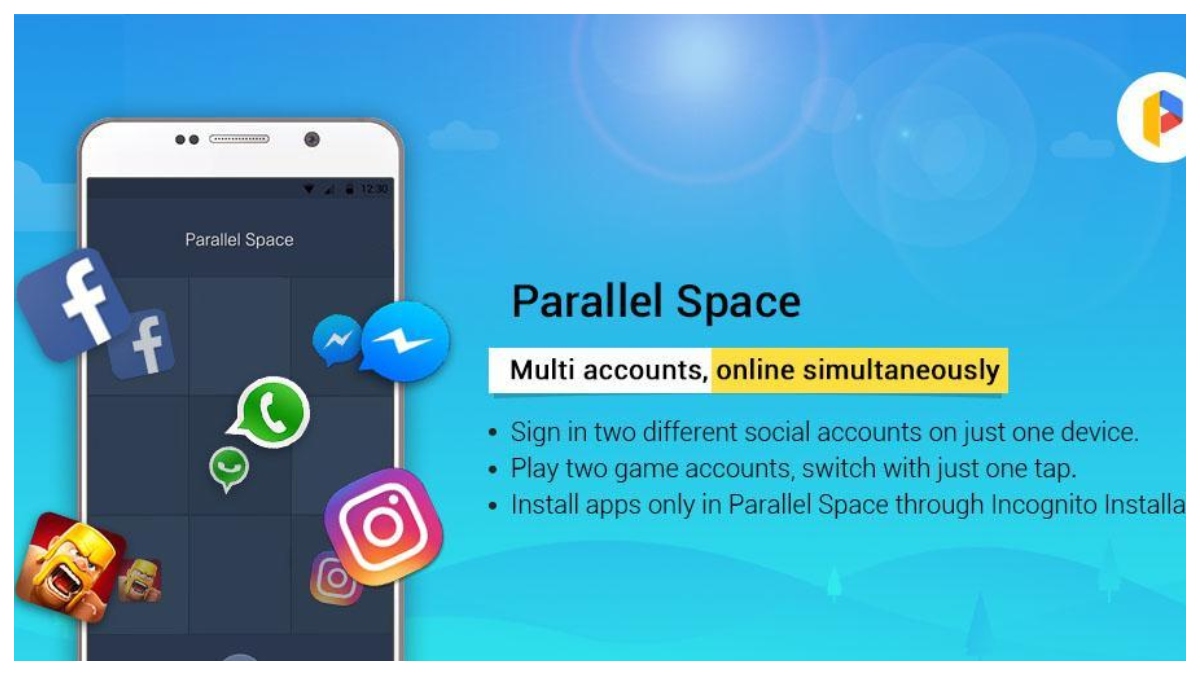
Nowadays, running 2 accounts of the same app on one device simultaneously is becoming a necessary part of our daily life. As we know, most apps support signing in with multiple accounts, like log-in with a Google account, Facebook, Twitter, and your phone number, but Snapchat and WhatsApp are holdouts.
There are plenty of advantages and examples in terms of duplicating apps. For a businessman, with two accounts, you can easily separate your life and work and your colleagues will not disturb your own spare time and personal space. Moreover, parents can also sign up for exclusive accounts for their young children, which aims to control the time children spend on phones and protect them from vulgar games or pics on the Internet.
Anyway, if you need, please continue to read.
So, how do clone an app on Android via the easiest way? We will make an example of a Google phone.
Step 1: You need to download an app to help you clone, click here to download "Parallel Space" on APKPure.
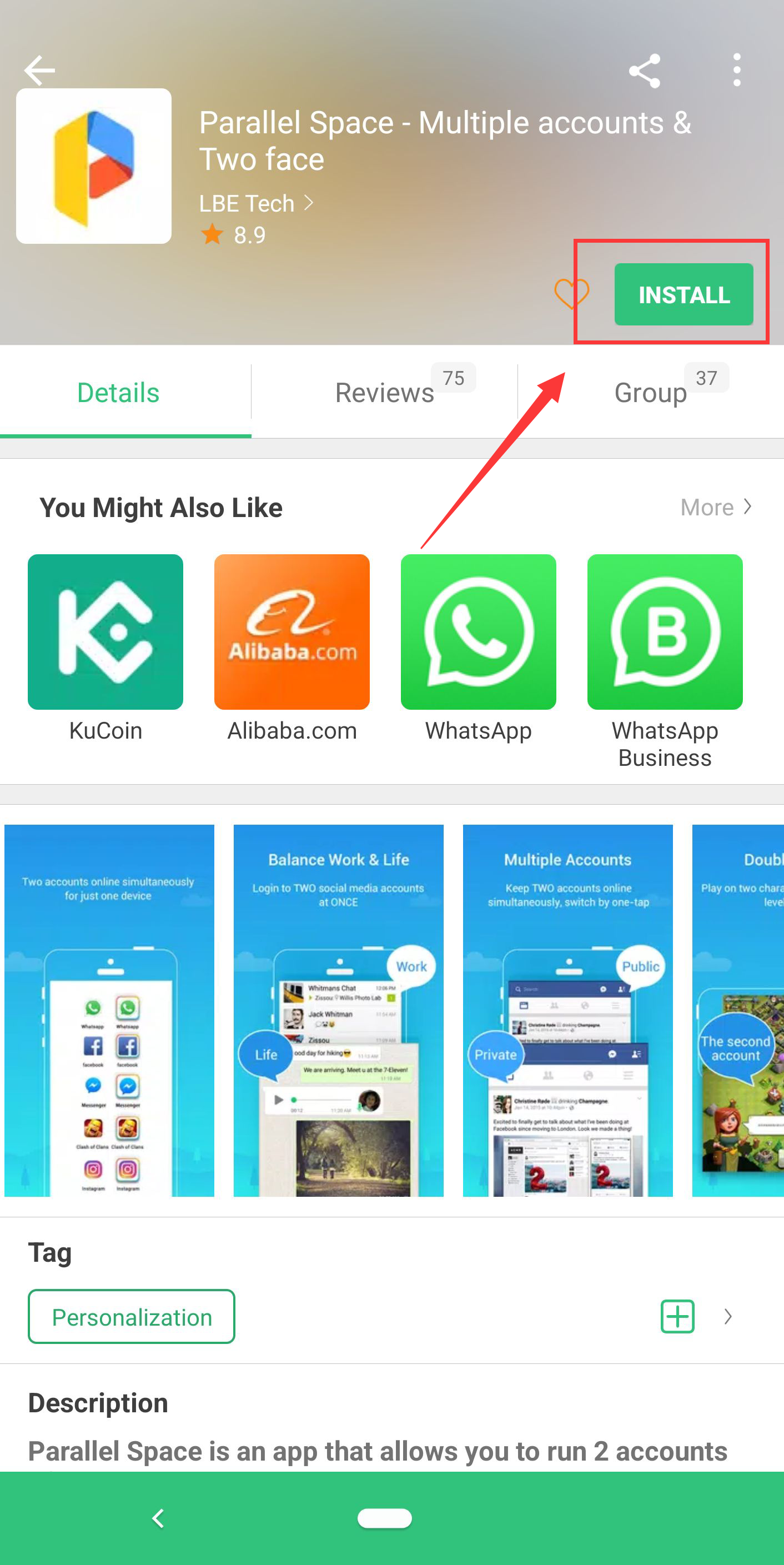
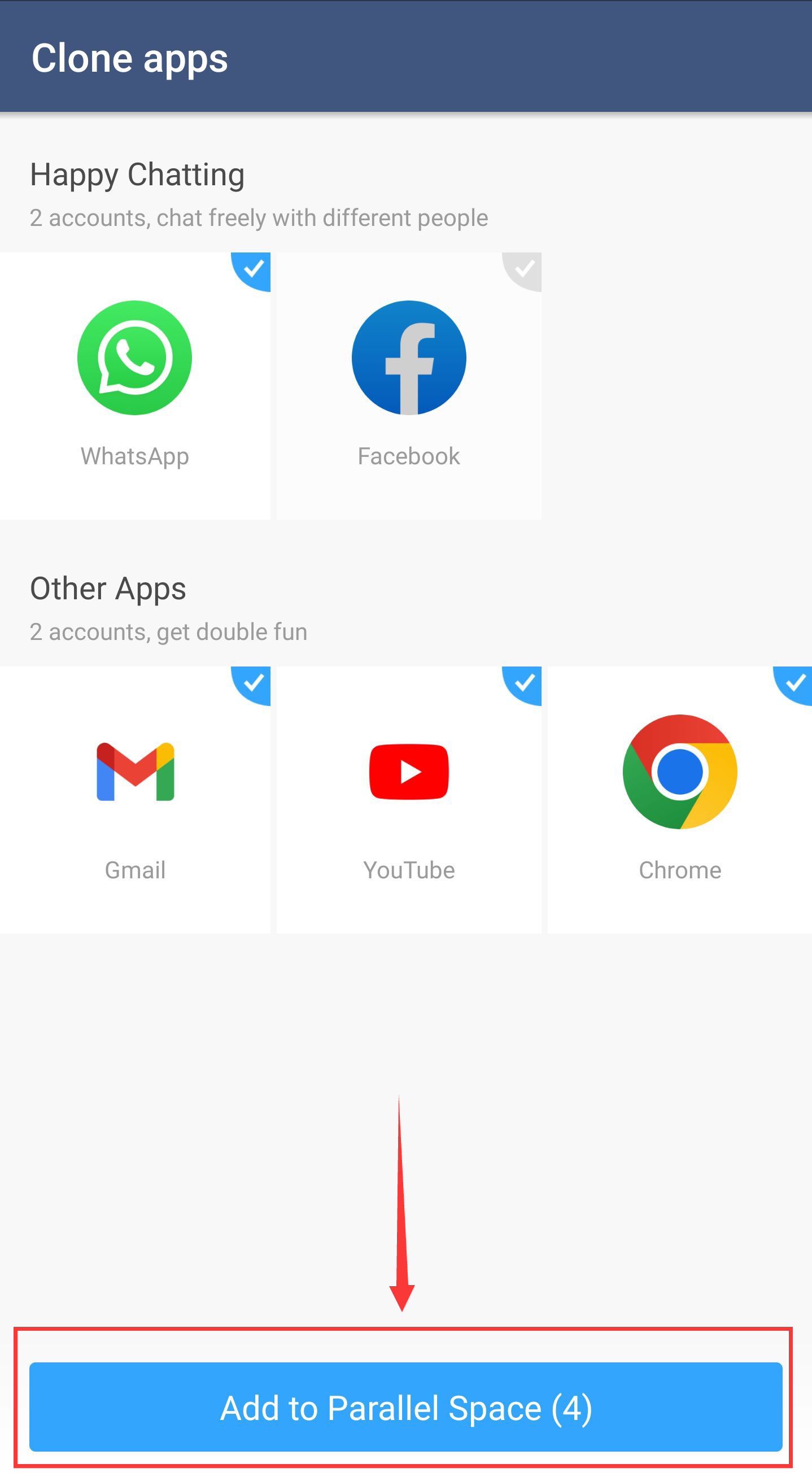
Step 2: Open "Parallel Space" and choose the apps you want to clone.
Note: Some Android phones need to set "64bit Support"(shown in the pic) if the app mentions you to set it.
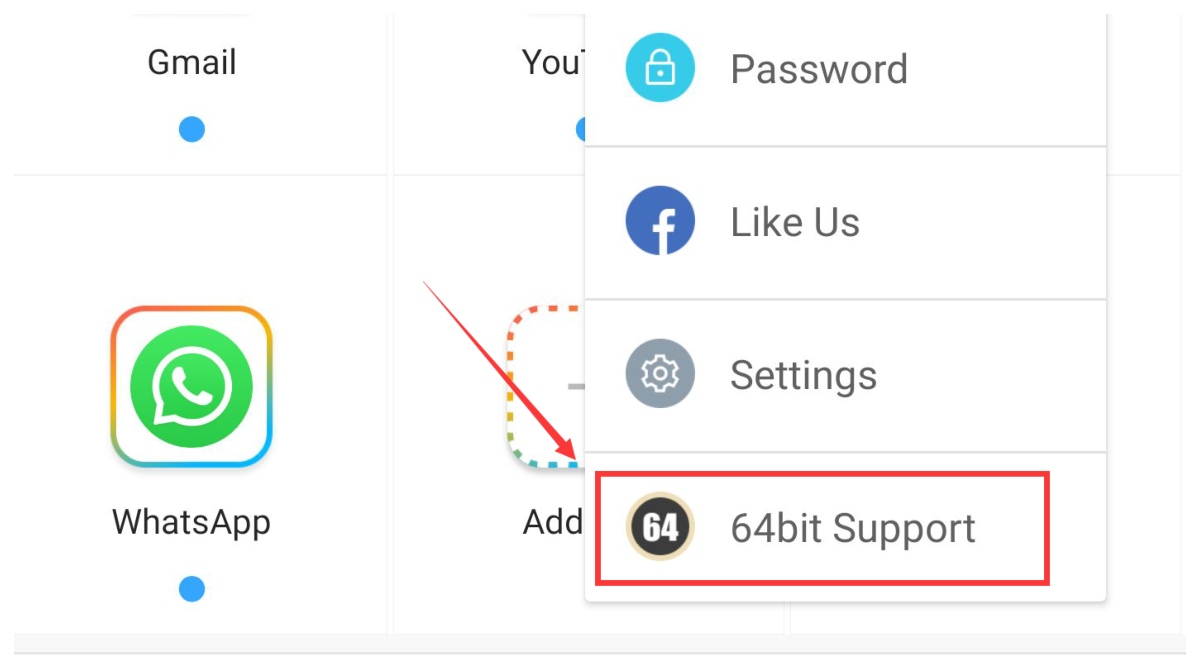
Step 3: If you want to add other apps on your phone, just click "Add App".
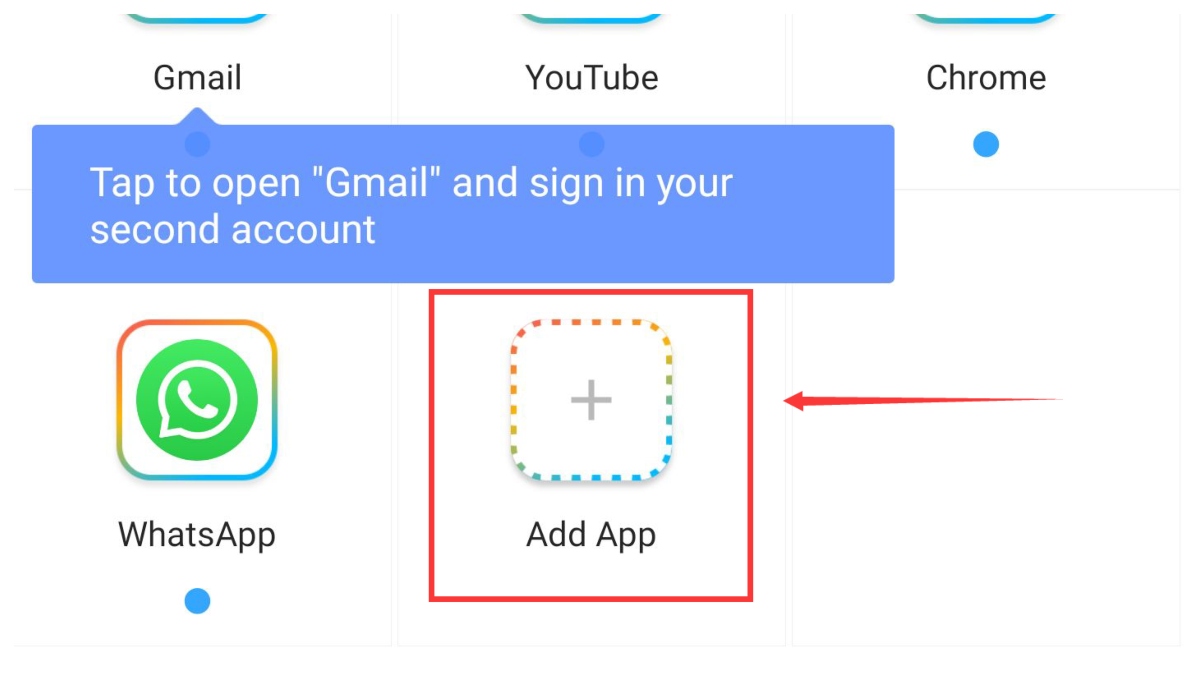
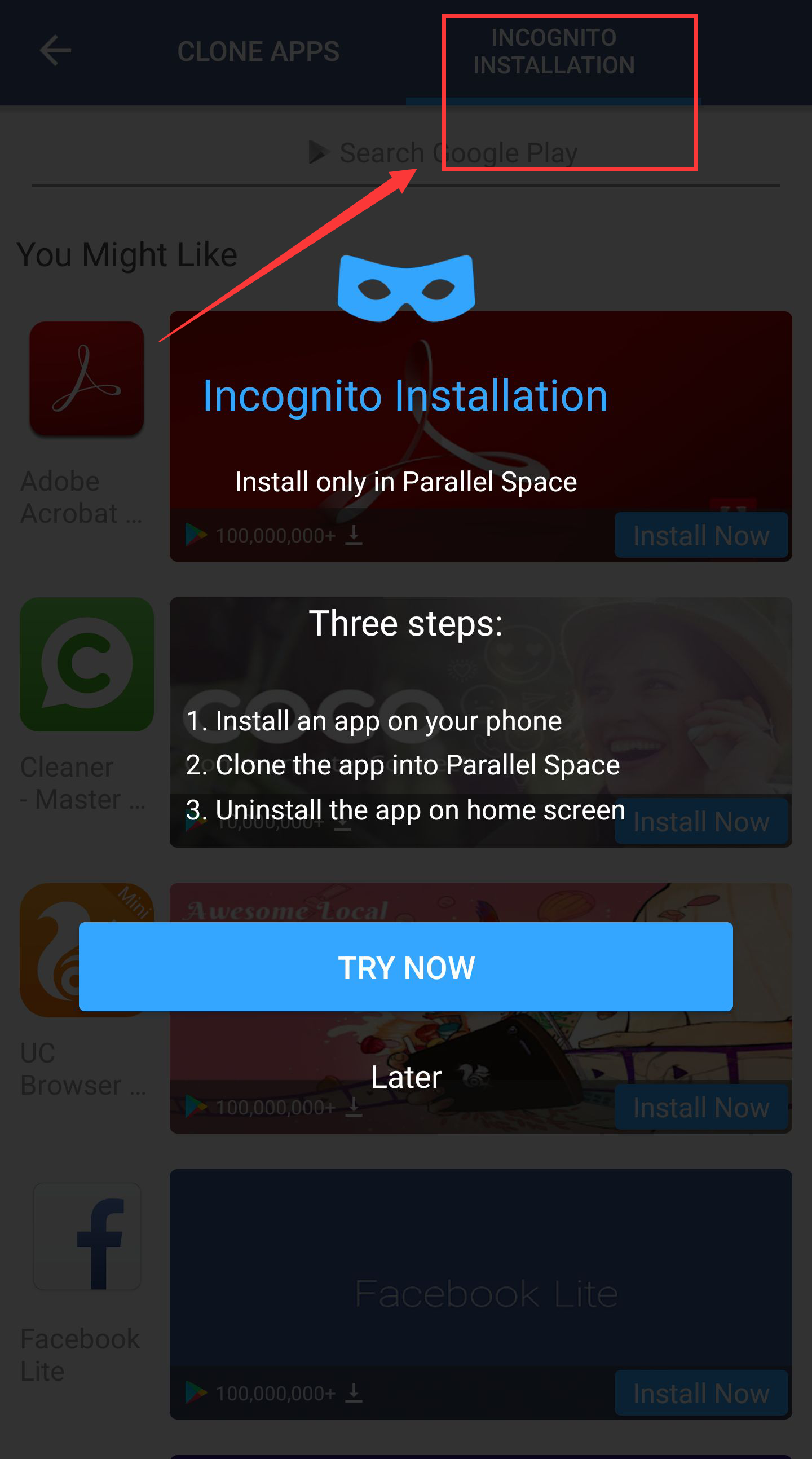
Now, you can log in to your first account on the original app and then sign in to the second account on the Parallel space! Plus, you can also download some popular apps in the "Incognito Installation".
Besides, other than some basic functions we have mentioned, this app also has strong privacy and security by setting a password(Pattern Lock or Fingerprint Lock supported) to unlock.
Although it has a great advantage in creating two accounts, it still has its own cons. For example, in the beginning, you have to allow a lot of permissions like storage access, telephone access, location access, etc. And when you use it, ads will pop up from time to time. The extra money will solve this problem.
Of course, we have a list of similar apps like Parallel Space will recommend to you. Just click them to check detailed information.
- Dual Space - Multiple Accounts & App Cloner
Here are all introductions to two accounts. You can try one of them when you need it. There are more fun games and practical apps on APKPure.

Parallel Space is an app cloner that lets you run multiple accounts on one device.
 NEWS
NEWS REVIEWS
 HOWTO
HOWTO TOPICS
 PUBG M
 Roblox Codes









