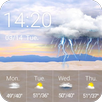
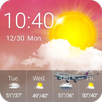
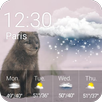
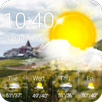
⛅Weather Widget - weather application⛅
Weather information & patterns change automatically according to weather condition.
❄How to Apply Weather Widget - weather application:❄Step 1: Download Weather Widget - weather application and Weather Radar & Forecast app.Step 2: Long press screen & click [Widget].Step 3:Find Weather Widget - weather application & drag it to your desktop .
ComprehensiveReal-Time Weather, 5 days weather forecast, clock & calendar...
Notice:This Weather Widget - weather application needs Weather Radar & Forecast app. Please tap the following link to have it installed:https://play.google.com/store/apps/details?id=com.fotoable.temperature.weather
⛅What's Weather Widget - weather application?⛅ Real-Time Weather: Real-time temperature.Weather Forecast: Weather forecasts for 5 days. Clock & Calendar: Useful clock to decorate your desktop.Location: Weather radar helps to choose and save different locations.
❄Real-time weather, weather forecast & clock widget.❄
ConvenientJust put this weather widget on your desktop & get weather information conveniently.
⛅Main Features⛅weather application Themeweather app,weather,weatherbug,weather widget,weather radarHave fun!UsefulAll useful weather information & weather forecast.
Contact Us:Email:weathercontactus@gmail.com
Privacy Policy: http://tianqi.mdc.akamaized.net/weather.html
Latest Version
1.0.1Requires Android
4.2 and up
Category
Free Weather AppContent Rating
Everyone
Report
Flag as inappropriateLast updated on Feb 28, 2017
This release includes minor bug fixes and general improvements. Update to the latest version for the best experience.



APKPure - A multi-platform app store primarily focused on Android, providing extensive app-related content. Discover the app you want easier, faster, and safer, with quick and efficient downloads and installations.