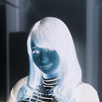
A camera that shoots at deliberately low resolution.
Phone cameras get better every year: one photo can take several megabytes, and a minute of video can pass 100 MB. This app does the opposite. It shoots small and rough from the start - for the times you would rather not spend the storage, and for people who simply like the way rough pictures look.
■ Just pick one of five sizes
96x128 / 144x192 / 240x320 / 480x640 / 720x960. They sit right above the viewfinder, so you can switch a second before you shoot. Rough guide per photo / per minute of video:
・96x128 - about 3 KB / 0.9 MB
・144x192 - about 5 KB / 1.5 MB
・240x320 - about 12 KB / 3.0 MB
・480x640 - about 45 KB / 9.0 MB
・720x960 - about 110 KB / 18.8 MB
■ What you see is what gets saved
The viewfinder shows the frame already scaled down and already compressed, exactly as it will be stored. Press the shutter and that same image is written to your gallery. Nothing ever turns out rougher or cleaner than it looked.
■ Video at the same size
Switch between photo and video and record with the same roughness. Allow the microphone and the sound is recorded; refuse it and the video is simply silent.
■ Four looks
Original / Toy camera / Old digicam / Faded. Original is the default, so if you are only here to save space, nothing is added to your pictures. Toy camera boosts the colors and darkens the corners, Old digicam has the cool cast of an early 2000s compact, and Faded looks like a yellowed old print.
■ Straight into your gallery
Photos go to Pictures/LowQualityCamera, videos to Movies/LowQualityCamera, ready to attach to an email or a chat. No account, no upload.
■ The shutter sound can be muted
Turn it off in the settings. Some countries and devices keep it on.
Good for
・Keeping free space on your phone and in the cloud
・Records that only need to exist, not to look good
・Sending something without using much data
・Anyone who likes the feel of rough photos and video
・Shooting like an old phone or an early digital camera
This app is for taking pictures, not for shrinking ones you already have: it cannot import existing photos or videos. The frame is a fixed 3:4 portrait, and there is no zoom, flash or timer. The roughness is the soft look of a small image stretched out, not the hard squares of a pixel art filter.
Latest Version
Varies with deviceRequires Android
Category
Free Photography AppContent Rating
Everyone
Report
Flag as inappropriateLast updated on Aug 10, 2026
This release includes minor bug fixes and general improvements. Update to the latest version for the best experience.



APKPure - A multi-platform app store primarily focused on Android, providing extensive app-related content. Discover the app you want easier, faster, and safer, with quick and efficient downloads and installations.