Package Name:com.orghasan.folio
SHA-256:00c823fe676e547522e3ec7bccd3dabf33f728085a2f942539115ed003376472
Show More

Folio: Your Editorial Workspace for Notes & Documents
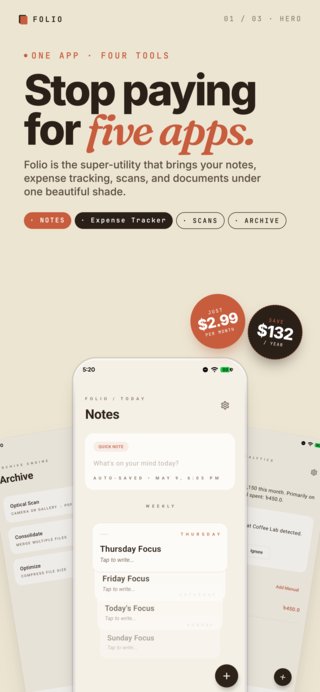
Elevate your productivity with Folio, the minimalist workspace designed for thinkers, creators, and professionals who value both aesthetics and privacy. Folio is the ultimate super app utility that combines the power of a premium digital journal, a high-fidelity document scanner, a secure local digital archive, and a smart subscription manager into one seamless experience.
WHY PAY FOR MULTIPLE APPS? Most people pay separate monthly subscriptions for a note-taking app, a PDF scanner, and a secure file manager. Folio consolidates your digital life and task management:
• Replace Your Private Scanner: Stop paying for standalone scanner apps. Folio’s built-in OCR and PDF engine handles it all, acting as your ultimate receipts scanner and document utility. • Replace Your Journal: Ditch basic notebook apps. Our editorial-style UI provides a superior, distraction-free writing experience for your secure notes. • One Secure Hub: Why use multiple "vaults"? Store your personal ledger, receipts, and scanned documents in one encrypted, local archive. One app. One workspace. Total privacy.
KEY FEATURES:
1. STUNNING EDITORIAL NOTES Experience a note-taking interface that feels like a premium digital journal. • Weekly Planner & Rolodex: A unique, swipeable stack of cards to manage your daily focus and weekly goals. • Minimalist Notes: One-tap access to capture ideas, task lists, and inspirations instantly. • Editorial Design: Beautiful typography and a minimalist layout designed for absolute focus and readability.
2. POWERFUL OPTICAL SCANNING Turn your physical world into a digital library with a single tap. • Scan to PDF: High-quality document scanning using your device’s camera. • Gallery Import: Convert existing photos into clean, multi-page PDF documents. • Local Processing: All processing happens on-device—your private documents are never uploaded to remote servers.
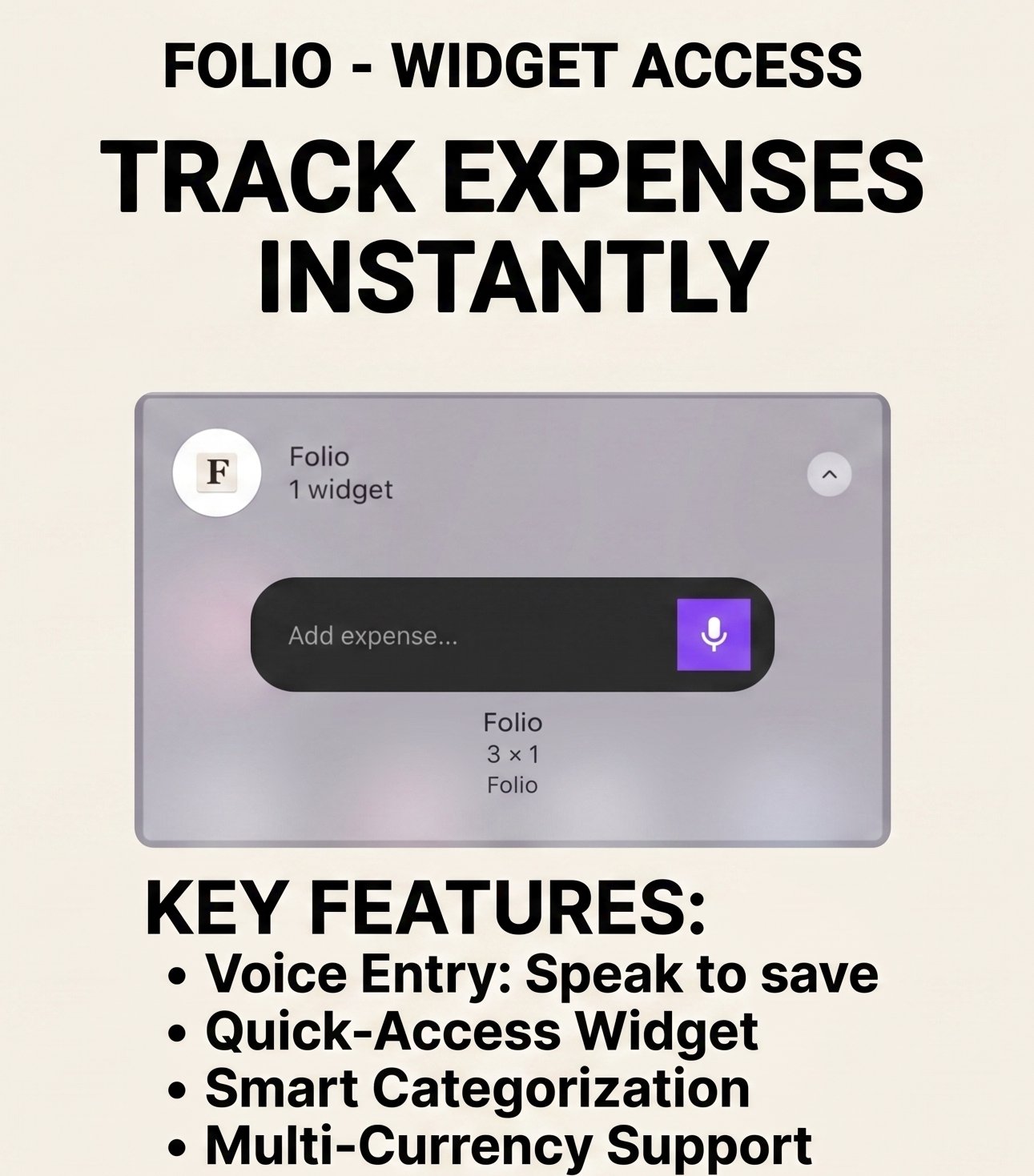
3. THE SECURE ARCHIVE, LEDGER & SUBSCRIPTION MANAGER Organize and manage your productivity and expenses in one central hub. • Subscription Manager: Never lose track of your recurring payments. Keep tabs on all your active subscriptions, trial dates, and renewal cycles in a beautifully designed dashboard. • Personal Ledger: Keep track of your scanned documents, receipts, and important files effortlessly. Let our automated system smartly log expenses from SMS receipts. • Built-in PDF Viewer: View, navigate, and manage your saved documents without needing third-party apps. • Local Privacy: Your files are stored in a secure local database, ensuring your data stays entirely yours.
WHY CHOOSE FOLIO? • Privacy First: No cloud tracking. Your notes and documents belong to you, and stay on your device. • Premium Design: Built with a high-fidelity UI featuring smooth animations, glassmorphism, and a sophisticated, editorial-inspired color palette. • Optimized Performance: Built on Kotlin Multiplatform (KMP) for a fast, responsive, and reliable experience. • Ad-Free Experience: Maintain focus on your work without interruptions. Folio is built for productivity, not for ads.
WHO IS IT FOR? • Students: Scanning notes and organizing weekly study focuses. • Freelancers: Managing project receipts, subscriptions, and quick creative ideas. • Minimalists: Anyone who wants a clean, beautiful, and private app for their daily thoughts.
Contact & Support: Have questions or feedback? Reach out to us at:
jhnaiem.dev@gmail.com
Latest Version
1.1.4Uploaded by
Hama Almas
Requires Android
Category
Free Tools AppContent Rating
Everyone
Security Report
Check Now
Report
Flag as inappropriateLast updated on Aug 18, 2026
Add delete action for quick notes.




APKPure - A multi-platform app store primarily focused on Android, providing extensive app-related content. Discover the app you want easier, faster, and safer, with quick and efficient downloads and installations.